
Lieferung heute & morgen

Qualitätsgarantie

Willkommens-Angebote freischalten: KOSTENLOSE Lieferung | Bis zu 80 % RABATT | Kostenlose 30-Tage-JoyPlus-Testphase
App herunterladen
Choosing the right PC fan can be a challenge given the vast array of models, sizes, and features. Inadequate cooling can compromise the performance and lifespan of your components, while loud fans can disrupt your concentration during work or gaming. At the same time, aesthetics—especially lighting—play a crucial role for many users in their PC builds.
This guide is designed to help you make an informed decision. We'll explain the most important technical features and present a selection of fans for different applications, so you can find the perfect solution for your system.
To make the right choice, it's helpful to understand a few basic criteria. The following points will guide you in your purchase.
The most common sizes for PC fans are 120mm and 140mm. The choice primarily depends on compatibility with your PC case and heatsinks.
Fans are optimised for either high airflow or high static pressure.
Modern fans offer advanced control and lighting options.
Here is a selection of fans designed for different needs and systems.
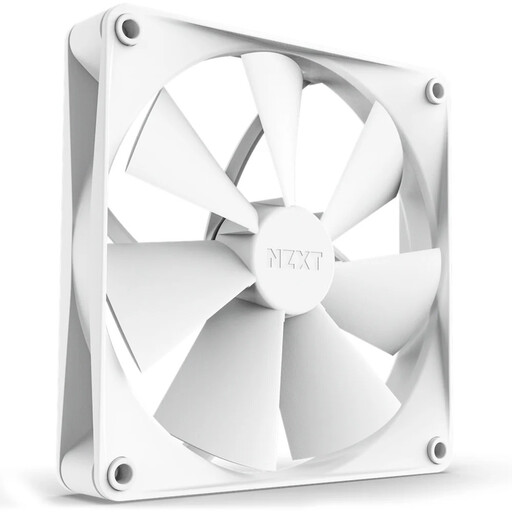
Why It Stands Out: The NZXT F140P is specifically designed for high static pressure. This makes it an excellent choice for use on water cooling radiators or CPU heatsinks, where air needs to be forced through dense fins.
Pros:
Who Is It For?: For users looking for a powerful and quiet 140mm fan for their water cooling setup or a large CPU air cooler. The sleek white design fits well in minimalist builds.
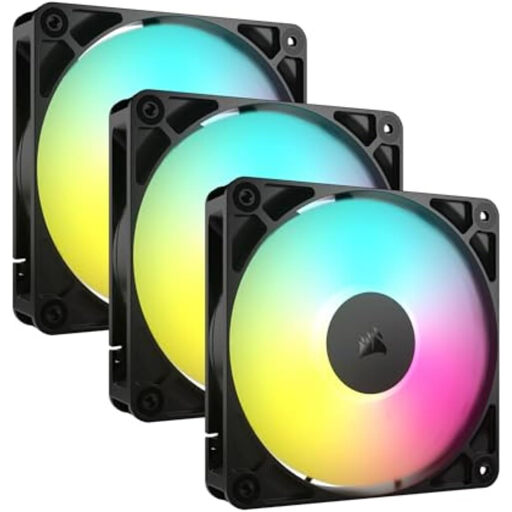
Why It Stands Out: This triple pack of fans from Corsair simplifies installation and cable management with a daisy-chain connection system. Multiple fans can be connected directly to each other, drastically reducing the number of cables running to the motherboard or controller.
Pros:
Who Is It For?: Ideal for PC builders who want a complete cooling solution with synchronised ARGB lighting and minimal cable clutter. The set is perfect for outfitting an entire case.
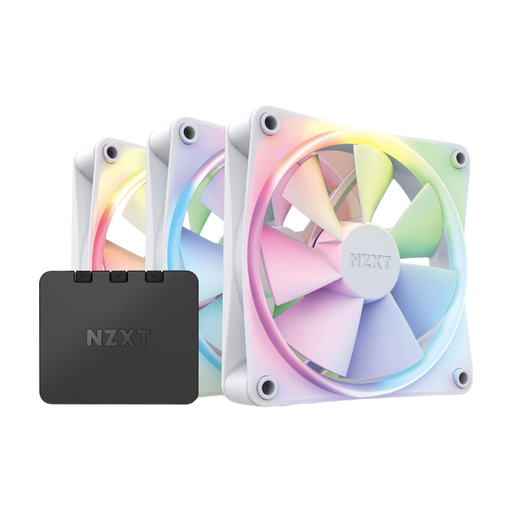
Why It Stands Out: This package is an all-in-one solution for lighting and cooling. It includes not only three white PC fans but also the corresponding RGB controller. Control and synchronisation are managed centrally via the NZXT CAM software, making setup and customisation especially convenient.
Pros:
Who Is It For?: For users who want to build a straightforward and aesthetically pleasing RGB setup. The included controller and software integration make it a great choice for beginners entering the world of RGB fans.
The right cooling is crucial for the stability and performance of your system. If the models presented here don't exactly meet your requirements, or if you're looking for specific solutions like fan controllers or passive heatsinks, you might find the right product in our broader selection.
Explore Our Full Range of PC Cooling Solutions
A PWM fan has a 4-pin connector and is controlled by rapid on-off pulses (Pulse Width Modulation). This allows for very precise and stepless regulation of the fan speed over a wide range. A DC (Direct Current) fan has a 3-pin connector and is controlled by varying the voltage supplied to it. This control method is often less precise, and the minimum speed range is more limited.
There's no one-size-fits-all answer, as the need depends on the installed components, the case, and how the PC is used. However, a good baseline configuration is at least two fans: one case fan at the front for cool air intake, and one at the rear for warm air exhaust. For high-performance gaming PCs or workstations, three to six fans can be beneficial to ensure optimal airflow.
Technically, it's possible, but it's often problematic in practice. Many manufacturers use proprietary connectors and their own software ecosystems to control lighting. Mixing ARGB fans from different brands often results in lighting effects that cannot be synchronised, or it may require third-party adapters. For uniform and easily controlled lighting, it is recommended to stick with fans and controllers from within a single manufacturer's ecosystem.