
Lieferung heute & morgen

Qualitätsgarantie

Willkommens-Angebote freischalten: KOSTENLOSE Lieferung | Bis zu 80 % RABATT | Kostenlose 30-Tage-JoyPlus-Testphase
App herunterladen
Choosing the right gaming mouse can be the difference between victory and defeat. But the market is flooded with technical specs and marketing promises that confuse more than they help. Many gamers invest in features they'll never use or fall for design flaws that ruin the fun after just a short time.
As your Joybuy Product Recommendation Officer, I'm here to help you navigate these pitfalls. We'll focus on the crucial features that truly define a great PC gaming mouse and expose the three most common marketing traps, ensuring your next investment is a sound one.
Before we dive into the important specifications, let's clear up the most common misconceptions that often lead to a bad purchase.
To make the right choice, you should focus on three core technical aspects. These determine the precision, response time, and comfort of your mouse.
The sensor is the heart of every professional gaming mouse. Instead of just looking at the DPI value, you should consider the following metrics:
The polling rate, measured in Hertz (Hz), indicates how often the mouse reports its position to the computer.
A mouse can have the best specs in the world—if it doesn't fit your hand well, your performance will suffer.
Here are some recommendations tailored to different needs and budgets, all of which avoid the pitfalls mentioned.
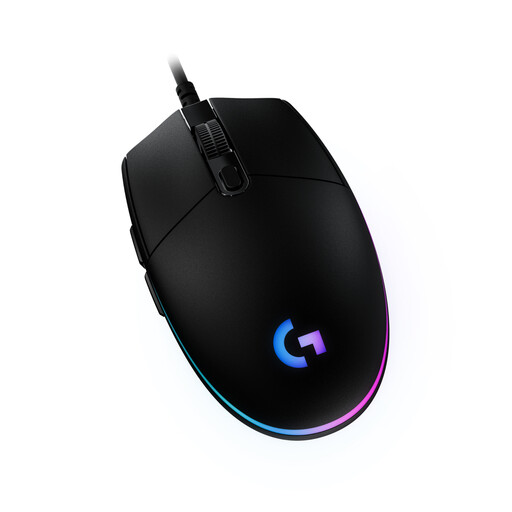
Why This Fits Their Persona: Ideal for gamers looking for a reliable and affordable mouse with essential gaming features. It offers solid performance for entering the world of PC gaming without breaking the bank, and features customizable RGB gaming mouse lighting for a personalized setup.
It avoids the DPI myth by offering a practical sensor with up to 8,000 DPI, which is more than enough for all common games and resolutions. The focus is on a proven design and reliable function rather than on exaggerated specs.
Proven, comfortable design with 6 programmable buttons. Reliable sensor and durable mechanical button tensioning for a consistent click feel.
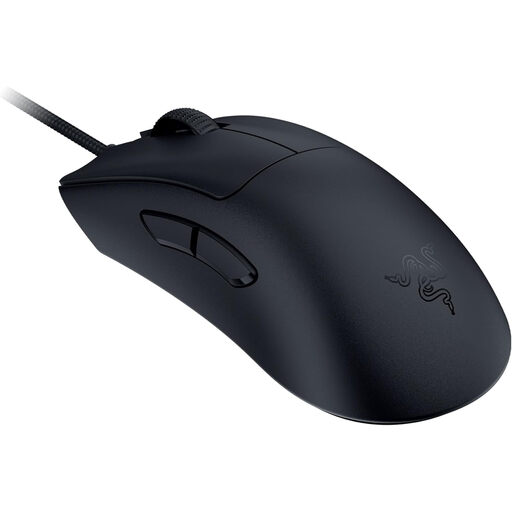
Why This Fits Their Persona: This esports mouse is engineered purely for maximum performance. It's the choice for players where every millisecond counts and who need an extremely responsive and precise mouse for fast-paced FPS titles like CS2 or Valorant.
It avoids the 'lightweight at all costs' trap by achieving its low 59g weight through an optimized, stable shell structure. The focus is on measurable performance (8K polling rate, 30K DPI sensor) rather than pure marketing numbers.
Extremely low weight of 59g for maximum agility. Razer 8000 Hz HyperPolling Technology for a near-zero latency connection and a high-precision optical sensor.
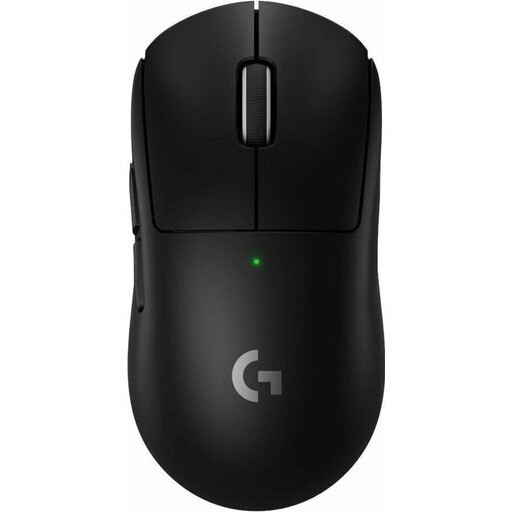
Why This Fits Their Persona: Perfect for gamers who prefer a clean, wireless setup but want to make no compromises on performance. This wireless gaming mouse combines an extremely low weight with long battery life and professional-grade performance.
It debunks the myth that wireless mice are heavy or have noticeable latency. At just 60g and with LIGHTSPEED technology, it offers the performance of a wired mouse without the drawbacks of a cable. The long battery life prevents frequent interruptions to your game.
Only 60g of weight with wireless freedom. Up to 95 hours of battery life and the high-precision HERO 2 sensor ensure consistently high performance.
We have compiled a complete, up-to-date list of products that fully meet these strict selection criteria.
1. Wired or wireless gaming mouse: Which is the better choice? Modern wireless technologies like Logitech LIGHTSPEED or Razer HyperSpeed have virtually eliminated the latency issues of previous generations. Today, the choice is primarily a matter of personal preference.
2. How important is the polling rate, really? A polling rate of 1000 Hz (1 ms response time) is the gold standard and is perfectly sufficient for 99% of all players. An 8K polling rate mouse offers a theoretically faster response (0.125 ms), but this is only perceptible to professional players with very fast monitors (e.g., 240 Hz or 360 Hz). For casual gamers, the difference is negligible.
3. How do I find the right mouse for my hand size and grip style? The fit is crucial for comfort. Pay attention to the mouse's dimensions (length x width x height) and compare them with your hand.