Choosing a gaming monitor is a decision that should be based on quantifiable technical parameters. A monitor's performance directly impacts the visual presentation of games and can make a significant difference in responsiveness. This article analyses the key specifications—resolution, refresh rate, response time, and panel technology—to help you make an informed purchasing decision.
Buyer's Guide: The Decisive Technical Features
The right monitor choice depends on your individual use case and existing hardware (graphics card, console). The following criteria are fundamental for evaluating performance.
Resolution: Full HD, WQHD, or 4K?
Resolution defines the number of picture elements (pixels) and, consequently, the image sharpness.
- Full HD (1920 x 1080 pixels): The established standard, especially for 24-inch monitors. It requires less graphics power and allows for high frame rates, making it attractive for competitive gaming.
- WQHD (2560 x 1440 pixels): Offers a higher pixel density on a 27-inch monitor, resulting in a visibly sharper image than Full HD. WQHD represents a well-balanced compromise between image quality and the demands on the graphics card.
- 4K UHD (3840 x 2160 pixels): Delivers the highest detail density and is ideal for graphically intensive single-player titles and for use with current consoles like the PS5 or Xbox Series X. A 4K gaming monitor requires a high-performance graphics card to achieve high refresh rates.
Refresh Rate (in Hertz, Hz)
The refresh rate indicates how many frames per second the monitor can display. A higher rate leads to smoother motion perception. For gaming, monitors with 144Hz or more are recommended, as they offer significantly smoother visuals and less motion blur compared to standard 60Hz monitors. This is particularly advantageous in fast-paced genres like first-person shooters or racing games.
Response Time (in Milliseconds, ms)
The response time measures how quickly a pixel can change its colour. A low response time of 1ms (GtG, Grey-to-Grey) minimises so-called "ghosting" during fast movements. This ensures a clear and sharp image in action-packed scenes.
Panel Technology and Synchronisation
- IPS Monitor (In-Plane Switching): IPS panels are known for their high colour accuracy and wide viewing angles. Modern "Fast IPS" or "Rapid IPS" variants combine these advantages with very fast response times, making them an excellent choice for gamers who value both image quality and speed.
- Synchronisation Technology: G-Sync (NVIDIA) and FreeSync (AMD) synchronise the monitor's refresh rate with the graphics card's frame output. This prevents "screen tearing" (the tearing of the image) and ensures a consistently smooth gaming experience.
Our Recommended Gaming Displays
Based on the technical criteria mentioned above, here is a selection of monitors designed for different user profiles.
1. ASUS ROG Strix XG27UCS
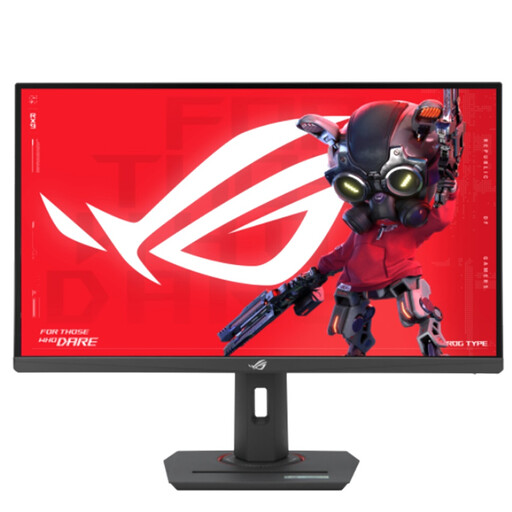
[10€ off with Code: M10] ASUS ROG Strix XG27UCS, 27-Inch 4K UHD Gaming Monitor, 160 Hz, 1 ms GtG, G-Sync, FreeSync, AdaptiveSync, ELMB-Sync, DisplayHDR 400, Fast IPS, 16:9, 3840 x 2160, DisplayPort, HDMI, 15 W USB-C, Ergo
- Why we recommend this product: This model combines a high 4K resolution with a fast 160 Hz refresh rate. The Fast-IPS panel ensures excellent colour reproduction and fast response times, making it a high-performance all-rounder for high-end applications.
- Advantages:
- Sharp 4K UHD resolution (3840 x 2160)
- Smooth 160 Hz refresh rate and 1ms response time (GtG)
- VESA DisplayHDR 400 for enhanced contrast
- Comprehensive connectivity including HDMI 2.1 and USB-C with 15W Power Delivery
- Compatible with G-Sync and FreeSync
- Who it's for: Users with high-performance PC hardware and owners of next-gen consoles (PS5, Xbox Series X) who are looking for maximum visual quality while maintaining high frame rates.
2. MSI MAG 274QFDE
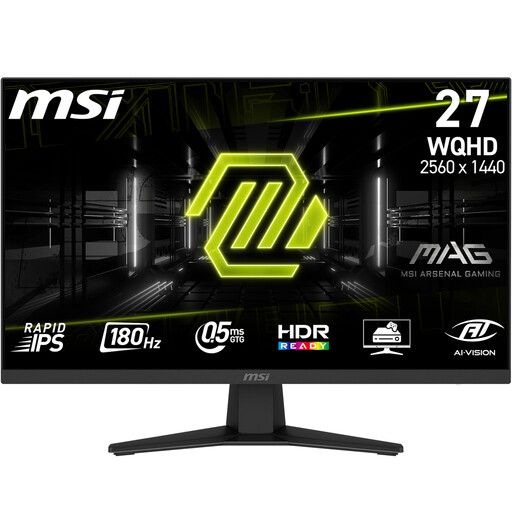
[10€ off with Code: M10] MSI MAG 274QFDE 27 Inch WQHD Rapid IPS LED 16:9 180 Hz Gaming Monitor
- Why we recommend this product: This monitor focuses on speed and responsiveness. With a WQHD resolution and a very high 180 Hz refresh rate, it is optimised for competitive gaming where every millisecond counts.
- Advantages:
- High 180 Hz refresh rate for extremely smooth gameplay
- Very fast 0.5 ms (GtG) response time
- WQHD monitor with 2560 x 1440 pixels as the ideal sweet spot
- Rapid-IPS panel for good colours and speed
- Adaptive-Sync technology to prevent screen tearing
- Who it's for: PC gamers and esports athletes who prioritise high frame rates and minimal latency, and prefer a WQHD resolution monitor for this purpose.
3. GIGABYTE GS24F14
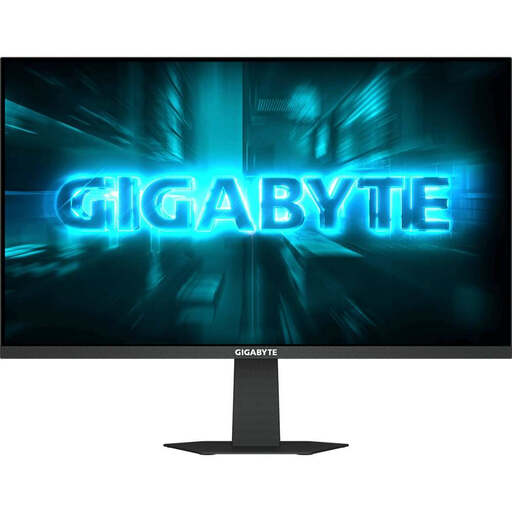
[5€ off with Code: M5] GIGABYTE GS24F14 23.8" FHD (1920x1080) IPS Gaming Monitor, 144Hz, 1ms, AMD FreeSync Premium
- Why we recommend this product: This model offers essential gaming features at an accessible price point. The combination of a Full HD resolution, an overclockable refresh rate of up to 175 Hz, and an IPS panel makes it a solid choice for entering the world of high-refresh-rate gaming.
- Advantages:
- Native 144Hz refresh rate (overclockable to 175 Hz)
- Compact 24-inch screen size with FHD resolution
- 1ms response time (MPRT) for sharp motion
- Support for AMD FreeSync Premium
- Excellent value for the provided specifications
- Who it's for: Budget-conscious gamers and aspiring esports players looking for a responsive monitor for competitive titles who are happy with a Full HD resolution.
Further Options and Models
The monitors presented here cover common user profiles. For an extended selection of models tailored to specific requirements such as panel type or size, you can consult our Gaming Monitors with IPS Display category.
Frequently Asked Questions (FAQ)
What is more relevant for gaming: a high resolution or a high refresh rate?
The priority depends on the type of gamer. For competitive, fast-paced games (e.g., shooters), a high refresh rate (144 Hz and above) is often more advantageous as it enables smoother and more responsive gameplay. For visually rich single-player titles, a high resolution (WQHD or 4K) can intensify the experience with greater detail and sharpness. The ideal choice is a combination of both, but this places high demands on the graphics card.
Is a monitor with a 1ms response time necessary?
A 1ms (GtG) response time is particularly important for players of fast-paced genres, as it visibly reduces motion blur and ghosting effects. For slower game genres like strategy or role-playing games, the difference compared to monitors with slightly higher response times (e.g., 4-5 ms) is less noticeable. However, for an optimal gaming experience across the board, 1ms is a desirable benchmark.
What is the function of G-Sync and FreeSync?
Both technologies serve to synchronise the frames per second (FPS) delivered by the graphics card with the refresh rate (Hz) of the monitor. Without this synchronisation, "screen tearing" can occur, where two or more incomplete frames are displayed simultaneously. G-Sync (for NVIDIA graphics cards) and FreeSync (for AMD graphics cards, and often compatible with NVIDIA as well) eliminate this problem and ensure a seamless, fluid image.
Written by: Joybuy Product Recommendation Officer


