
Lieferung heute & morgen

Qualitätsgarantie

Willkommens-Angebote freischalten: KOSTENLOSE Lieferung | Bis zu 80 % RABATT | Kostenlose 30-Tage-JoyPlus-Testphase
App herunterladen
The search for the right gaming monitor can quickly become overwhelming. Manufacturers advertise with a deluge of technical specs and marketing buzzwords that often create more confusion than clarity. Before you make a decision you might later regret, it's crucial to know the most common pitfalls that can lead to buyer's remorse. As your Joybuy Product Recommendation Officer, I'm here to help you navigate these hurdles and make an informed choice.
Many buyers focus on single, heavily advertised features, overlooking crucial details that significantly impact the day-to-day user experience.
To make the right decision, you should prioritize three technical aspects that must be tailored directly to your needs.
The sharpness of an image depends on the interplay between resolution and size. A higher resolution on a larger area can have the same pixel density as a lower resolution on a smaller area.
The panel type is a key determinant of color quality, contrast, and response speed.
The refresh rate, measured in Hertz (Hz), indicates how many frames per second the monitor can display.
Here are some models tailored to specific user profiles that avoid the pitfalls mentioned above.
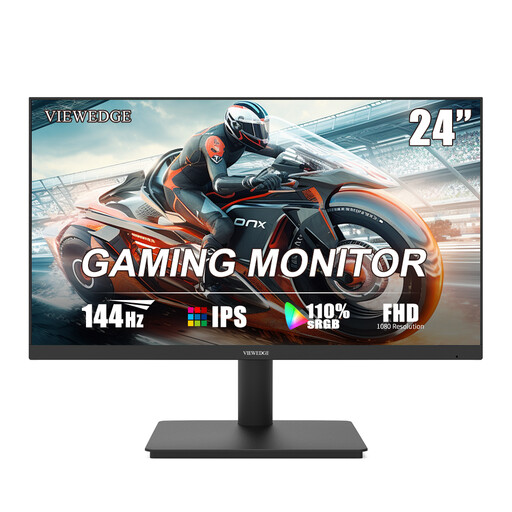
Why This Fits Their Persona: Ideal for gamers seeking a smooth experience without breaking the bank. The combination of 24 inches and Full HD resolution ensures a sharp image, while 144Hz offers real value for fast-paced games.
Avoids the pixel density trap with the ideal combination of a 23.8-inch size and FHD resolution. The 144Hz is a noticeable upgrade from 60Hz without unnecessarily inflating the price.
IPS Panel for good color reproduction and viewing angle stability. 144Hz refresh rate for a fluid gaming experience.
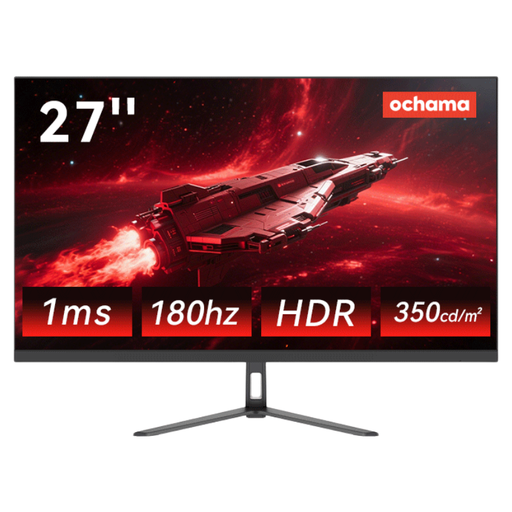
Why This Fits Their Persona: Perfect for players ready to leap from FHD to a higher level of detail. The 27-inch WQHD (2K) display offers significantly more sharpness, while 180Hz ensures extremely fluid motion.
Solves the pixel density trap with a sharp 2K resolution on a 27-inch screen. It offers a high refresh rate suitable for demanding titles without pushing into the extreme esports price range.
2K HD resolution for detailed images. 180Hz refresh rate for superior fluidity in games and productivity.
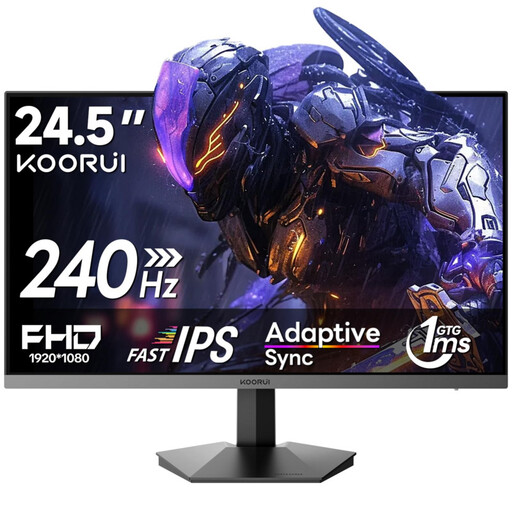
Why This Fits Their Persona: Designed for players where reaction speed is everything. The 240Hz refresh rate and 1ms response time minimize input lag, while the "Rapid IPS" panel combines fast switching times with good color fidelity.
Bypasses the response time trap by using a fast IPS panel that aims for true 1ms performance. The HDR400 certification ensures this isn't an "HDR-Ready" illusion, delivering a baseline standard for HDR content.
240Hz refresh rate for maximum motion clarity. HDR400 certification for enhanced contrast and brightness.
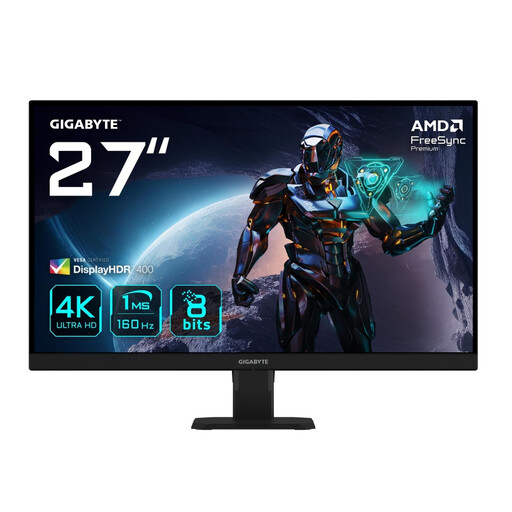
Why This Fits Their Persona: For users who demand maximum visual quality for immersive single-player games and productivity. The 4K resolution on a 27-inch screen delivers impressive sharpness, while 160Hz ensures motion remains fluid.
Delivers true 4K UHD resolution for maximum fidelity. Its HDR support and 95% DCI-P3 color gamut coverage provide a vibrant display that goes far beyond being merely "HDR-Ready."
4K UHD resolution (3840x2160) for razor-sharp images. 160Hz refresh rate for fluid motion even at high resolution.
We've curated a complete, real-time updated list of products that fully meet these strict selection criteria and German safety regulations.
For high refresh rates (120Hz and above), especially at resolutions beyond Full HD, a DisplayPort (version 1.4 or higher) is the recommended choice. HDMI 2.0 can also support high rates at WQHD, while 4K at over 60Hz typically requires HDMI 2.1 or DisplayPort. Always check the specifications of both your monitor and graphics card.
A Curved Monitor can enhance the feeling of immersion, as the curved screen better fills your peripheral vision. This is especially noticeable on larger screens (27 inches and up) and ultrawide formats. However, for tasks that require precise straight lines (e.g., image editing), the curvature can be perceived as a distraction. Ultimately, it's a matter of personal preference.
For most gamers, a GtG response time of under 5ms is perfectly adequate and prevents visible ghosting. Only highly competitive esports players competing at a professional level truly benefit from the minimal advantages of a true 1ms GtG response time. Don't be swayed by advertised 1ms MPRT values alone; pay attention to the GtG value if it's provided.