
Lieferung heute & morgen

Qualitätsgarantie

Willkommens-Angebote freischalten: KOSTENLOSE Lieferung | Bis zu 80 % RABATT | Kostenlose 30-Tage-JoyPlus-Testphase
App herunterladen
The search for the right laptop and accessories can quickly become overwhelming. Manufacturers advertise with technical specs that often create more confusion than clarity. Many users invest in devices whose full potential they never use, or only realise after the purchase that key features or ports are missing. This guide will help you avoid common purchasing pitfalls and choose a setup that is perfectly tailored to your needs.
Before we dive into the technical details, let's look at three common mistakes that lead to unnecessary expenses or daily frustration.
To make an informed decision, you should focus on a few crucial core parameters. These determine how well a device and its accessories will fit into your daily life.
The choice of core components should be strictly based on your intended use case.
The display is your primary interface with the device. The technology has a major impact on visual quality and energy consumption.
Good connectivity saves you from buying numerous adapters. Look for a balanced mix of ports.
Instead of making a one-size-fits-all recommendation, we have selected products that match specific user profiles and meet the criteria mentioned above.
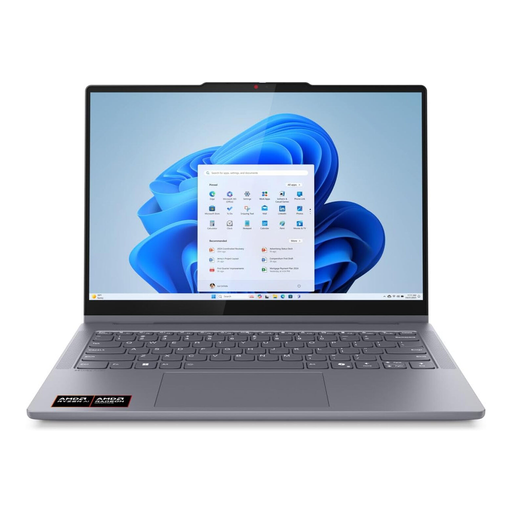
Why it's a great fit: This 2-in-1 laptop is ideal for users who seamlessly switch between the office, home, and on the go. Its light weight and flexible usage modes (laptop, tablet, tent) adapt to any work situation.
It offers balanced performance for all common tasks without being overpowered. Its good variety of ports, including USB-C and HDMI, avoids the need for constant adapters.
The brilliant OLED touch display and 2-in-1 functionality offer great versatility for both productivity and media consumption.
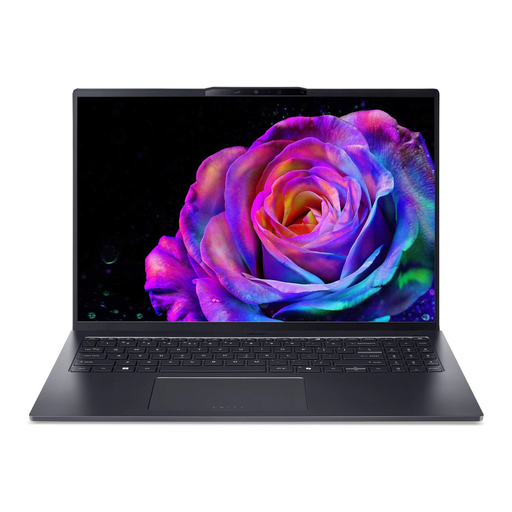
Why it's a great fit: This Ultrabook is aimed at users who need maximum performance for video and photo editing. The Intel Core Ultra 9 processor, 32 GB of RAM, and the large 16-inch 120 Hz OLED display provide the necessary resources.
Here, high performance is not a marketing gimmick but a necessity for demanding software. The inclusion of Thunderbolt 4 and HDMI 2.1 ensures that professional peripherals can be connected without adapters.
A combination of high-end processor performance and a color-accurate, smooth 120 Hz OLED display for visually demanding work.
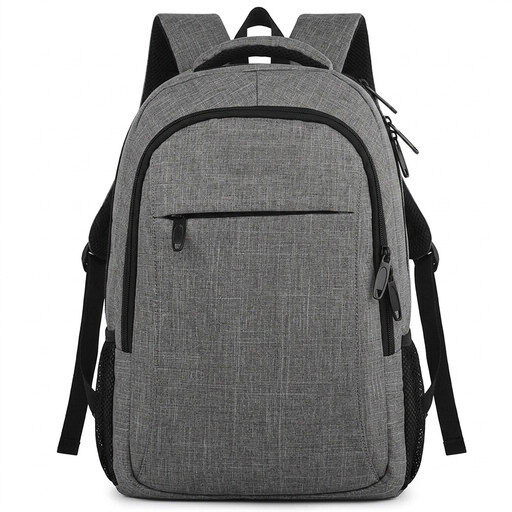
Why it's a great fit: For anyone who travels with their laptop daily, proper protection and organisation are crucial. This backpack offers a padded compartment, numerous pockets, and thoughtful features for the mobile professional.
It directly addresses the often-neglected aspects of ergonomics and device protection. Instead of a simple sleeve, it provides an all-in-one solution for safely transporting your laptop and accessories.
An anti-theft design with a hidden pocket, an integrated USB charging port, and a luggage strap for travel make it extremely practical.
A laptop alone doesn't make a complete workstation. With the right accessories, you can boost both comfort and productivity.
We have compiled a complete, up-to-date list of products that fully meet these strict selection criteria and all relevant safety regulations.
1. How do I choose the right size for a laptop sleeve or backpack? Measure the exact dimensions of your laptop (width x depth x height). Compare these measurements with the internal dimensions of the sleeve or the backpack's laptop compartment provided by the manufacturer. Don't rely solely on the screen diagonal in inches, as the bezels can vary significantly between models. Plan for a small buffer of 1-2 cm (about half an inch) so the device can be inserted and removed easily.
2. What is the lifespan of a modern laptop battery, and how can I extend it? A modern lithium-ion battery in a laptop is typically designed for 500 to 1,000 charge cycles, which corresponds to a lifespan of about 3 to 5 years with average use. To maximise its lifespan, avoid extreme temperatures (both hot and cold) and deep discharges. It's beneficial to keep the charge level ideally between 20% and 80%, rather than constantly leaving the battery at 100% while plugged in. Many modern laptops offer special battery management software for this purpose.
3. Do I really need a docking station, or is a simple USB-C hub enough? A simple USB-C hub is a good, portable solution for getting a few extra ports (e.g., USB-A, HDMI) on the go. A USB-C docking station, on the other hand, is designed for a permanent desk setup. It typically offers a much larger number and variety of ports (multiple monitors, Ethernet, more USB ports) and simultaneously powers the laptop through a single cable. If you frequently use your laptop at a fixed desk with multiple devices, a docking station provides a tidy and convenient setup.