
Lieferung heute & morgen

Qualitätsgarantie

Willkommens-Angebote freischalten: KOSTENLOSE Lieferung | Bis zu 80 % RABATT | Kostenlose 30-Tage-JoyPlus-Testphase
App herunterladen
Long hours at a desk have become the norm for many people, whether they're working from home, gaming, or studying. An unsuitable chair can not only disrupt your concentration but also lead to muscle strain. Choosing the right chair is therefore a crucial decision for your well-being and performance.
This article serves as a guide. It outlines objective selection criteria and presents a curated selection of models that meet different needs in terms of design, function, and ergonomics. Our goal is to provide you with the information you need to make an informed decision.
Before you decide on a model, there are a few fundamental features to consider. A good ergonomic office chair can be adjusted to fit your body and your workspace.
Adjustability is the core feature of an ergonomic chair. A height-adjustable office chair is the foundation, allowing your feet to rest flat on the floor with your thighs parallel to the ground. Also, look for adjustable armrests to relieve shoulder tension and a reclining backrest that enables dynamic sitting. Some models even offer a rocking function for relaxing breaks.
The backrest plays a major role in maintaining proper posture. An ergonomic chair with lumbar support is designed to support the natural curve of the lumbar spine, relieving pressure on the lower back. Ideally, the height and depth of this support should be adjustable. The shape of the backrest—whether high-back for added head and neck support or mid-back for more freedom of movement—depends on your personal preferences and how long you'll be using it.
The chair's material affects both comfort and durability. PU leather is easy to clean and offers a premium look. Mesh fabric, on the other hand, is highly breathable, which is especially beneficial during long sitting sessions on warm days. High-quality molded foam padding retains its shape even after intensive use and ensures even pressure distribution.
Here is a showcase of different models tailored to various needs—from a stylish chair for the home office to a feature-rich gaming chair.
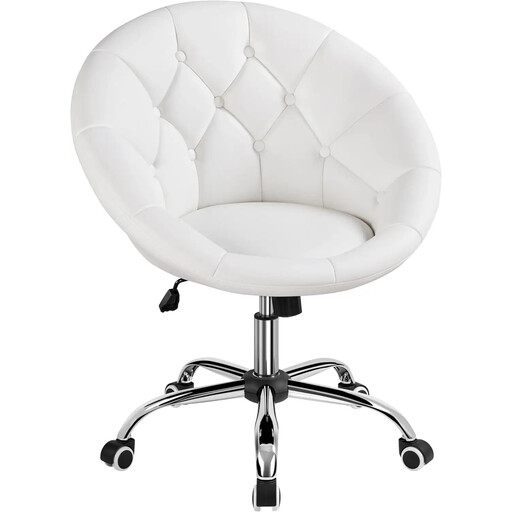
Why It Stands Out: This chair combines an elegant, modern aesthetic with essential ergonomic features. The white PU leather and tufted seat make it a stylish addition to a home office or vanity table without compromising on functionality.
Pros:
Who It's For: Users looking for a functional yet visually appealing swivel chair with casters for their home office who appreciate a clean, modern design.
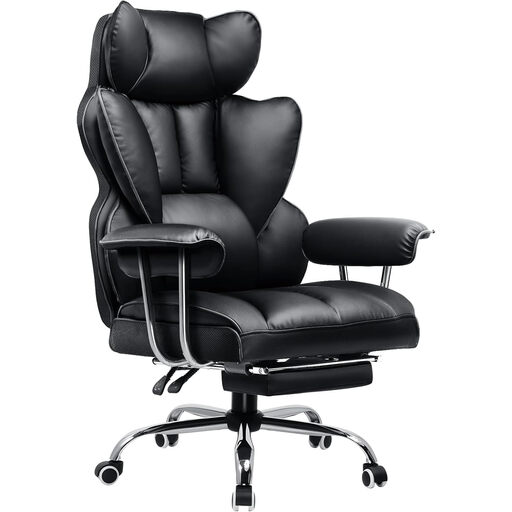
Why It Stands Out: This gaming chair with a footrest is built for long sessions and offers comprehensive comfort features. The combination of a high backrest, adjustable lumbar support, and a retractable footrest makes it a versatile choice for both work and relaxation.
Pros:
Who It's For: Gamers and power users who need a PC chair with maximum comfort features and appreciate the ability to switch between an upright work posture and a relaxed reclining position.
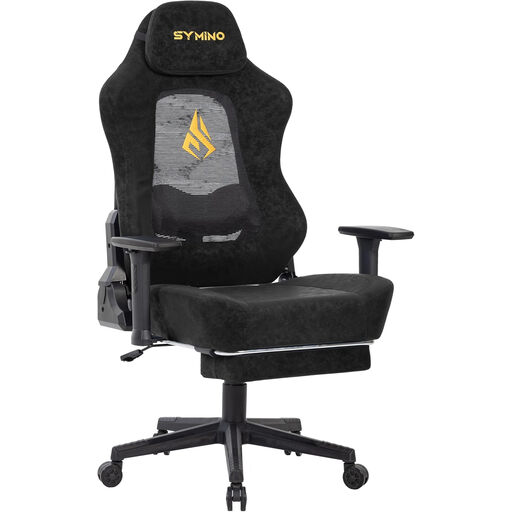
Why It Stands Out: This model combines the sturdiness of a gaming chair with a focus on breathability and advanced ergonomics. The cut-out mesh backrest and adaptive 3D lumbar support set it apart from traditional designs.
Pros:
Who It's For: Users who are prone to overheating or need an ergonomic chair with advanced, dynamic back support for intense work or gaming sessions.
The models featured here cover a range of different needs. If your preferred style is a classic faux leather finish, you can find more options in our PU Leather Chairs category.
1. How do you properly adjust an ergonomic office chair? Start with the seat height: your feet should be flat on the floor with your knees at a 90-degree angle. Adjust the seat depth so there is a gap of about two to three fingers' width between the back of your knees and the front edge of the seat. The lumbar support should fill the natural curve of your lower back. The armrests should be positioned so that your forearms rest horizontally with your shoulders relaxed.
2. What's the difference between a gaming chair and an office chair? While both are designed for long periods of sitting, they have different priorities. Classic office chairs often focus on a subtle aesthetic and adjustable ergonomics for an upright work posture. Gaming chairs frequently feature a more striking design, a higher backrest to support the head and shoulders, and extended features like a deep recline and footrests, which are also intended for relaxation.