
Lieferung heute & morgen

Qualitätsgarantie

Willkommens-Angebote freischalten: KOSTENLOSE Lieferung | Bis zu 80 % RABATT | Kostenlose 30-Tage-JoyPlus-Testphase
App herunterladen
Finding the right monitor can be a challenge. It needs to be suitable not only for intense gaming sessions but also excel for home office or study purposes. A 24-inch curved gaming monitor often represents the ideal sweet spot, balancing immersion, a compact size, and functionality. Models with a 120Hz refresh rate also offer a noticeably smoother picture, which is beneficial for both gaming and daily tasks.
This article serves as your guide. We will introduce a selection of monitors suited for various use cases based on their technical specifications and provide practical tips to help you make an informed decision.
Before you decide on a model, several technical features are particularly relevant. These determine how well the monitor fits your specific needs.
The refresh rate, measured in Hertz (Hz), indicates how many frames the monitor can display per second. While 60Hz was the standard for a long time, a 120Hz monitor provides a visibly smoother and more responsive experience. This is not only relevant for PC gamers but also for consoles like the PS5, which support a 120-fps mode in many titles. Even in the home office, a higher refresh rate leads to smoother scrolling through documents or websites. The response time (e.g., 1ms MPRT) is also crucial for minimising motion blur in fast-paced scenes.
A curved screen is designed to better engage your peripheral vision, creating a more immersive feeling. The curvature is indicated by an R value (e.g., 3000R), where a smaller number signifies a more pronounced curve. A curved 24-inch PC monitor can also help reduce eye strain, as the distance from your eyes to all points on the screen is more uniform. VA panels, which are often used in these monitors, are known for their high contrast ratios, resulting in deeper blacks and more vibrant image reproduction.
Pay attention to the available ports. HDMI and DisplayPort (DP) are the current standards for transmitting high-resolution images and high refresh rates. Some models also offer VGA for compatibility with older devices. Another important feature is support for a VESA mount (e.g., 75x75 mm). This allows you to attach the monitor to a monitor arm or wall mount, improving ergonomics and saving valuable desk space.
Here is a selection of products that are compelling for gamers, students, and home office users due to their specific features.
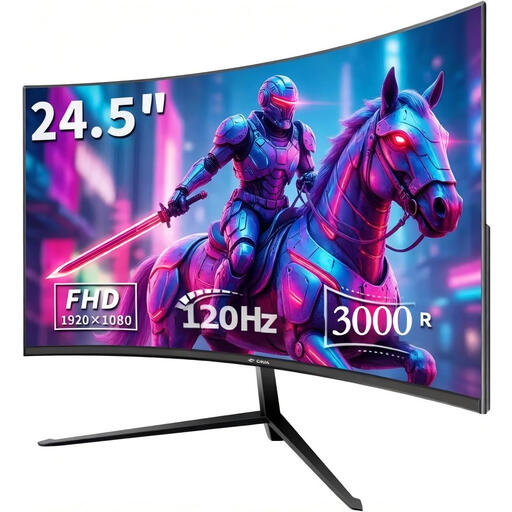
Why it stands out: The CRUA monitor combines the key features that budget-conscious users look for: a 120Hz refresh rate for smooth visuals, a Full HD resolution for sharp images, and a 3000R curvature for an immersive experience. With 99% sRGB colour gamut coverage (according to the manufacturer), it's also suitable for hobbyist content creators who value accurate colour representation.
Pros:
Who is it for? This monitor is a great choice for beginners and budget-conscious users looking for a versatile all-rounder for gaming, studying, and the home office. It is especially suitable for those wanting to try a curved screen for the first time.
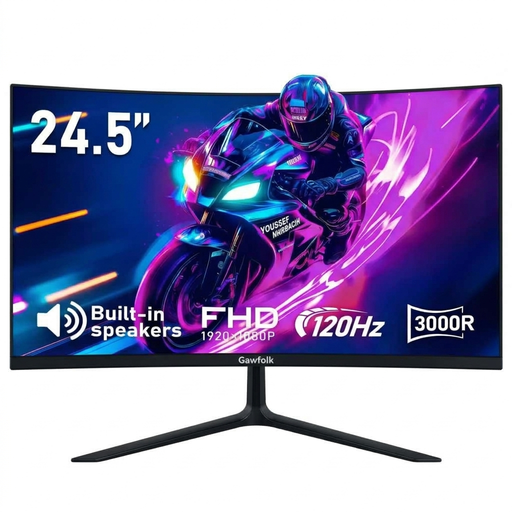
Why it stands out: At 24.5 inches, the Gawfolk monitor offers a slightly larger screen and integrates practical extra features. The built-in speakers eliminate the need for external ones, creating a clutter-free setup. With a 1ms response time (MPRT) and AMD FreeSync support (according to the manufacturer), it specifically targets gamers who prioritise tear-free and synchronised image playback.
Pros:
Who is it for? Ideal for users seeking a plug-and-play solution with integrated audio. It fits well in student dorms or minimalist setups where every inch of desk space counts. It's also a solid option as a PS5 monitor, thanks to its 120Hz refresh rate and HDMI port.
A monitor that's easy on the eyes is one thing, but proper lighting is another. To reduce reflections on the screen and relieve eye strain during long sessions, a monitor light bar can be a worthwhile addition.
Yeelight Pura Lite Monitor Light Bar
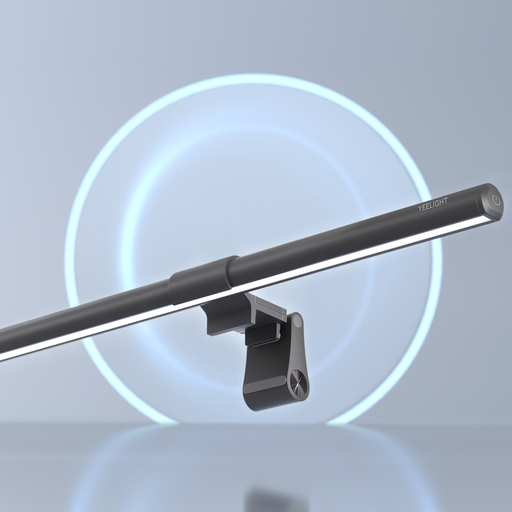
This light bar is placed directly on top of the monitor and illuminates the desk area without causing glare on the screen. This prevents reflections and creates a more comfortable work and gaming environment, especially in the evening.
The models presented here are a selection tailored to specific needs. If you prefer different sizes, resolutions, or features, there are many more alternatives to discover.
Browse through our wider selection and find the model that perfectly suits your desk and your requirements.
? Explore our entire selection of home office monitors
Yes, a curved monitor can be advantageous in a home office. The curvature adapts to your natural field of view, which can reduce eye movement and improve focus. This can be perceived as more comfortable, especially during long work sessions.
The PlayStation 5 supports a "Performance Mode" in many games, enabling frame rates of up to 120 fps (frames per second). A 120Hz monitor can display this high frame rate, resulting in a significantly smoother and more responsive gaming experience. This is a noticeable advantage, particularly in fast-paced action or racing games.
VESA mounting is a standardised mounting system on the back of monitors. It allows the screen to be attached to compatible monitor arms, wall mounts, or stands. Common sizes are 75x75 mm or 100x100 mm. This offers more flexibility in the ergonomic positioning of the monitor and helps save desk space.