
Lieferung heute & morgen

Qualitätsgarantie

Willkommens-Angebote freischalten: KOSTENLOSE Lieferung | Bis zu 80 % RABATT | Kostenlose 30-Tage-JoyPlus-Testphase
App herunterladen
Finding the right gaming monitor can be a challenge. The market offers a vast array of models, and the technical specifications are often overwhelming. The combination of a 27-inch screen and WQHD resolution, in particular, has become the popular sweet spot for many gamers. It offers an ideal balance between image sharpness and the performance demands placed on the graphics card.
This article serves as your guide. We'll explain the most important technical features you should look for and present a selection of monitors for different use cases and budgets. Our goal is to provide you with objective information so you can make an informed decision.
Before you decide on a model, it's helpful to understand a few core specifications. These three factors are crucial for your gaming experience.
A 27-inch WQHD gaming monitor (2560 x 1440 pixels) offers a significantly higher pixel density than Full HD, resulting in a sharper and more detailed image. At the same time, the resolution is less demanding on your graphics card than 4K, making high frame rates easier to achieve.
The refresh rate, measured in Hertz (Hz), indicates how many times per second the image is updated on the monitor. A 144Hz WQHD monitor is considered a solid standard for fluid gameplay. For competitive players who need maximum responsiveness, a model with 180Hz QHD or higher can make a noticeable difference, as motion appears even smoother.
Panel technology affects colour reproduction, contrast, and response time.
For most users, an IPS panel offers the most balanced performance.
Adaptive Sync technologies synchronise the monitor's refresh rate with the frame output of the graphics card. This prevents "screen tearing" and stuttering.
Many modern monitors are G-Sync Compatible, meaning they also support a variable refresh rate with NVIDIA graphics cards, even if they are primarily based on FreeSync. This feature is a must-have for a seamless gaming experience.
Here is a selection of monitors that cover different needs and budgets.
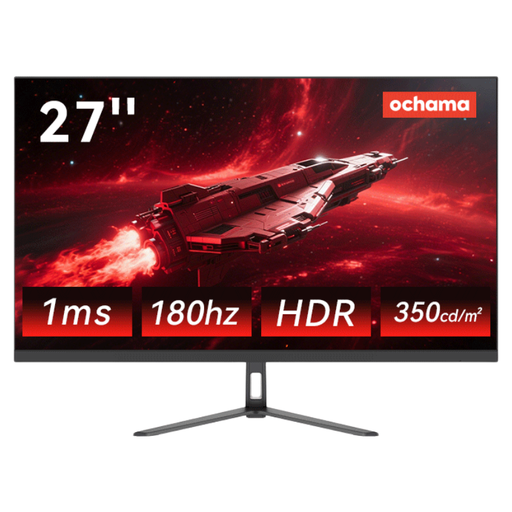
Why it stands out: This model positions itself as a versatile all-rounder. With a high 180Hz refresh rate and sharp 2K (WQHD) resolution, it is well-equipped for both fast-paced games and productive office work. The ultra-slim bezel design also makes it a great choice for multi-monitor setups.
Pros:
Who it's for: For budget-conscious PC gamers and power users looking for a high-performance 27-inch gaming screen that can be flexibly used for fast-paced games and daily home office tasks.
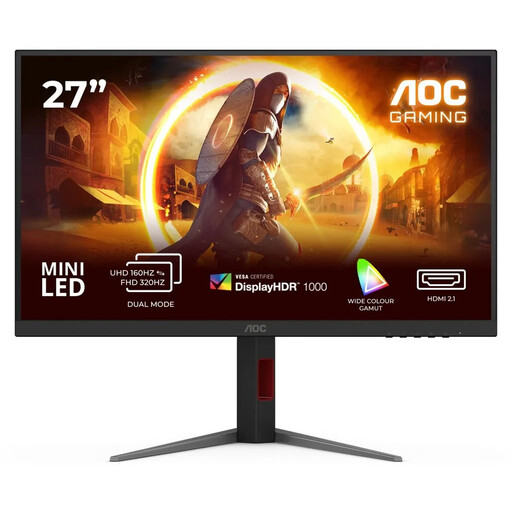
Why it stands out: The AOC U27G4XM is aimed at users who want no compromises. It combines a 4K UHD resolution with an extremely fast 320Hz refresh rate and advanced MiniLED backlighting. With 1,152 local dimming zones and DisplayHDR 1000, it delivers impressive image quality with high contrast and brightness.
Pros:
Who it's for: For demanding gamers and content creators who need top-tier 4K image quality and an extremely high refresh rate, and are willing to invest in high-end technology.
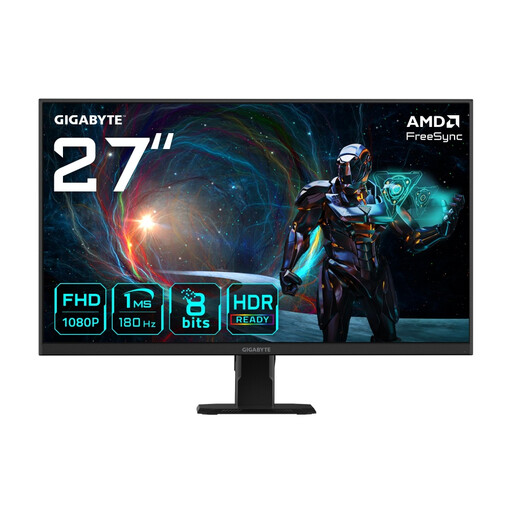
Why it stands out: This model from GIGABYTE clearly focuses on speed at a Full HD resolution. With 180Hz and a 1ms response time (MPRT), it's designed to deliver maximum performance in fast-paced games without heavily taxing the graphics card. The IPS panel ensures good colours and viewing angle stability.
Pros:
Who it's for: For esports enthusiasts and gamers who primarily play fast-paced titles and prioritise the highest possible frame rate. The Full HD resolution on a 27-inch screen is a good compromise for achieving high frame rates even with mid-range hardware.
The models presented here cover common use cases. However, if you are looking for different sizes, resolutions, or specific features that better suit your individual needs, you will find a wider selection of devices in our main category.
Discover our entire range of Computer Monitors.
Yes, the WQHD resolution (2560 x 1440 pixels) on a 27-inch screen results in a pixel density of about 109 PPI (Pixels Per Inch). This provides a sharp and clear image that is significantly more detailed than Full HD without being as demanding on the graphics card as a 4K resolution. This combination is widely considered the ideal "sweet spot" for gaming and general use.
A 144Hz WQHD monitor is an excellent starting point for a smooth and responsive gaming experience. For competitive players who mainly play fast-paced titles like first-person shooters or racing sims, higher rates like 165Hz or 180Hz QHD can offer a noticeable advantage in motion clarity and responsiveness. The choice ultimately depends on your preferred games and the performance of your graphics card.
Yes, a WQHD monitor is a very good choice as a monitor for both PS5 and PC. The PlayStation 5 has supported native 1440p output since a firmware update, and the Xbox Series X/S has supported this resolution from the start. This allows you to use the 120Hz capability of the consoles at a higher resolution than Full HD, resulting in a sharper and smoother gaming experience. Make sure the monitor has an HDMI 2.0 or HDMI 2.1 port.