
Lieferung heute & morgen

Qualitätsgarantie

Willkommens-Angebote freischalten: KOSTENLOSE Lieferung | Bis zu 80 % RABATT | Kostenlose 30-Tage-JoyPlus-Testphase
App herunterladen
Choosing the right AM5 motherboard is the foundation for any high-performance PC built on AMD's Ryzen 7000, 8000, or the new 9000 series. However, with the introduction of the new X870 and B850 chipsets, the market has become more complex. Many buyers fall into traps that not only strain their wallets but can also compromise the performance of the entire system. As your Joybuy Product Recommendation Officer, I'm here to help you navigate these pitfalls and make an informed decision.
The most common mistakes when buying a motherboard are quickly identified:
To avoid a bad purchase, you should focus on the technical specifications that are relevant to your individual needs. Marketing buzzwords are often secondary.
The chipset largely determines the feature set and price of your motherboard. The choice depends directly on your processor and your intended use.
The Voltage Regulator Modules (VRMs) are responsible for providing stable power to the CPU. High-quality power delivery, often identifiable by a higher number of phases (e.g., "14+2+1"), is crucial for unleashing the full potential of high-end CPUs like the Ryzen 9 without performance throttling. Look for motherboards with solid heatsinks on the VRMs, especially if you're using a powerful processor.
The AM5 platform uses the fast AM5 DDR5 memory across the board. In addition, the following standards are important for the future-readiness of your system:
Here are some recommendations tailored to specific user profiles that are designed to avoid the pitfalls mentioned above.
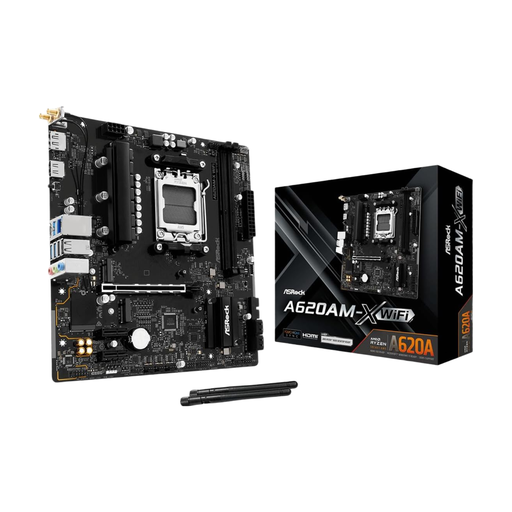
Why This Fits Their Persona: This board provides a solid and cost-effective foundation for entry-level to mid-range Ryzen processors. It's ideal for users who want a functional system without the premium for overclocking features or extreme connectivity.
It avoids the cost trap of paying for high-end chipset features that won't be used in a budget build. The focus is on essential functionality.
With 2.5G LAN and WiFi 5, it offers above-average networking features for this price point. Two M.2 slots (PCIe Gen4) allow for fast storage solutions.
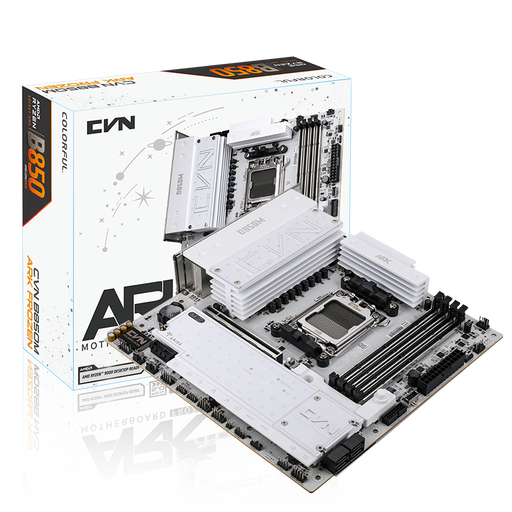
Why This Fits Their Persona: This M-ATX board, with its striking white design, is perfect for gamers and content creators who want to build a powerful and compact system with the latest features. It offers an excellent balance of price, performance, and future-proofing.
It sidesteps the pitfall of outdated connectivity by offering Wi-Fi 7, PCIe 5.0 for the GPU, and even two PCIe 5.0-capable M.2 slots (CPU-dependent), without demanding the extreme price of an X870E board.
Outstanding connectivity with USB 3.2 Gen 2x2 Type-C (20Gbps), 2.5G LAN, and three M.2 slots. The white aesthetic with matching heatsinks is also a visual highlight.
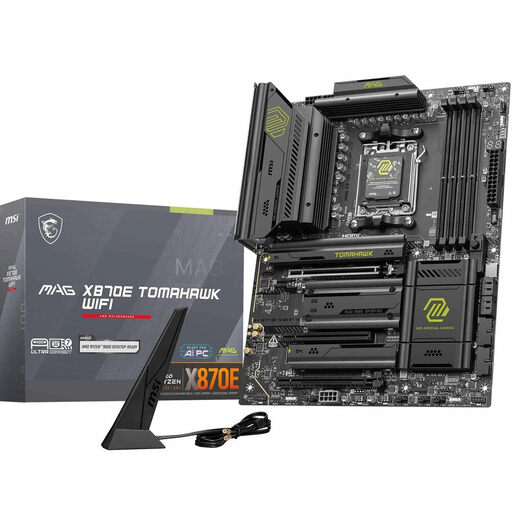
Why This Fits Their Persona: This ATX Mainboard AM5 is designed for users who want no compromises. It is the ideal platform for high-end Ryzen 9 series CPUs, demanding gaming, and professional applications that require maximum bandwidth.
It directly addresses the danger of inadequate power delivery. The 14+2+1 Duet Rail Power System with 80A Smart Power Stages ensures that even the most demanding CPUs can run stably and without performance loss.
Uncompromising features with PCIe 5.0 for the GPU, two M.2 Gen5 slots, Wi-Fi 7, 5G LAN, and a USB4 (40 Gbps) port. The extensive cooling solution ensures sustained high performance.
We have compiled a complete, up-to-date list of products that fully meet these strict selection criteria and safety standards.
Not necessarily. A high-quality B850 motherboard or a standard X870 board with robust power delivery is perfectly sufficient for most users, including gamers and content creators. An X870E motherboard only makes sense if you are planning extreme manual overclocking or need the maximum number of PCIe 5.0 lanes for multiple ultra-fast SSDs and graphics cards.
Currently, the performance difference for graphics cards in everyday gaming is still small. The strength of PCIe 5.0 lies in its future-readiness. It offers double the theoretical bandwidth of PCIe 4.0. This will become relevant for future graphics card generations and especially for extremely fast PCIe 5.0 NVMe SSDs, which will further reduce loading times and data transfer rates. A PCIe 5.0 motherboard is therefore an investment in the longevity of your system.
It is extremely important, especially when using powerful Ryzen 7 and Ryzen 9 series processors. A weak or poorly cooled VRM can overheat and throttle the CPU's performance to prevent damage. This means you won't get the full performance you paid for. Therefore, always look for a solid VRM design with adequate heatsinks.