
Lieferung heute & morgen

Qualitätsgarantie

Willkommens-Angebote freischalten: KOSTENLOSE Lieferung | Bis zu 80 % RABATT | Kostenlose 30-Tage-JoyPlus-Testphase
App herunterladen
An Android tablet with a SIM card offers the freedom to be online even without a Wi-Fi connection—whether you're on a train, in a park, or at a café. But the market is confusing and full of technical pitfalls that can quickly lead to a poor purchasing decision. Many devices advertise impressive specs that, in practice, don't deliver on their promises.
This guide will help you identify the crucial features. We'll show you the three most common marketing traps to avoid and which technical specifications truly matter to find a durable, high-performance tablet that meets your needs.
Before you decide on a model, you should be aware of these common issues that often only become apparent after the purchase.
To avoid these traps, focus on the following objective parameters. These determine the actual performance and usability of your tablet in everyday life.
A smooth user experience depends directly on the processor (CPU) and the physical RAM.
The quality of the display and the connectivity options are crucial for user comfort.
Other important aspects include storage capacity and endurance.
Here are some models that represent a compelling option for specific user groups based on objective criteria.
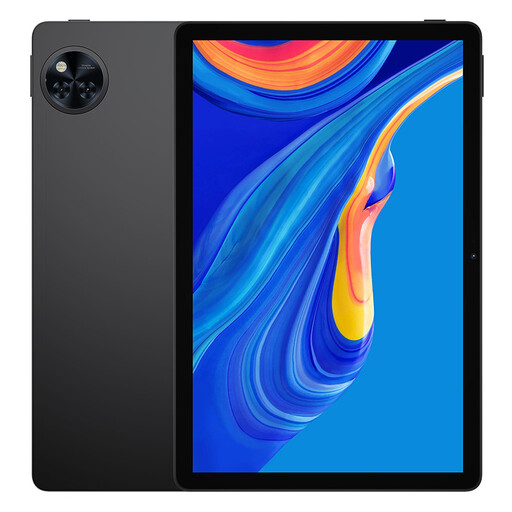
Why This Fits Their Persona: This model is a solid all-around device for daily university life. The 11-inch display offers plenty of space for lecture notes and research, while the large 8580 mAh battery can last through long days at the library. As a budget-friendly tablet for students, it reliably covers all the basic needs.
It runs on the latest Android 15 and, according to the manufacturer, features Widevine L1 certification, so nothing stands in the way of a series marathon after lectures.
Excellent price-to-performance ratio; Large 8580 mAh battery for extended runtime.
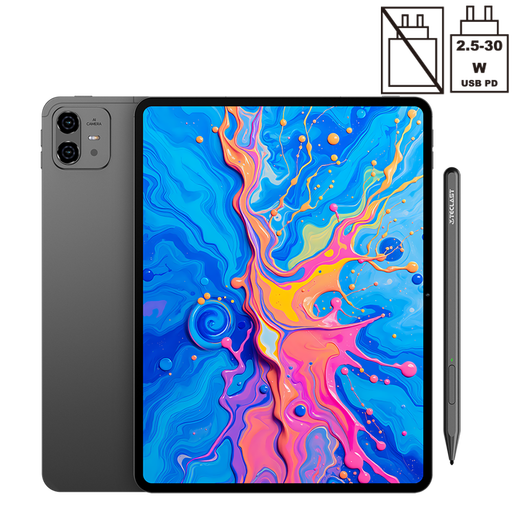
Why This Fits Their Persona: Ideal for users who draw, design, or take handwritten notes. The large 12.7-inch display with 2K resolution provides an expansive canvas, and the included tablet with stylus supports 4096 levels of pressure sensitivity for precise input, according to the manufacturer.
The Helio G99 processor and 8 GB of physical RAM provide a solid performance foundation that goes beyond mere marketing promises. The Widevine L1 certification also ensures HD playback for creative breaks.
Large 2K display with stylus support; Powerful Helio G99 processor.
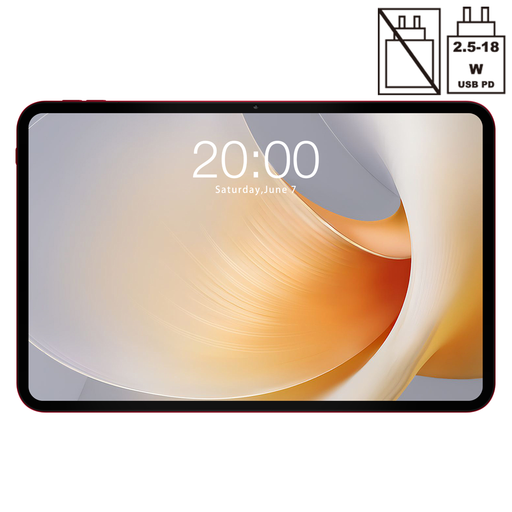
Why This Fits Their Persona: This tablet is designed for an immersive media experience. The huge 13.4-inch display with a smooth 120 Hz refresh rate is ideal for movies and games. The MTK G99 processor delivers the necessary power for an engaging Android gaming tablet experience.
It avoids the pitfall of a choppy display with its high 120 Hz rate and secures the HD quality users expect from such a large screen with Widevine L1.
Very large 13.4-inch display; Smooth 120 Hz refresh rate for gaming and videos.
We've compiled a complete, real-time updated list of products that fully meet these strict selection criteria and German safety regulations.
1. Can I also make phone calls with an Android tablet that has a SIM card? Yes, most tablets with a SIM card slot and a 4G LTE module also support telephony. You can make and receive calls just like with a smartphone. However, using a headset (wired or via Bluetooth) is often recommended for better call quality, as the built-in speaker and microphone are impractical for holding up to your ear.
2. What does Widevine L1 mean, and why is it important for my tablet? Widevine is a DRM (Digital Rights Management) system developed by Google, used by streaming providers like Netflix, Amazon Prime Video, and Disney+ to protect their content from piracy. There are different security levels. Widevine L1 is the highest level and allows content to be played in HD (720p), Full HD (1080p), or higher. Devices with the lower Widevine L3 level can only play protected content in standard definition (maximum 480p). Therefore, L1 is essential for a good streaming experience.
3. How much RAM is reasonable for an Android tablet in 2026? For a future-proof decision, you should focus on the physical RAM. 6 GB of physical RAM is a solid baseline for general use. However, if you plan to multitask intensively, play demanding games, or use productivity apps, 8 GB of physical RAM or more is a much better choice. Don't be swayed solely by high total numbers achieved with slower virtual memory.