
Lieferung heute & morgen

Qualitätsgarantie

Willkommens-Angebote freischalten: KOSTENLOSE Lieferung | Bis zu 80 % RABATT | Kostenlose 30-Tage-JoyPlus-Testphase
App herunterladen
It's an alluring prospect: a giant, private screen that follows you everywhere. Whether for immersive gaming on the Steam Deck, a personal cinema on the go, or a portable second monitor for productive work—AR glasses promise exactly that. But the market is confusing and full of technical promises that aren't always kept.
Many buyers invest in a device only to find that it's uncomfortable, doesn't work with their smartphone, or has disappointing image quality. To prevent this from happening to you, we'll show you the crucial criteria to consider before buying and help you avoid the common pitfalls.
Before we dive into the technical details, it's important to know the most common disappointments buyers experience. These often arise from exaggerated marketing claims or poorly communicated product features.
To avoid the mistakes mentioned above, you should base your choice on three objective criteria. These define the actual user experience and the practical value of a pair of AR glasses.
The heart of any pair of AR glasses is the display. This is what separates the best from the rest.
Lightweight AR glasses are essential for comfort. The weight should ideally be under 85 grams. Also, pay attention to balanced weight distribution and adjustable nose pads. This is the only way the glasses will sit comfortably without slipping during long movie or gaming sessions. Flexible temples that adapt to your head shape also contribute significantly to wearing comfort.
As mentioned, compatibility is crucial. Before buying, check if your source device—be it a portable monitor for Steam Deck, an Android smartphone, a laptop, or a console—supports a USB-C port with DP Alt Mode. For AR glasses for iPhone (models with a Lightning port or USB-C without DP Alt Mode) or devices with an HDMI output (e.g., PlayStation 5), a special adapter from the glasses' manufacturer is usually required. These Smart Glasses are not standalone computers but external displays.
Based on the criteria above, we have identified a few models that are particularly well-suited for specific user profiles.
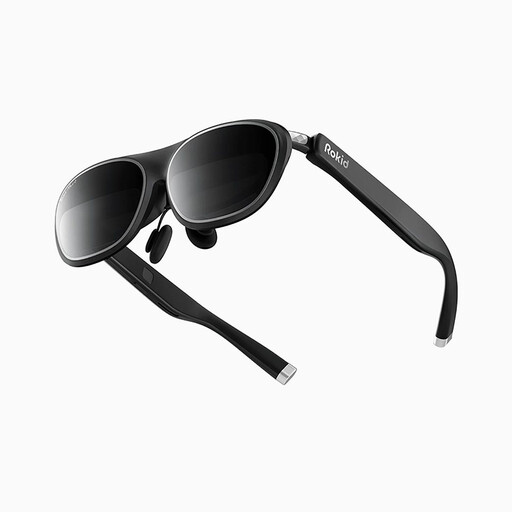
Why This Fits Their Persona: This model is aimed at users who refuse to compromise on image quality and smoothness. Ideal for long gaming sessions on the Steam Deck or for an immersive 3D movie experience at home or while travelling.
The bright 120 Hz Micro-OLED display prevents the disappointment of a choppy or pale image. The integrated diopter adjustment also solves the problem for nearsighted users who would otherwise need to wear an additional pair of glasses.
Integrated Diopter Adjustment: Adjustable for myopia from 0 to -600 degrees, no additional lens insert needed. High Refresh Rate: 120 Hz for extremely smooth visuals.
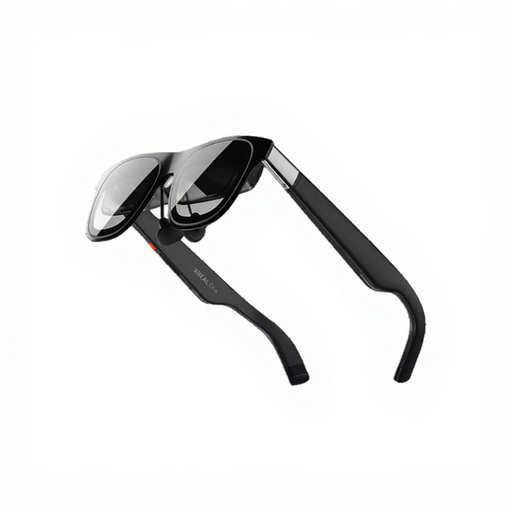
Why This Fits Their Persona: For commuters, digital nomads, or anyone who needs a second, private screen for their laptop on the go. The low weight and discreet design are the main focus here.
Weighing only 84 grams, this model directly addresses the pitfall of poor wearing comfort. It is designed for hours of fatigue-free work and effectively prevents pressure points.
Extremely Lightweight: At 84 grams, it is one of the lightest glasses in its class. Adjustable Transparency: The lenses can be dimmed in three stages to adapt to different lighting conditions.
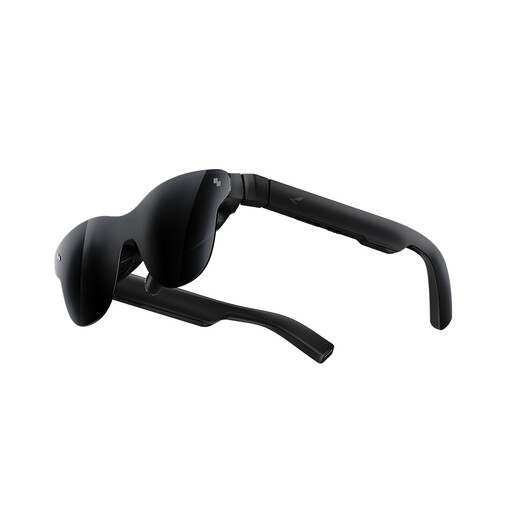
Why This Fits Their Persona: For users looking for a flexible solution for various use cases—from movies and gaming to occasional work. The broad compatibility and balanced technical specs make it a solid entry point.
This model bypasses the compatibility pitfall by clearly communicating its plug-and-play capability with a wide range of devices (iPhone 15/16, Android, Switch, Steam Deck, PS5) that use the USB-C DP standard.
HDR10 Support: Ensures particularly vibrant colours and high contrast, which makes a visible difference in movies and games. Low Weight: At 76g, it is very light and well-suited for extended wear.
AR glasses are a very personal choice. If the models presented here don't exactly meet your requirements, you can find other devices in our full category that meet our selection criteria.
In most cases, the glasses are ready to use directly via USB-C, provided your source device (e.g., Android smartphone, laptop, Steam Deck) supports DP Alt Mode. For devices like the iPhone, the Nintendo Switch in docked mode, or a PlayStation 5, you will need a special HDMI-to-USB-C adapter, which is often sold separately by the glasses' manufacturer.
There are two common solutions. Some models, like the Rokid Max 2, offer a built-in diopter adjustment, allowing you to adjust the focus for nearsightedness directly on the glasses. Other models require the purchase of magnetic prescription lens inserts, which are fitted with your prescription by an optician and then placed inside the glasses.
For many tasks, yes. For media consumption and gaming, AR glasses are an excellent, portable alternative. For productive work, they offer privacy and a large virtual workspace. However, the readability of very small text can be a challenge depending on the model, and peripheral vision is naturally limited. For tasks that require constant visual contact with the real environment, a physical monitor is still more practical.