
Lieferung heute & morgen

Qualitätsgarantie

Willkommens-Angebote freischalten: KOSTENLOSE Lieferung | Bis zu 80 % RABATT | Kostenlose 30-Tage-JoyPlus-Testphase
App herunterladen
Choosing a charging cable goes beyond mere compatibility. Technical parameters like charging speed, material durability, and data transfer rates are crucial for functionality and longevity. An inadequate cable can not only slow down charging but also limit the effectiveness of fast-charging technologies. This article breaks down the technical specifications of Baseus charging cables to help you make an informed decision.
A charging cable's performance is determined by a combination of its materials, construction, and supported protocols. Consider the following criteria when making your selection:
The following models have been selected for their specific technical features and use cases.
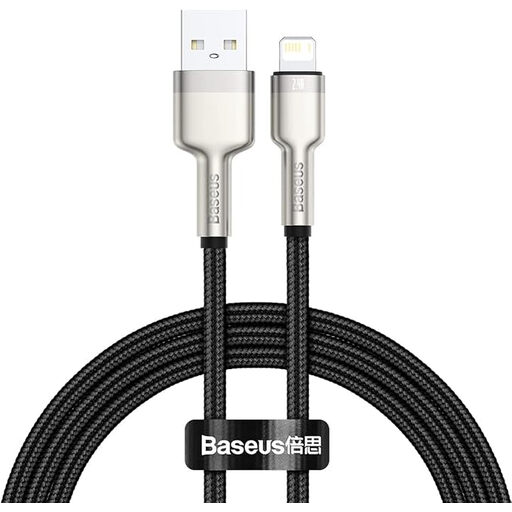
Why We Recommend It: This cable combines a durable build with the specific needs of Apple users who have devices with a Lightning port and chargers with a USB-A port. The choice of materials is geared towards maximum longevity.
Pros:
Who It's For: Users of iPhones (up to the 14 series), iPads, and other Apple devices with a Lightning port who are looking for a durable iPhone charging cable to replace or supplement the original.
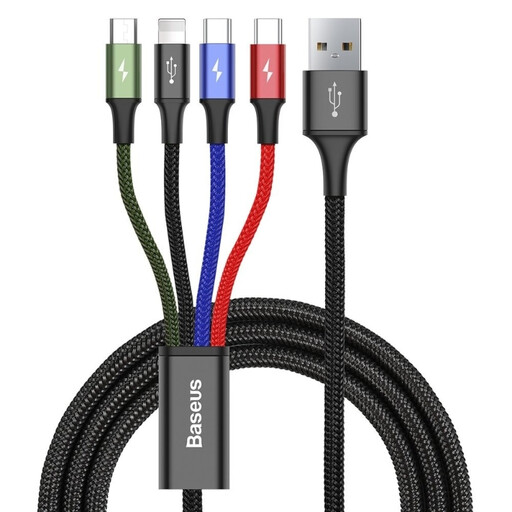
Why We Recommend It: This 4-in-1 charging cable solves the problem of managing multiple cables for different devices. It consolidates four connectors (Lightning, 2x USB-C, Micro-USB) into a single, elegant solution.
Pros:
Who It's For: Users with a diverse ecosystem of devices (e.g., Android smartphone, iPhone, headphones, power bank) who need a space-saving and efficient charging solution for home or travel. Note that according to the manufacturer, data transfer is only supported via the Lightning cable connector.
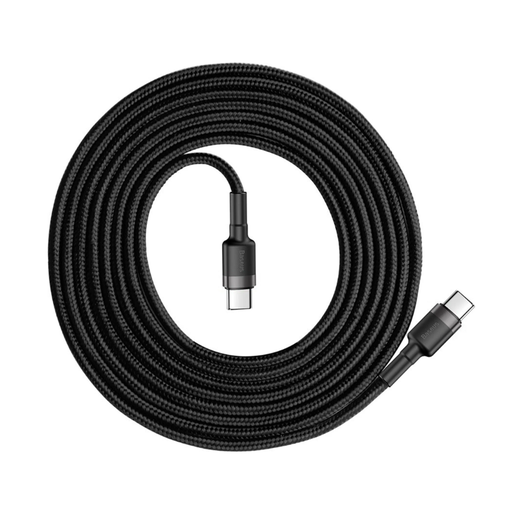
Why We Recommend It: This USB-C charging cable is designed for high-performance applications. With support for 60W Power Delivery, it can rapidly charge not only smartphones and tablets but also compatible laptops.
Pros:
Who It's For: Users of modern laptops, tablets, and smartphones who want to unlock the maximum charging speed of their devices and are looking for a single cable for multiple high-power gadgets.
If the models featured here don't perfectly match your requirements, you can find a wider selection of charging and data cables, as well as other accessories, in our main electronic accessories category. There you'll find additional lengths, colours, and configurations tailored to specific use cases.
1. Are Baseus charging cables compatible with all devices? The compatibility of a Baseus charging cable depends on its connector type. A cable with a Lightning connector is intended for compatible Apple devices, while a USB-C charging cable works with any device that uses this port standard. The 4-in-1 model offers broad compatibility thanks to its multiple connectors. Always be sure to match your device's ports with the cable's specifications.
2. What does Power Delivery (PD) mean for a charging cable? Power Delivery is a fast-charging standard that operates over a USB-C connection. It enables dynamic and significantly higher power transfer between the charger and the end device. Depending on its specification (e.g., 60W, 100W), a Power Delivery cable can also power energy-intensive devices like laptops, which is not possible with conventional USB-A cables.
3. How does cable length affect charging performance? In terms of physics, electrical resistance increases with a cable's length, which can lead to a minimal voltage drop. However, with high-quality cables built with sufficiently thick copper cores, like those in the featured Baseus models, this effect is practically unnoticeable to the user at standard lengths of 1 to 2 metres. The charging performance remains stable.