A computer mouse is more than just a pointing device; it's a central interface for daily PC work, creative projects, and intense gaming. But not every mouse is right for every task. Whether you work long hours at the office, need reliable control for your laptop on the go, or seek maximum precision in esports, choosing the right model can significantly impact your efficiency and comfort.
This guide is designed to help you understand the different types and features, enabling you to make an informed decision tailored to your specific needs.
What to Look for When Buying a Computer Mouse
With so many technical specifications, the selection can seem overwhelming. Focus on the following three core aspects to find the right model for your needs.
1. Ergonomics and Design: Comfort for Long Workdays
The shape of the mouse directly affects the posture of your hand, wrist, and arm. An unnatural position can lead to strain over time.
- Standard Mice: This classic, symmetrical or slightly contoured design is sufficient for most users and occasional use.
- Ergonomic Mice: These models are shaped to support the hand in a more natural position. A notable example is the vertical mouse, which keeps your hand in a "handshake" position. This can reduce wrist strain and is worth considering for anyone who spends many hours at the computer daily.
2. Connectivity: Wired or Wireless?
The connection type is a fundamental choice between stability and flexibility.
- Wired PC Mouse: Offers a constant, interference-free connection and requires no batteries. However, the cable length can restrict movement.
- Wireless Mouse: Provides maximum flexibility and a clutter-free desk. The connection is usually established via a small USB receiver (2.4 GHz wireless) or directly with a Bluetooth mouse. Bluetooth is especially convenient for a mouse for laptop as it doesn't occupy a USB port. Pay attention to the battery life.
3. Sensor and DPI: Precision for Every Application
The sensor is the heart of every mouse, determining its precision. Sensitivity is measured in DPI (Dots Per Inch). A higher DPI value means the cursor moves faster across the screen with the same hand movement.
- For Office and Everyday Use: A value between 800 and 1600 DPI is generally more than enough for precise work in office applications and web browsing.
- For Gaming: A gaming mouse often offers much higher and adjustable DPI values (e.g., up to 26000 DPI). This allows gamers to adapt the sensitivity to the in-game situation—high DPI for quick turns, low DPI for precise aiming.
Our Recommended Product Picks
Based on the criteria above, we have compiled a selection of models for various use cases.
Anker CE100: The Ergonomic Choice for the Workplace
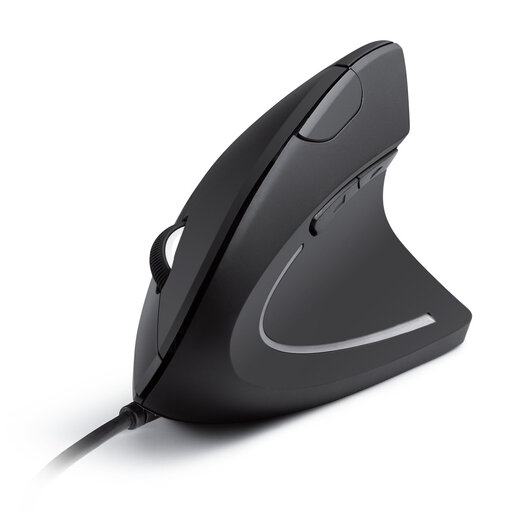
Why it stands out: The Anker CE100's vertical design promotes a natural "handshake" posture, engineered to reduce wrist and arm strain during extended use.
Advantages:
- Ergonomic Design: The vertical orientation supports a neutral wrist position.
- Adjustable Sensitivity: The optical tracking can be switched between 1000 and 1600 DPI at the touch of a button.
- Additional Navigation Buttons: Forward and back buttons make web browsing easier.
- Easy Setup: As a wired USB mouse, it works via plug-and-play with no driver installation required.
Who is it for? This model is an excellent choice for office workers and any PC users who spend long hours at their desk and prioritise ergonomic posture to prevent discomfort.
DELL MS5120W: Flexibility for Mobile Professionals
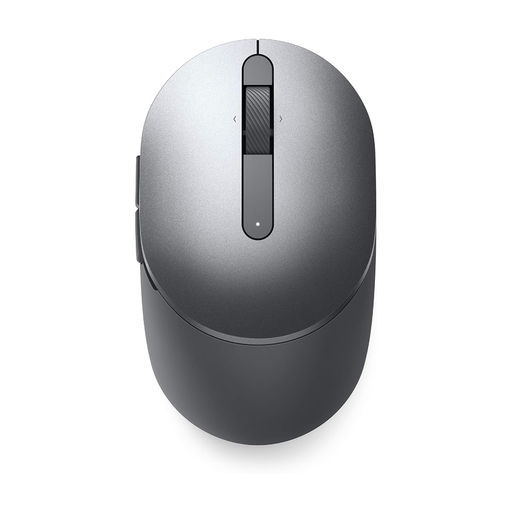
Why it stands out: The DELL MS5120W combines dual connectivity with a long battery life, making it an extremely versatile companion for mobile use.
Advantages:
- Dual Connectivity: Switch seamlessly between Bluetooth 5.0 and a 2.4 GHz wireless connection.
- Long Battery Life: According to Dell, a single AA battery provides up to 36 months of use.
- Multi-Device Capability: The mouse can be paired with two devices simultaneously, simplifying multitasking.
- Precise Sensor: The 1600 DPI optical sensor ensures accurate tracking on various surfaces.
Who is it for? Ideal for mobile professionals and users who need a reliable wireless mouse for their laptop or tablet and frequently switch between devices.
RAPOO VT9Pro 4K: Performance for Competitive Gaming
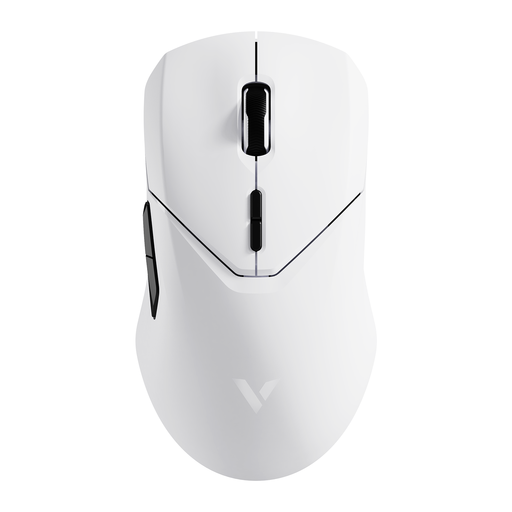
Why it stands out: This mouse is built for maximum performance, combining an extremely high polling rate with a high-precision sensor to deliver a decisive in-game advantage.
Advantages:
- High Performance: A wireless 4K polling rate (4000 Hz) ensures a virtually lag-free signal transmission.
- Precision Sensor: The PAW 3398 optical sensor offers a resolution of up to 26000 DPI for maximum accuracy.
- Lightweight Design: Weighing just 68 grams, the mouse allows for fast, fatigue-free movements.
- Extensive Customisation:10 programmable buttons and onboard memory allow you to save custom profiles.
- Long Battery Life: According to Rapoo, the 800 mAh battery offers up to 180 hours of runtime.
Who is it for? This gaming mouse is aimed at competitive gamers and esports professionals who prioritise minimal latency, maximum precision, and customisability.
Complete Your Workspace
The right computer mouse is a key step toward a more productive and comfortable workspace. To further optimise ergonomics, choosing the right desk is also crucial. A well-sized keyboard tray can provide additional support for your arms and shoulders and help maintain a tidy work surface.
Explore our selection of keyboard trays and find the perfect addition to your setup.
Frequently Asked Questions (FAQ)
What is the difference between an optical and a laser mouse?
Optical mice use an LED to illuminate the surface, while laser mice use a laser beam. In practice, modern optical mice work very reliably on most surfaces (except glass). Laser mice offer even higher precision and also work on reflective surfaces like glass, but they can be more sensitive to dust on soft fabric surfaces. For most users, a good optical mouse is perfectly sufficient.
How do I connect a Bluetooth mouse to my laptop?
The connection process is usually straightforward:
- Turn on the mouse and activate its pairing mode (usually by long-pressing a dedicated button).
- Open the Bluetooth settings on your laptop or PC.
- Select the "Add device" or "Search for Bluetooth device" option.
- Select your mouse from the list of available devices to establish the connection.
How important is the DPI number on a computer mouse?
The DPI number describes the mouse's sensitivity. A high DPI is not universally better. For standard office work on a Full HD monitor, 800–1600 DPI is ideal for precise control. Gamers or users with very high-resolution 4K monitors benefit from higher DPI values to move the cursor quickly across the large screen. Models with switchable DPI offer the greatest flexibility.


