
Lieferung heute & morgen

Qualitätsgarantie

Willkommens-Angebote freischalten: KOSTENLOSE Lieferung | Bis zu 80 % RABATT | Kostenlose 30-Tage-JoyPlus-Testphase
App herunterladen
By a Joybuy Product Recommendation Officer
Long workdays at a desk, whether in the office or at home, have become the norm for many. However, this sedentary work can lead to tension and discomfort, especially when your seating isn't tailored to your individual needs. An ergonomic office chair is not a luxury purchase but a functional necessity for promoting healthy posture and maintaining productivity.
This article serves as a practical guide to help you understand the essential features of an ergonomic chair and make an informed decision based on objective criteria. We will introduce a selection of models that cover different requirements and use cases.
Choosing a suitable chair can be challenging given the many options available. Focus on the following three key areas to find the right model for your needs.
An ergonomic desk chair must adapt to your body, not the other way around. Look for a wide range of adjustment options:
A chair with lumbar support is a crucial feature for preventing discomfort. This support fills the natural curve of your lower spine, preventing you from slouching into an unhealthy, hunched posture. Ideally, this support is adjustable in height and sometimes depth to allow for a precise fit to your spinal curve. This is a key factor when looking for an office chair for back pain.
The chair's material affects both comfort and durability. A breathable office chair is often made of mesh fabric. This material promotes air circulation and prevents heat buildup, which is especially beneficial during long periods of sitting. Pay attention to the quality of the mesh and the stability of the frame to ensure long-lasting use.
Based on the criteria above, we have compiled a selection of chairs that stand out for their functionality and specific features.
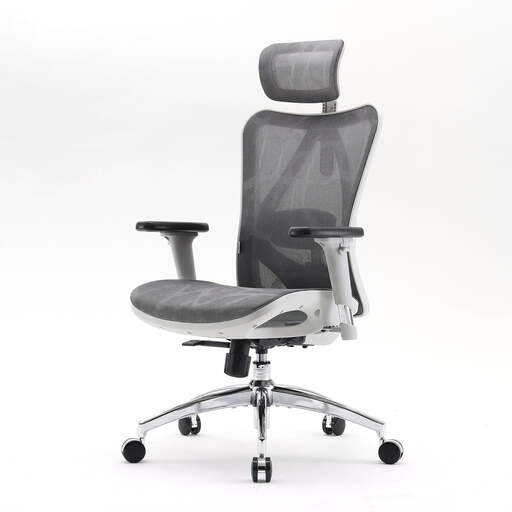
Why it stands out: The Sihoo M57S offers a comprehensive suite of ergonomic adjustments. Its design focuses on the customisation of key contact points—head, back, hips, and arms—to provide a personalised seating experience.
Pros:
Who it's for: This model is an excellent choice for users in a home office or corporate setting who are looking for a chair with a wide range of adjustment features to actively manage their posture.
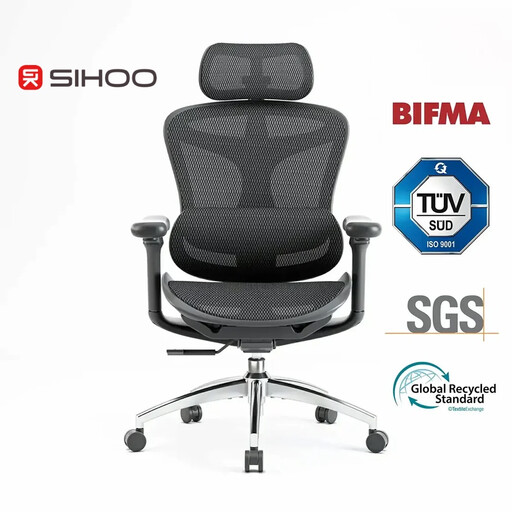
Why it stands out: The Sihoo Doro C300 is distinguished by its dynamic and self-regulating mechanisms. The adaptive lumbar support and intelligent weight detection adjust to the user's movements and weight.
Pros:
Who it's for: Ideal for individuals who prefer a chair with advanced, automated adjustment features and value dynamic support that adapts to various postures without manual readjustment.
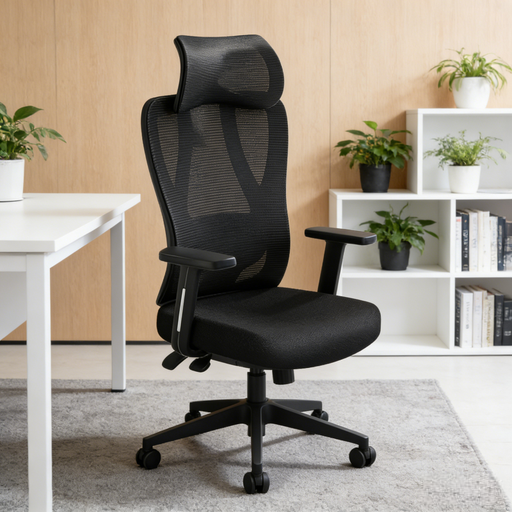
Why it stands out: The Z5 Soft Chair combines the functionality of an office chair with the comfort features of a gaming chair. Its 4D lumbar support and wide recline angle are particularly noteworthy, making it a versatile and adjustable gaming chair.
Pros:
Who it's for: This model appeals to users looking for a chair for mixed use—work and leisure—who value highly flexible lumbar support and an extended recline range.
The models presented here cover a range of needs. However, if you haven't found the right fit yet or want to compare more alternatives, you can find a larger selection in our comprehensive category.
? Discover more models in the Ergonomic Office & Gaming Chair category here
1. What makes an office chair ergonomic? An office chair is considered ergonomic if it has multiple adjustment options to adapt to the user's individual body measurements and needs. Key features include adjustable seat height and depth, customisable armrests, a reclining backrest, and targeted lumbar support.
2. How do I properly adjust an ergonomic office chair? Start with the seat height, ensuring your feet are flat on the floor. Adjust the seat depth so there is a gap of about three fingers' width between the seat edge and the back of your knees. Set the lumbar support to support the natural curve of your lower back. Finally, position the armrests so your shoulders are relaxed and your forearms rest at a right angle.
3. Is a gaming chair a good alternative for the office? Many modern gaming chairs integrate ergonomic features like adjustable armrests, lumbar support, and recline mechanisms. They can therefore be a good alternative, especially if you are looking for a chair for mixed use (work and gaming). However, make sure the design is focused not just on aesthetics but also on functional, ergonomic adjustability.