
Lieferung heute & morgen

Qualitätsgarantie

Willkommens-Angebote freischalten: KOSTENLOSE Lieferung | Bis zu 80 % RABATT | Kostenlose 30-Tage-JoyPlus-Testphase
App herunterladen
As a Joybuy Product Recommendation Officer at Joybuy, my job is to provide you with clear and objective information so you can make informed purchasing decisions.
Owners of an iPhone 15 Pro or Pro Max know the scenario: recording high-resolution ProRes videos fills up the internal storage at a rapid pace. An external SSD for the iPhone 15 is not just a practical storage expansion for the iPhone; it's a necessary component for a smooth workflow. It allows for direct recording to the external drive and enables lightning-fast transfers of large data volumes.
This article presents a selection of portable SSDs and explains the key criteria you should consider when making your choice.
Choosing the right storage medium depends on technical specifications. Here are three key points that should guide your decision.
The iPhone 15 Pro and Pro Max feature a USB-C port that supports speeds of up to 10 Gbps (equivalent to USB 3.2 Gen 2). To fully leverage this potential, especially for direct recording of 4K ProRes videos, the SSD should offer corresponding read and write speeds. Look for models that achieve speeds of around 1000 MB/s or more. A fast SSD for Mac and PC also relies on this standard, which facilitates cross-platform use.
The required storage capacity depends directly on your use case.
A modern SSD should be versatile. Check its compatibility not only with the iPhone but also with other devices like laptops (PC & Mac) or gaming consoles. For example, an external SSD for PS5 can significantly reduce game loading times. A special feature for iPhone users is a magnetic external SSD. These models can be attached directly to the back of the iPhone, creating a compact and stable unit for mobile recording.
Based on the criteria above, we have identified a few models that are particularly relevant for iPhone 15 users.
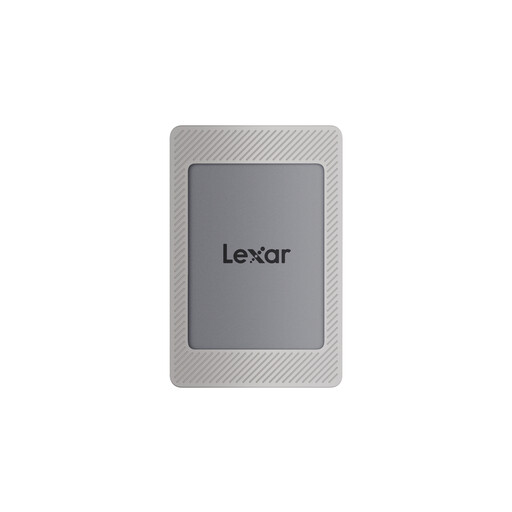
What Makes It Stand Out
The Lexar ES4 in its 2TB version is tailored to the needs of power users. Its standout feature is the included magnetic kit. It consists of a magnetic silicone sleeve and an additional magnetic ring, allowing the SSD to securely attach to an iPhone 15 or 16 (with or without a MagSafe-compatible case). This creates a stable and streamlined unit, ideal for filming on the move.
Advantages
Who Is It For?
This model is aimed at professional videographers, mobile journalists, and content creators who regularly produce large amounts of data and are looking for a seamless, integrated solution for their iPhone 15 Pro/Max.
What Makes It Stand Out
The 1TB version of the Lexar ES4 offers the same core features as its larger sibling, including the innovative magnetic mounting system. It represents a more accessible option for users whose storage needs are high but not extreme. The combination of speed, portability, and the unique magnetic attachment makes it a very practical external hard drive for the iPhone 15 Pro.
Advantages
Who Is It For?
Ideal for tech-savvy users, photographers, and vloggers who are looking for a fast and extremely convenient storage expansion for their iPhone but don't require the maximum 2TB capacity.
An external SSD solves the storage problem. But perhaps you want to expand your mobile workstation further, for instance, to edit your footage on the go. If you're looking for a powerful device to play back and edit your content, you might find a suitable addition in our selection of portable tablets.
Can I record directly from the iPhone 15 Pro to an external SSD? Yes, the iPhone 15 Pro and iPhone 15 Pro Max support direct video recording in ProRes format to a compatible external SSD connected via the USB-C port. This is a core feature for professional video production.
What speed does an external SSD need for the iPhone 15? For smooth recording of 4K ProRes video at 60 fps, an SSD with a sustained write speed of at least 220 MB/s is recommended. However, models with speeds around 1000 MB/s that use the USB 3.2 Gen 2 standard offer a significant buffer and dramatically speed up the subsequent file transfer to a computer.
Is a magnetic external SSD safe for my iPhone? Yes, products like the Lexar ES4 are specifically designed for this purpose. The magnets are positioned and shielded so they do not interfere with the iPhone's functionality. However, according to the manufacturer, it should be noted that wireless charging (MagSafe) is blocked while the SSD is attached. The SSD should be removed before charging.