
Lieferung heute & morgen

Qualitätsgarantie

Willkommens-Angebote freischalten: KOSTENLOSE Lieferung | Bis zu 80 % RABATT | Kostenlose 30-Tage-JoyPlus-Testphase
App herunterladen
With the introduction of the USB-C port on the iPhone 15, especially the Pro models, the door has opened for professional workflows. The ability to record high-resolution ProRes video directly to an external storage device is a game-changer for content creators and videographers. However, this feature also presents a challenge: the iPhone's internal storage fills up quickly.
An external SSD (Solid State Drive) is the logical solution. It not only provides much-needed storage expansion for the iPhone 15 Pro but also delivers the speed required for smooth recording and transfer of large files. This article serves as a guide to help you find the right external SSD for your needs. We'll introduce various models and explain the key criteria you should consider in your decision.
Choosing the right storage device depends on your specific use case. Consider the following three points to make an informed decision.
For direct recording of 4K ProRes video at 60 fps on the iPhone 15 Pro, a consistent and high write speed is essential. Look for an external drive with USB-C and the USB 3.2 Gen 2 specification, which enables theoretical speeds of up to 10 Gbit/s (approx. 1,050 MB/s). For even more demanding workflows where large amounts of data need to be transferred quickly to a computer, an SSD with USB 3.2 Gen 2x2 (up to 20 Gbit/s) can be beneficial, provided your computer also supports this standard. A fast SSD for Mac and PC is crucial to avoid workflow bottlenecks.
A portable SSD should be compact and durable. For users who film frequently on the go, a new category has emerged: the magnetic SSD. These drives attach directly to the back of the iPhone 15 Pro or Pro Max (often with a compatible case). This prevents the drive from dangling from the cable during recording, which significantly improves handling and reduces the risk of disconnections. Classic external SSDs without a magnetic feature are often slightly more affordable and are well-suited for stationary backups or data transfers at your desk.
The file sizes of ProRes videos are substantial. A single minute of 4K ProRes at 30 fps can take up over 6 GB of space. A capacity of 1 TB is therefore a good starting point for regular video recording. Models like the Samsung T7 2TB offer a generous buffer for longer projects. Ensure the SSD is formatted with APFS or exFAT to guarantee compatibility with your iPhone and other devices like a Mac or Windows PC. Most modern SSDs come pre-formatted accordingly.
Based on the criteria above, we've compiled a selection of SSDs suitable for various use cases.
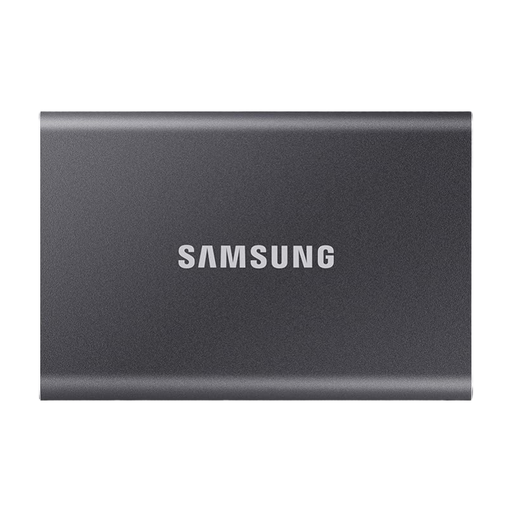
Why it stands out: The Samsung T7 is an established and versatile workhorse. It combines reliable performance with a robust and compact aluminium body. Its strength lies in its universal applicability—it works seamlessly between iPhone, Mac, PC, and even gaming consoles.
Pros:
Who is it for? For users looking for a proven, fast, and portable SSD for universal use. It's an excellent choice for transferring data between different devices and for those who value a reliable backup solution.
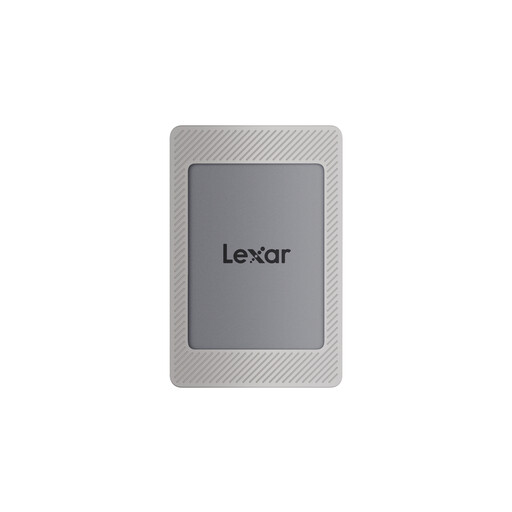
Why it stands out: The Lexar ES4 is designed specifically for the mobile video workflow with the iPhone 15. The included magnetic set allows for a direct and secure attachment to the smartphone, making it a practical mobile SSD for ProRes video.
Pros:
Who is it for? For videographers and content creators who primarily film with the iPhone 15 Pro or Pro Max and prefer an integrated, streamlined solution for external recording.
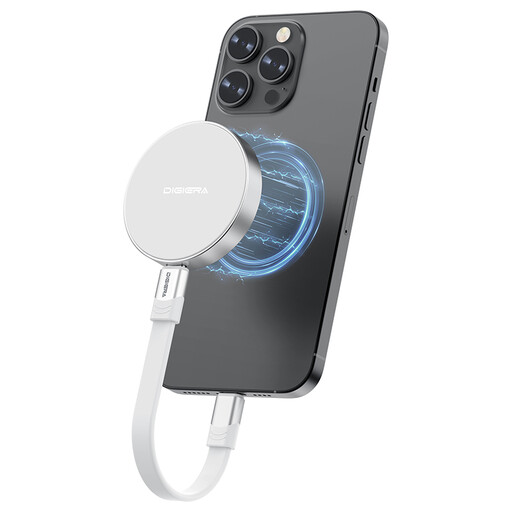
Why it stands out: This magnetic SSD focuses on maximum speed. With its USB 3.2 Gen 2x2 interface, it achieves read and write speeds far beyond the standard, targeting professional users with the highest performance demands.
Pros:
Who is it for? For professional filmmakers and power users who need an extremely fast workflow and regularly move very large files between their iPhone 15 Pro/Pro Max and a high-end computer with a USB 3.2 Gen 2x2 port.
The models featured here cover common use cases. However, if you're looking for different capacities, designs, or specific features, you're sure to find the right product in our broader selection.
? Explore our entire collection of USB Type-C Storage
Yes, the iPhone 15 Pro and iPhone 15 Pro Max models support direct video recording to an external SSD connected via the USB-C port. This is specifically intended for the storage-intensive ProRes format. The SSD must be formatted with the APFS or exFAT file system.
For recording 4K ProRes at 60 frames per second, a sustained write speed of at least 220 MB/s is required. Nearly all modern external SSDs connected via USB 3.1 Gen 2 or faster significantly exceed this requirement, providing enough of a buffer to prevent dropped frames.
In theory, most external SSDs with a USB-C port and formatted with APFS or exFAT should work. In practice, however, some models may experience power delivery issues, especially those with a high power draw. It's advisable to choose a drive that is known to be compatible with the iPhone 15 or has its compatibility confirmed by the manufacturer.