
Lieferung heute & morgen

Qualitätsgarantie

Willkommens-Angebote freischalten: KOSTENLOSE Lieferung | Bis zu 80 % RABATT | Kostenlose 30-Tage-JoyPlus-Testphase
App herunterladen
By: Joybuy Product Recommendation OfficerDate: 07/04/2026
For business users, IT specialists, and creative professionals, securely transporting sensitive data is a daily necessity. Whether it's confidential business records, personal documents, or intellectual property, the loss of or unauthorised access to a conventional USB drive can have significant consequences. A fingerprint encrypted USB drive offers an advanced solution to protect data both physically and digitally.
This article serves as your guide. We'll explain the crucial criteria to consider when making your selection and present a curated list of secure storage solutions that meet diverse needs for security, speed, and compatibility.
Choosing the right storage drive depends on your specific security and performance requirements. Here are three key criteria to simplify your decision.
The core feature of a secure USB drive is its encryption. AES 256-bit encryption is considered the industry standard, protecting data at an exceptionally high level. A critical difference lies in the implementation:
A biometric USB drive enhances encryption with a physical layer of security. Access to the protected data is granted only after the successful recognition of an authorised fingerprint. This makes it significantly more difficult for unauthorised individuals to access the data, even if they physically possess the drive.
For users who regularly transfer large files like 4K videos, extensive project data, or system backups, speed is paramount. A high-speed USB 3.2 drive offers significantly faster transfer rates than older USB standards. Models designed as an SSD USB drive use internal Solid-State Drive technology to achieve read and write speeds comparable to internal hard drives.
Also, pay close attention to the connectors. A USB Type-C drive is essential for modern laptops, tablets, and smartphones like the iPhone 15/16. Models with a dual interface (USB-A and USB-C) offer maximum flexibility, enabling seamless data exchange between old and new devices without an adapter.
The required capacity depends on your use case. A 256GB USB drive offers a good balance of storage space and cost for most professional users. For videographers or users with very large data archives, models with 512GB or more may be more suitable.
Durability is largely determined by the casing material. A metal USB drive, often made from a zinc alloy, provides better protection against bumps, drops, and daily wear and tear than plastic models, and it also helps with heat dissipation during intensive use.
Based on the criteria above, we have compiled a selection of USB drives that stand out for their security features, performance, or build quality.

Why It Stands Out: This model combines hardware-based AES-256 encryption with biometric authentication. The integrated fingerprint sensor allows for fast, secure access without needing to enter passwords. With SSD-like performance and a dual interface, it's designed for demanding security and performance requirements.
Advantages:
Who It's For: Users who transport highly sensitive data and require the highest level of access control and data security. Ideal for lawyers, business consultants, developers, and security-conscious individuals.
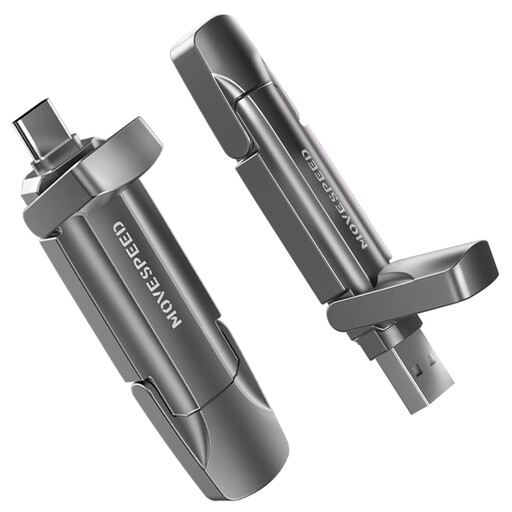
Why It Stands Out: This drive prioritises maximum transfer speed. It uses 3D NAND flash technology to achieve SSD-level performance. Although it lacks a fingerprint sensor, it's a powerful option for users whose priority is rapidly processing very large files, such as directly recording 4K ProRes video from an iPhone 15/16 Pro.
Advantages:
Who It's For: Creative professionals, videographers, and power users who need extremely fast external storage for editing and transferring 4K/8K video or other massive datasets and rely on software for their encryption needs.
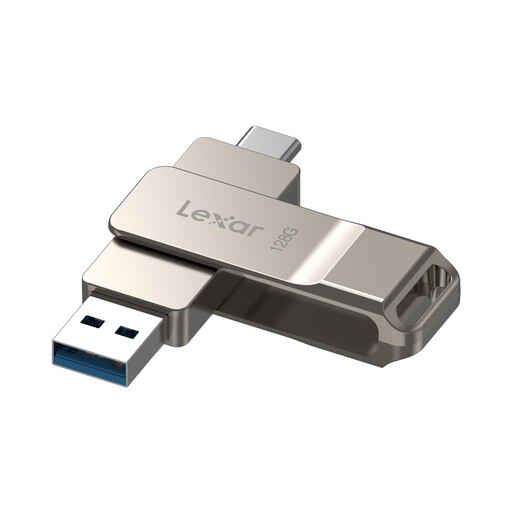
Why It Stands Out: The Lexar D40E offers a balanced combination of functionality, security, and design. It uses software-based 256-bit AES encryption to protect files. Its durable metal body with a 360-degree swivel mechanism is practical and prevents losing the cap.
Advantages:
Who It's For: Office and home users looking for a reliable and cost-effective solution for securely transporting everyday documents and files, who are comfortable with a software-based encryption solution.
The demands for mobile storage are diverse. If you haven't found the right model in our selection or are looking for different capacities and specific features, you can find more alternatives in our broader range of storage solutions.
? Explore a wider selection of [USB C Drives] here.
Such a drive has an integrated biometric sensor. During the initial setup, an administrator's fingerprint is registered. An encrypted partition is then created on the drive. This partition remains hidden and inaccessible until an authorised fingerprint is scanned. Afterward, it mounts as a separate drive on the computer and can be used like a standard USB drive.
Most models offer a password entry as a backup solution. If the sensor repeatedly fails to recognise the fingerprint (e.g., due to injury or dirt) or if it malfunctions, access can be gained using this password. It is crucial to store this password securely, as losing both the password and fingerprint access typically means the data on the encrypted partition is unrecoverable.
A biometric USB drive provides an additional layer of security. While a password can be compromised by spyware (keyloggers) or simple observation (shoulder surfing), biometric access requires the physical presence of the authorised user. This form of two-factor authentication (something you have—the drive, and something you are—your fingerprint) presents a higher barrier to unauthorised access while offering greater convenience for daily use.