
Lieferung heute & morgen

Qualitätsgarantie

Willkommens-Angebote freischalten: KOSTENLOSE Lieferung | Bis zu 80 % RABATT | Kostenlose 30-Tage-JoyPlus-Testphase
App herunterladen
Anyone who spends long hours at a desk—whether for gaming, working from home, or streaming—knows the consequences of poor posture: back pain, muscle tension, and waning concentration. An ergonomic gaming chair promises relief, but the market is saturated and confusing. Many models lure you in with a sporty look, only to turn out to be short-lived disappointments.
This guide will help you identify marketing traps and make an informed decision. We focus on the critical features that define a truly great PC chair and show you what to look for before you buy.
Before we dive into the essential features, let's highlight the typical issues that lead to buyer's remorse. Knowing them helps you to avoid them.
To avoid these pitfalls, you should carefully examine three technical aspects. These are the primary determinants of your chair's comfort and longevity.
The mechanism connects the seat base to the backrest and controls their movement. There are significant differences here:
An ergonomic office chair or gaming chair must adapt to your body, not the other way around. Look for the following adjustments:
The upholstery material has a direct impact on seating comfort and durability.
Based on the criteria above, we have identified several models suitable for different needs and budgets.
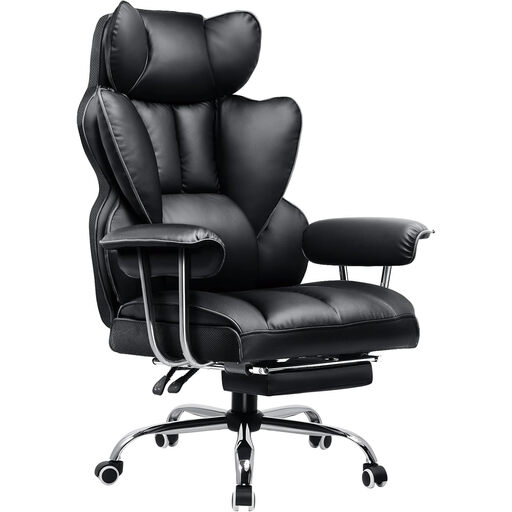
Why This Fits Their Persona: Ideal for users seeking a functional all-rounder for gaming and home office use without a premium budget. The blend of office and gaming aesthetics fits well in many environments.
It bypasses the trap of low-quality materials by using high-density foam and PP cotton padding designed for long-lasting comfort.
The retractable footrest and a backrest that reclines up to 135° offer significant value for relaxation, a feature not always standard in this price range.
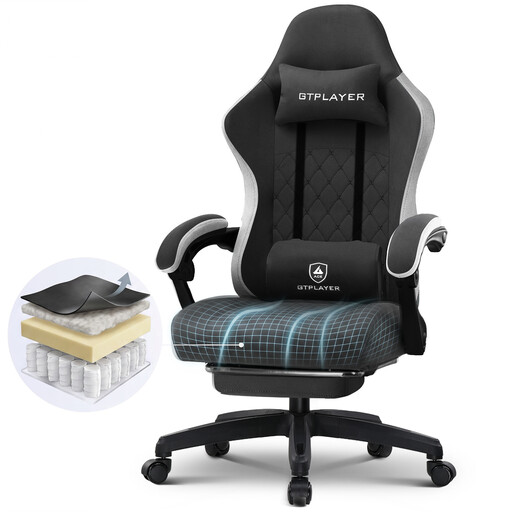
Why This Fits Their Persona: Perfect for intense and long gaming sessions. The clear focus is on maximum comfort through breathable materials and innovative seat cushioning.
It solves the problem of rigid armrests with linkage armrests that automatically recline with the backrest, supporting the elbows in any position.
The seat base, featuring independent pocket springs, provides sofa-like comfort, while the breathable fabric upholstery ensures a cool and dry seating experience.
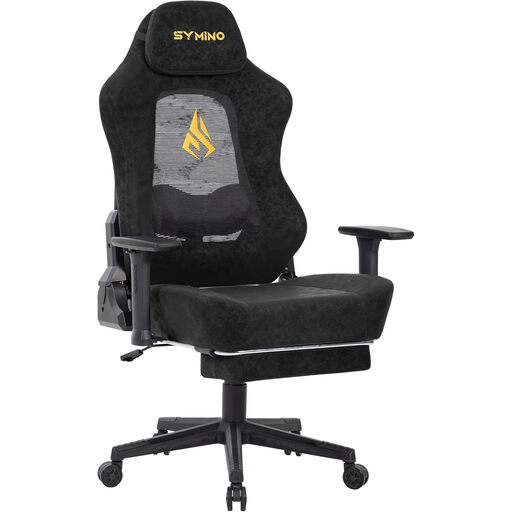
Why This Fits Their Persona: For users who prioritize correct posture and maximum adjustability. The design values technical ergonomic features over a purely gaming-centric look.
It escapes the "racing-seat trap" with a wingless seat design that allows for unrestricted movement and isn't limited to a specific body type.
The adaptive 3D lumbar support, which dynamically adjusts to the spine, and the mesh backrest for maximum airflow are clear ergonomic advantages.
We have compiled a complete, real-time list of products that fully satisfy these strict selection criteria and UK safety regulations.
Yes, absolutely. Modern ergonomic gaming chairs are often better equipped than many standard office chairs. Features like 4D armrests, a synchronous mechanism, and adjustable lumbar support are just as beneficial for long workdays at the PC as they are for gaming sessions. Furthermore, a model with a subtle design and no flashy colours can easily integrate into a professional home office environment.
A footrest is a comfort feature that proves its worth, especially during breaks. It allows you to put your feet up and fully relax your body in combination with a reclined backrest. For active, upright sitting while working or gaming, it's generally not needed and should be retracted. Whether the extra cost is justified depends on your personal break habits.
The lifespan heavily depends on the quality of the components. A chair with a sturdy steel frame, a Class 3 or 4 gas lift, and high-quality upholstery (thick fabric or abrasion-resistant PU leather) can easily last five years or more with normal use. In contrast, budget models with inferior parts often show signs of wear after just one or two years, such as a sinking gas lift or cracks in the upholstery.