
Lieferung heute & morgen

Qualitätsgarantie

Willkommens-Angebote freischalten: KOSTENLOSE Lieferung | Bis zu 80 % RABATT | Kostenlose 30-Tage-JoyPlus-Testphase
App herunterladen
A new gaming controller is meant to increase precision and enhance your gaming experience. But all too often, the search ends in disappointment: after just a few months of intense use, the dreaded "stick drift" appears, causing the analog sticks to register inputs even when untouched. Another common frustration is misleading compatibility claims, resulting in a new controller that doesn't work as expected with your PC, console, or smartphone.
As your Joybuy Product Recommendation Officer, I'm here to help you navigate these pitfalls. This guide focuses on the objective technical features that define a durable and precise gaming controller, ensuring your investment pays off in the long run.
To avoid being swayed by marketing hype, you should examine three core aspects: compatibility, connection technology, and the construction of the analog sticks. These factors determine whether a gamepad fits your setup and how long it will remain functional.
The most important question is: what platform do you play on? The requirements for a PC controller are different from those for a PS5 controller or a Switch controller.
The choice between a wireless controller and a wired model depends on your priorities.
Stick drift is the most common point of failure in controllers. It's caused by mechanical abrasion within the potentiometers of the analog sticks. The solution to this problem is a newer technology:
Instead of making a one-size-fits-all recommendation, we have selected models tailored to specific user profiles that avoid the pitfalls mentioned.
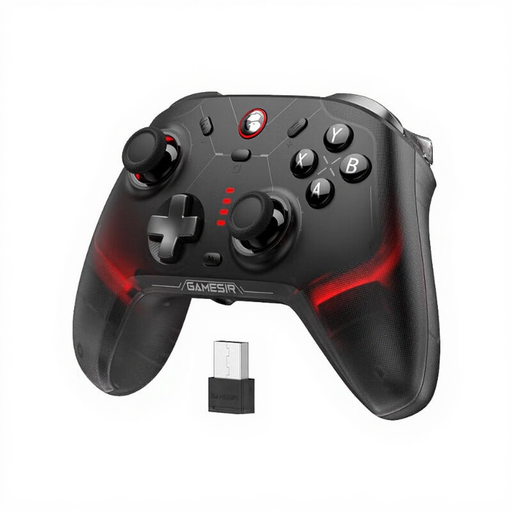
Why This Fits Their Persona: Ideal for gamers who switch seamlessly between PC, Nintendo Switch, and mobile devices. Its broad compatibility eliminates the need to buy multiple specialised controllers.
Thanks to its built-in Hall effect sticks and triggers, this model is immune to stick drift and mechanical wear, ensuring high durability.
Tri-mode connectivity (Bluetooth, 2.4G dongle, wired) and a high polling rate of 1000 Hz for responsive gameplay across all supported platforms.
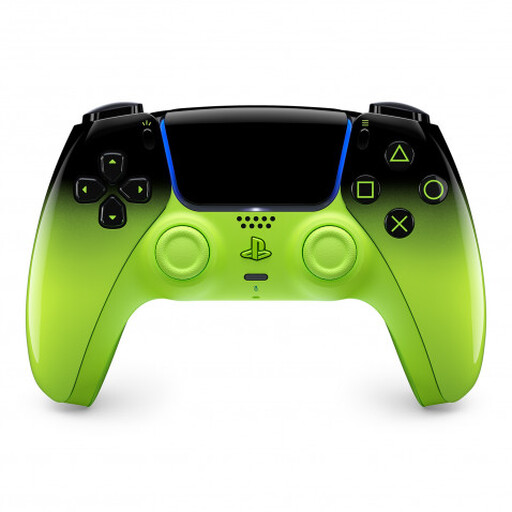
Why This Fits Their Persona: For players who want to experience the full feature set of the PS5 and use the same high-quality controller on their PC or Mac.
Avoids the pitfall of buying third-party controllers that don't support unique PS5 features like adaptive triggers, which would offer a limited gaming experience.
Offers unique haptic feedback and adaptive triggers that provide deep immersion in supported games. Compatibility with PC and mobile devices is also included.
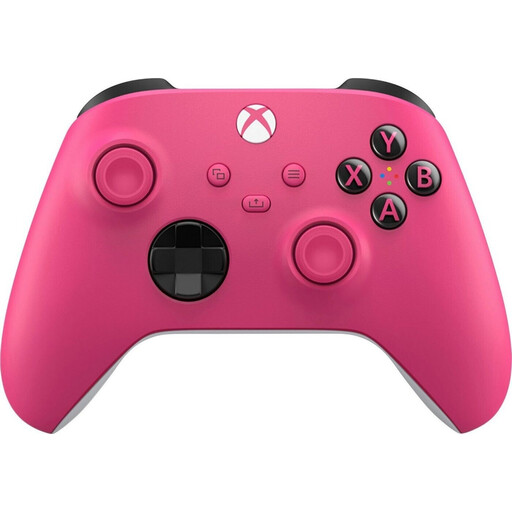
Why This Fits Their Persona: The default choice for gamers in the Microsoft ecosystem. Perfect for anyone looking for a straightforward, reliable solution for Xbox and Windows PC.
Bypasses compatibility and driver issues on Windows, a common pitfall with third-party controllers that lack official XInput support.
Seamless "plug-and-play" integration with Windows 10/11 and Xbox consoles. The established ergonomic design ensures high comfort during long gaming sessions.
We have compiled a complete, up-to-date list of products that fully meet these strict selection criteria and safety regulations.
The main advantage of Hall effect controllers is their durability and consistent precision. Since they use magnetic fields for position detection instead of mechanical contact, the analog sticks and triggers are not subject to wear and tear. This effectively prevents the occurrence of stick drift, making them a reliable choice for the long term.
Yes, a PS5 DualSense controller can be connected to a PC via Bluetooth or a USB cable. Windows will recognise it as a generic gamepad. For full functionality, including haptic feedback and adaptive triggers in supported PC games, the Steam platform or special software like DS4Windows is often required.
A good mobile controller is distinguished by three features: a stable, adjustable mount that fits various smartphone sizes; a low-latency Bluetooth connection; and an ergonomic shape reminiscent of traditional console controllers. Models with "passthrough charging" also allow you to charge your phone while playing, which is especially useful during long sessions.