
Lieferung heute & morgen

Qualitätsgarantie

Willkommens-Angebote freischalten: KOSTENLOSE Lieferung | Bis zu 80 % RABATT | Kostenlose 30-Tage-JoyPlus-Testphase
App herunterladen
A dead laptop battery during an important presentation, on the train, or just before a deadline is more than just an annoyance. For professionals, students, and travellers who depend on their mobile devices, a reliable power source is crucial. A high-performance laptop power bank provides the necessary independence from the power grid.
This article serves as a guide. We'll explain the key technical features to look for when making your choice and present a selection of models designed for demanding applications like charging laptops, tablets, or portable gaming consoles.
Choosing the right model depends on the technical requirements of your devices. Three criteria are particularly important.
Capacity, measured in milliampere-hours (mAh), determines how many times you can charge a device. For laptops, a capacity of at least 20,000mAh or 25,000mAh is recommended to ensure a full charge.
Even more important is the power output in watts (W). A laptop requires significantly more power than a smartphone. Check the wattage rating on your laptop's original power adapter. A 65W power bank is sufficient for many ultrabooks and MacBooks, while more power-hungry models or gaming laptops like the Steam Deck require a 100W power bank or more. Watt-hours (Wh) are also a key indicator, especially for air travel (typically, up to 100 Wh is allowed in carry-on luggage).
Modern laptops are charged almost exclusively via USB-C. A USB-C power bank is therefore a basic requirement. However, support for the Power Delivery (PD) protocol is critical. This technology enables intelligent communication between the power bank and the device to deliver the fastest possible charging speed safely and efficiently. Without a PD power bank, a laptop will charge very slowly, if at all. Ensure the PD output of the USB-C port meets your device's requirements.
If you want to power multiple devices at the same time—for example, a MacBook power bank and a smartphone—you'll need a model with multiple outputs. Note that when charging simultaneously, the total power output is distributed among the active ports. A power bank with a high total output (e.g., 165W) can still provide high charging speeds for multiple devices.
Based on the criteria mentioned, we have compiled a selection of models that are well-suited for charging laptops and other power-intensive devices due to their technical specifications.
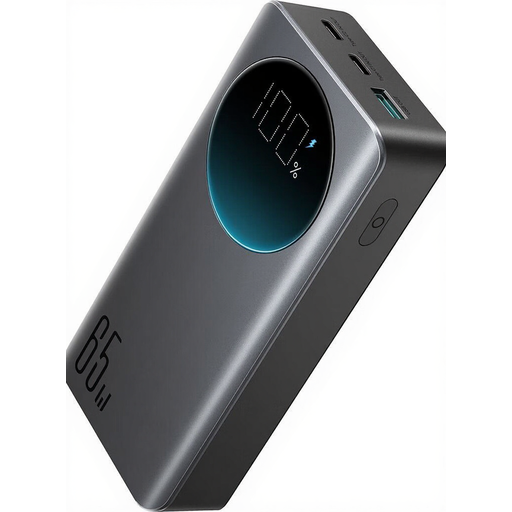
Why It Stands Out: This model offers a balanced combination of capacity, power, and compactness. With 65W Power Delivery via USB-C, it can efficiently charge most modern ultrabooks and MacBooks. A special feature is the fast recharging of the power bank itself.
Pros:
Who It's For: Ideal for commuters, students, and business travellers who need a reliable and quick-to-deploy power source for their laptop and other devices like smartphones or tablets.
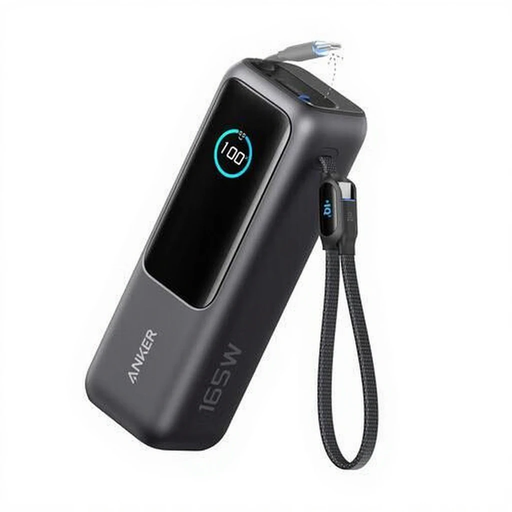
Why It Stands Out: The Anker Power Bank is designed for maximum total output. With a combined output of 165W, it can charge multiple demanding devices simultaneously at high speed, making it a solution for power users.
Pros:
Who It's For: Perfect for users who regularly need to charge multiple powerful devices at once, such as digital nomads, photographers, or tech enthusiasts with a setup of a high-end laptop, tablet, and smartphone.
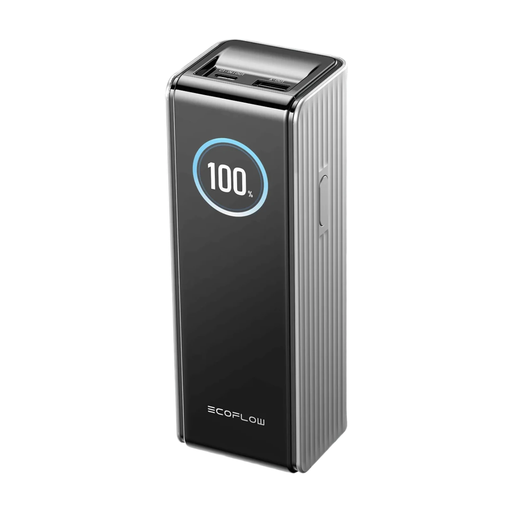
Why It Stands Out: This model from EcoFlow focuses on maximum charging power per port and supports the modern PD 3.1 standard. With up to 140W from a single USB-C port, it can power even the most demanding laptops at full speed.
Pros:
Who It's For: The top choice for owners of high-performance laptops (e.g., 16-inch MacBook Pro) that support the PD 3.1 standard. This model is also an excellent option for gamers looking for a power bank for the Steam Deck with maximum charging speed.
The models presented cover common user profiles. However, if you are looking for different capacities, specific ports, or another form factor, it's worth taking a look at the wider selection.
Find more models and compare specifications in our category for external batteries.
The required capacity depends on your laptop's battery. As a rule of thumb, a 20,000mAh power bank can fully charge an average ultrabook (approx. 50-60 Wh battery) about once. For larger laptops or multiple charge cycles, a 25,000mAh power bank or more is a better choice. A more precise measure is watt-hours (Wh), which indicates the actual amount of energy.
No. A MacBook power bank must support the Power Delivery (PD) charging standard. Additionally, the power output (in watts) of the power bank must be at least equal to or greater than that of the original MacBook power adapter to ensure effective charging. A MacBook Air typically requires 30-45W, while a MacBook Pro may require 65W, 100W, or even more.
Yes, power banks must be carried in your carry-on luggage. Most airlines limit the capacity to 100 watt-hours (Wh) per battery. A 20,000mAh power bank has about 74 Wh (20,000 mAh x 3.7V / 1000), and a 25,000mAh power bank has about 92.5 Wh. Both are therefore typically within the allowed limit. However, it is strongly recommended to check your airline's specific regulations before travelling. Placing them in checked baggage is strictly prohibited for safety reasons.