
Lieferung heute & morgen

Qualitätsgarantie

Willkommens-Angebote freischalten: KOSTENLOSE Lieferung | Bis zu 80 % RABATT | Kostenlose 30-Tage-JoyPlus-Testphase
App herunterladen
Choosing a new laptop is a decision that should be based on an analysis of technical specifications and individual usage requirements. Factors like processor performance, RAM, display size, and battery life are crucial for finding a device that meets the demands of university, a home office, or everyday tasks. This guide focuses on the objective parameters that play a role in the purchasing decision.
To choose the right notebook, understanding its core components is essential. The following criteria provide the technical foundation for an informed decision.
The Central Processing Unit (CPU) is responsible for the system's processing speed. Its performance is determined by the number of cores and the clock speed.
RAM acts as the laptop's short-term memory and affects how many applications can run smoothly at the same time.
Modern laptops almost exclusively use SSD (Solid-State Drive) storage. Compared to older HDD hard drives, SSDs offer significantly faster read and write speeds, resulting in shorter operating system boot times and quicker program loading. The required storage capacity depends on individual needs. 256 GB may be sufficient for users who primarily use cloud services, while 512 GB or more offers greater flexibility for locally stored files and programs.
For mobile users looking for a lightweight laptop, screen size is a key factor.
A laptop with long battery life is essential for students and professionals who are frequently on the go. Manufacturer claims often refer to specific scenarios like video playback or web browsing. It is advisable to use these figures as a guideline and check if the battery's capacity (measured in watt-hours, Wh) is sufficient for a full day of work or study.
Based on an analysis of technical data, here are some models to consider for different user profiles.
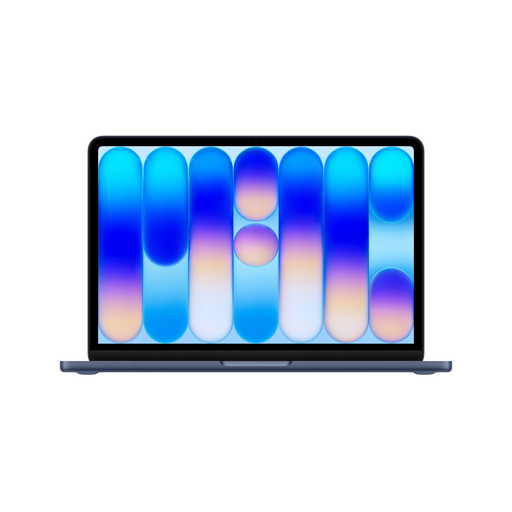
Why It's Worth Considering: This model combines the power of the Apple A18 Pro chip with a generous 512 GB SSD. The chip is equipped with a 6-core CPU, a 5-core GPU, and a 16-core Neural Engine, making it ready for everyday tasks as well as AI-powered applications. The integration of Touch ID provides a fast and secure method of authentication. The 13-inch Liquid Retina display, with a resolution of 2408 x 1506 pixels and 500 nits of brightness, ensures a clear and vibrant visual experience.
Benefits at a Glance:
Who Is This Device For? This Apple MacBook is suitable for students and professionals who value an integrated ecosystem, high portability, and advanced security features. The 512 GB SSD provides enough space for projects, documents, and software, making it a great choice for users who don't want to rely solely on cloud storage.
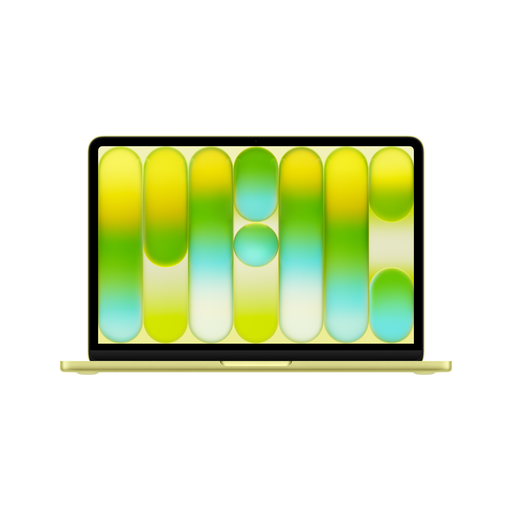
Why It's Worth Considering: This model offers the same core performance of the A18 Pro chip as the variant with more storage but comes with a 256 GB SSD and omits Touch ID. It represents a more cost-effective option for accessing the macOS ecosystem and the power of the Apple chip. All other key features, such as the high-quality display, long battery life, and lightweight aluminium chassis, remain identical.
Benefits at a Glance:
Who Is This Device For? An ideal laptop for university or for users who primarily manage their data in the cloud and need a powerful, portable device for everyday productivity tasks. It's a great choice for budget-conscious buyers who still want the performance and design of a MacBook.
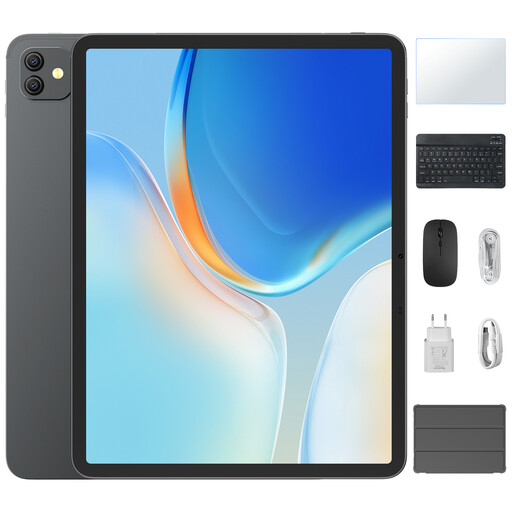
Why It's Worth Considering: The Blackview Link 8 is positioned as a versatile tablet with a keyboard and stylus, presenting a flexible alternative to traditional laptops. The large 12.7-inch display with 2K resolution and a 90 Hz refresh rate is well-suited for media consumption and note-taking. With 6 GB of RAM (expandable) and 256 GB of internal storage, it offers a solid technical foundation. The PC Mode enables a desktop-like user interface that boosts productivity.
Benefits at a Glance:
Who Is This Device For? For students and users seeking maximum flexibility. It's ideal for taking handwritten notes, drawing, media consumption, and light office work. Those who need a device for various use cases and appreciate the portability of a tablet will find this an interesting solution.
If biometric security features like Touch ID are a key criterion for you, but your chosen device doesn't have it integrated, external solutions are also available. For example, a keyboard with Touch ID can be connected to compatible devices to add this functionality.
1. What is more important: the processor or RAM? Both components are crucial for overall performance and work together. A fast processor cannot reach its full potential if there is too little RAM, as this creates a bottleneck. Conversely, a large amount of RAM cannot compensate for a slow processor. For balanced performance, both components should be matched to the intended use case. For general tasks, a modern mid-range processor with 8 GB of RAM is a good combination.
2. How much storage does a laptop for university need? For students who mainly work with text documents, presentations, and web applications, 256 GB of storage can be sufficient, especially if cloud services like Google Drive or OneDrive are used extensively. Students in creative or technical fields who work with large files such as videos, 3D models, or large datasets should consider at least 512 GB or more.