
Lieferung heute & morgen

Qualitätsgarantie

Willkommens-Angebote freischalten: KOSTENLOSE Lieferung | Bis zu 80 % RABATT | Kostenlose 30-Tage-JoyPlus-Testphase
App herunterladen
A missing or unreliable broadband connection can significantly impact your daily life and work. A stable internet connection is often not a given, especially in rural areas, in a holiday home, or during a move. An LTE router with a SIM slot offers a flexible and high-performance solution. These devices use the mobile network to establish a reliable Wi-Fi network—entirely without a DSL or fibre optic connection.
This article serves as a guide. We will introduce various use cases and explain the technical features that are relevant when choosing a 4G router. We also present a selection of models suitable for different requirements.
To find the right device for your needs, several technical parameters should be considered. These will determine the speed, stability, and flexibility of your future network.
The LTE category (Cat) indicates the maximum achievable download and upload speed on the mobile network. Common categories include:
The Wi-Fi standard defines the performance of the wireless network that the router establishes.
The physical ports expand the potential uses of an LTE router. Gigabit LAN ports are important for connecting devices like desktop PCs, gaming consoles, or a Network Attached Storage (NAS) via cable to ensure a stable, high-speed connection. Some models also offer a WAN/LAN port, which allows the router to be used as a traditional Wi-Fi router with an existing modem.
Based on the criteria mentioned, we have compiled a selection of devices suitable for various use cases.
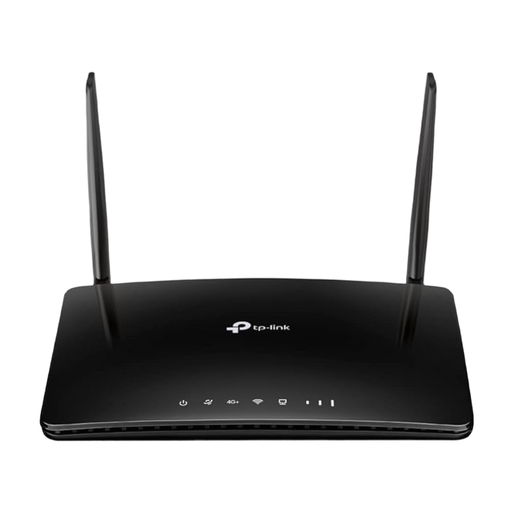
Why it stands out: The Archer MR500 combines high mobile network speeds with versatile connectivity options. It is a well-balanced solution for demanding home users looking for a reliable DSL alternative.
Pros:
Who is it for? This model is suitable for households and home office users who need a powerful and stable internet connection for streaming, online gaming, and video conferencing.
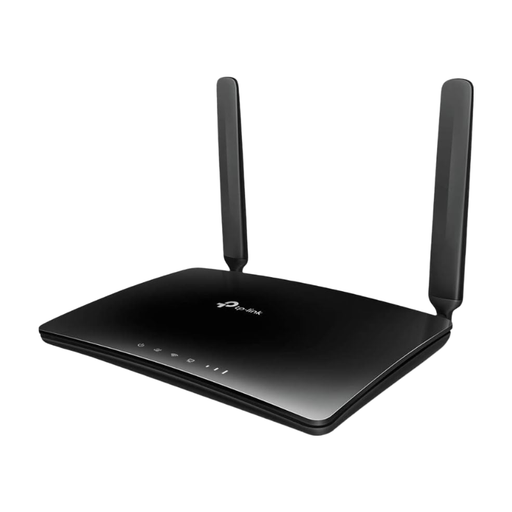
Why it stands out: The Archer MR400 is a straightforward and functional solution for internet via SIM card. It focuses on essential features and offers solid value for money.
Pros:
Who is it for? The MR400 is a great choice for users with basic internet needs. It is an ideal router for a holiday home, for students in shared housing, or as a temporary solution during a move.
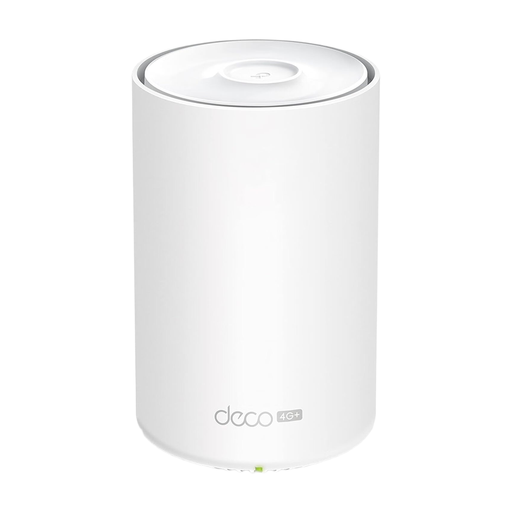
Why it stands out: The Deco X20-4G combines the advantages of a mobile Wi-Fi router with modern Wi-Fi 6 and mesh technology. It is designed for forward-thinking users who value high efficiency and expandable coverage.
Pros:
Who is it for? This device is the right solution for users in larger apartments or houses who need seamless coverage. It is also ideal for tech-savvy users and small business owners who want to set up a fail-safe internet connection (failover).
For larger living spaces, multi-storey homes, or offices, a single router can reach its limits. The result is so-called "dead zones" with no Wi-Fi reception. Mesh systems offer a solution by connecting multiple access points into a single, intelligent network. This ensures a consistently stable connection, no matter where you are in the building.
If you want to ensure seamless Wi-Fi coverage for your entire home, discover our selection of Mesh WiFi Kits.
Yes, for many use cases, an LTE router with a SIM slot can replace a traditional DSL connection. The prerequisites are good 4G/LTE network coverage at your location and a suitable data plan. For very data-intensive use (e.g., constant large downloads), the cost of a mobile data plan can be higher compared to a flat-rate DSL plan. Performance can also vary depending on network congestion in the area.
Most routers use a Micro-SIM or Nano-SIM. You can find the exact specification in the technical data of the respective device. It is important to choose a data-only plan that is intended for use in routers and offers sufficient data volume for your needs. Phone tariffs are often not optimised for this purpose or may be blocked by the provider.
The setup is usually very simple and requires no technical expertise: