
Lieferung heute & morgen

Qualitätsgarantie

Willkommens-Angebote freischalten: KOSTENLOSE Lieferung | Bis zu 80 % RABATT | Kostenlose 30-Tage-JoyPlus-Testphase
App herunterladen
Choosing a new MacBook in 2026 can be a challenge, given the diverse model ranges and configurations. Between marketing promises and technical data sheets, it's often difficult to keep track and make an informed decision. This guide will help you avoid common buying pitfalls and find the model that truly fits your needs—without spending unnecessarily.
Before we look at the new models, it's important to clear up some common misconceptions that often lead to poor purchasing decisions.
To make the right choice, you should understand the three core components that define a MacBook's performance and use case.
The heart of every new MacBook is its chip. The choice of processor should depend directly on your use case.
Unlike traditional systems, the CPU and GPU in Apple silicon share a single pool of memory. This results in high efficiency.
Both display technologies offer high pixel density and colour accuracy, but the key difference lies in brightness and contrast.
Here are some configurations tailored to specific user groups that strategically avoid the pitfalls mentioned earlier.
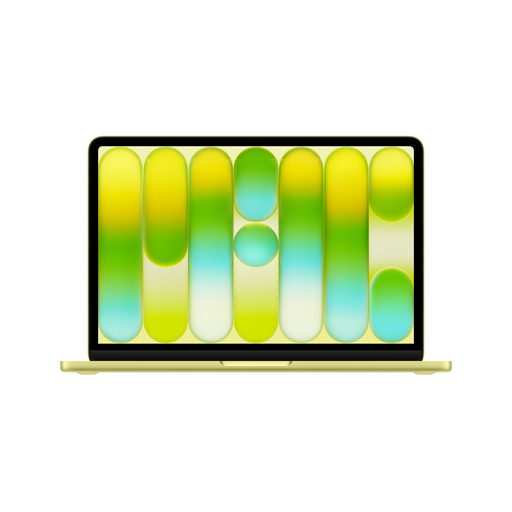
Why this model is a great fit: Perfect for daily mobile use at university or for basic tasks. It's lightweight, offers all-day battery life according to Apple, and the A18 Pro chip's performance is perfectly adequate for Office, research, and streaming.
This model avoids the "Pro" promise by focusing on the essentials. The 256 GB SSD is sufficient for the operating system and programs; external storage can be used for large data sets.
High portability and an accessible price point for entering the macOS ecosystem, optimised for basic AI functions with Apple Intelligence.
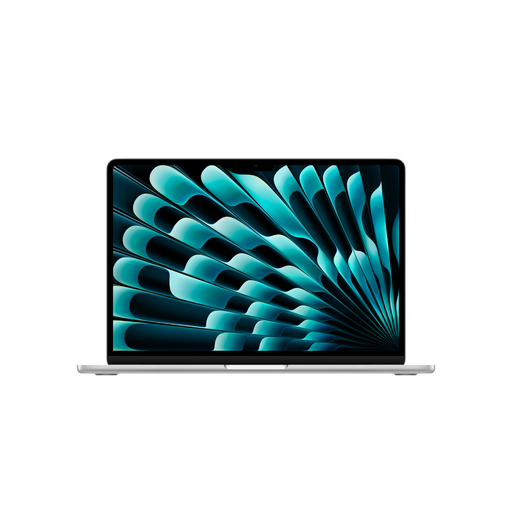
Why this model is a great fit: The larger 15-inch screen makes multitasking easier. The M5 chip provides enough power for photo editing and light creative tasks, while 16 GB of RAM is a solid investment for the future.
This model is the perfect middle ground. It offers more performance and screen real estate than an entry-level model without incurring the high cost of a Pro device whose full power isn't needed.
A large display in a very thin and light chassis. The M5 chip is optimised for all features of Apple Intelligence.
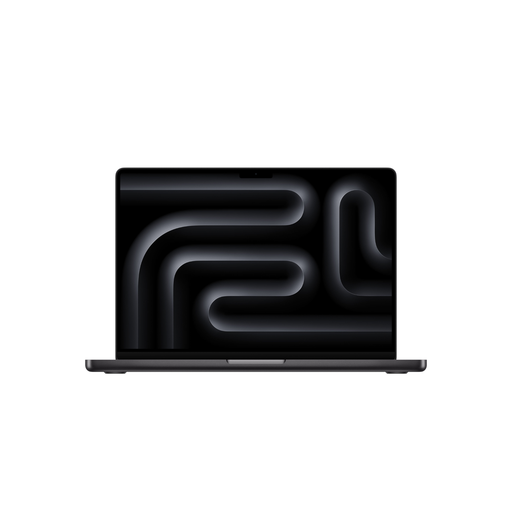
Why this model is a great fit: For this user group, "Pro" isn't an option, it's a necessity. The M5 Pro Chip and 24 GB of RAM enable smooth workflows for 4K video editing, 3D modelling, and code compilation. The XDR display is essential for colour-critical work.
This isn't about avoiding a pitfall, but meeting a requirement. The investment in Pro hardware is justified because the performance directly boosts productivity in professional tasks.
Maximum processing power, a reference-grade display for HDR workflows, and a variety of ports (Thunderbolt 5, HDMI, SDXC card reader) for professional peripherals.
Choosing the right laptop depends on many factors. If you'd like to compare more configurations or models, you can find a wider selection in our main category.
1. Is 8 GB of unified memory enough for a MacBook in 2026? For many users, yes. If your main applications are web browsing, email, word processing, and video streaming, 8 GB will provide a smooth experience. For users who regularly edit photos, code, or keep many programs open at once, 16 GB is a more future-proof choice.
2. What is the difference between the M5 chip and Apple Intelligence? The M5 chip is the hardware—the processor that powers the MacBook. It contains a specialised component called the Neural Engine. Apple Intelligence is the software—a suite of smart features that run on this Neural Engine to help you with writing, organisation, and other tasks. To use the new AI features, a device with an M5 chip (or newer) is required.
3. Do I need to buy a power adapter for the new 2026 MacBook separately? Based on Apple's product information for the 2026 models, most devices (MacBook Air, MacBook Pro, MacBook Neo) will include a charging cable (USB-C to MagSafe 3), but the power adapter itself must be purchased separately. This is an important point to consider when budgeting for your Apple laptop purchase. The required wattage varies by model.