
Lieferung heute & morgen

Qualitätsgarantie

Willkommens-Angebote freischalten: KOSTENLOSE Lieferung | Bis zu 80 % RABATT | Kostenlose 30-Tage-JoyPlus-Testphase
App herunterladen
As a Joybuy Product Recommendation Officer, my job is to provide you with clear, objective information to help you make informed purchasing decisions. This guide focuses on a specific solution to a common problem: storage bottlenecks when recording high-resolution video.
Many iPhone 15 Pro or Pro Max users have been there: right in the middle of an important recording in the Apple ProRes format, a notification pops up that the internal storage is full. A MagSafe SSD offers a practical solution. These external drives attach magnetically to the back of the iPhone, allowing you to record video directly to them without using up internal storage. In this article, we'll introduce a selection of models and explain what to look for when making your choice.
Choosing the right external SSD depends on several technical factors. To make the best decision for your use cases, the following criteria are important.
For direct recording of Apple ProRes SSD videos, a high and consistent write speed is crucial. The iPhone 15 Pro features a USB-C port that supports data transfers of up to 10 Gbps (equivalent to the USB 3.2 Gen 2 standard). Therefore, an SSD should at least match this speed to ensure smooth USB-C SSD for video recording without any dropped frames. Models with USB 3.2 Gen 2x2 (up to 20 Gbps) offer even higher speeds, which particularly shine when transferring data to a compatible computer or a fast external drive for Mac.
ProRes video files are very large. A single minute of 4K video at 30 frames per second can take up over 6 GB of space. If you plan to film longer projects, it's wise to expand your iPhone storage by choosing an SSD with sufficient capacity. A 1TB portable SSD is a good starting point for most content creators, while videographers with extensive projects should consider models with 2TB or more.
The main advantage of a magnetic external SSD is its ease of use. It attaches directly to the back of a MagSafe-compatible iPhone or a corresponding case. This creates a compact setup without loose cables or complicated mounts, which is especially beneficial for mobile shoots. Pay attention to the quality of the magnets and whether additional accessories, like adapter rings for non-magnetic cases, are included.
Here is a selection of external SSDs suitable for use with the iPhone 15/16 Pro and other devices. The descriptions are based on manufacturer specifications.
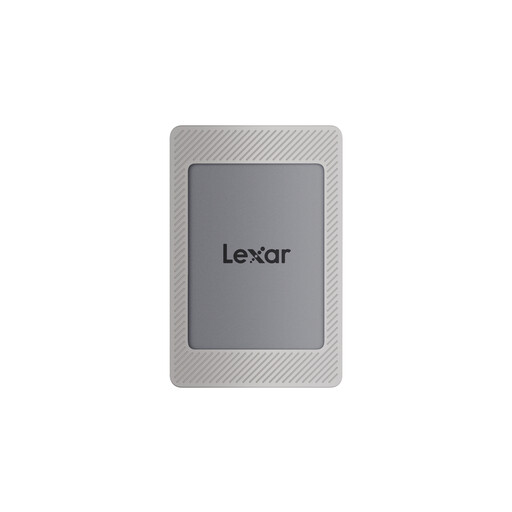
What makes it stand out: The Lexar ES4 comes as an all-in-one package. It includes a magnetic silicone sleeve and an additional magnetic ring. This allows the SSD to be attached even to iPhones with cases that have no magnet or a weak one. With read speeds of up to 1050 MB/s and write speeds of up to 1000 MB/s (via USB 3.2 Gen 2), it is well-equipped for direct ProRes video recording. The integrated Lexar DataShield software provides 256-bit AES encryption to protect your data.
Advantages:
Who it's for: This model is a practical choice for users looking for a ready-to-use solution without needing to buy extra accessories. It's suitable for content creators who need a reliable and secure external SSD for iPhone 15 Pro.
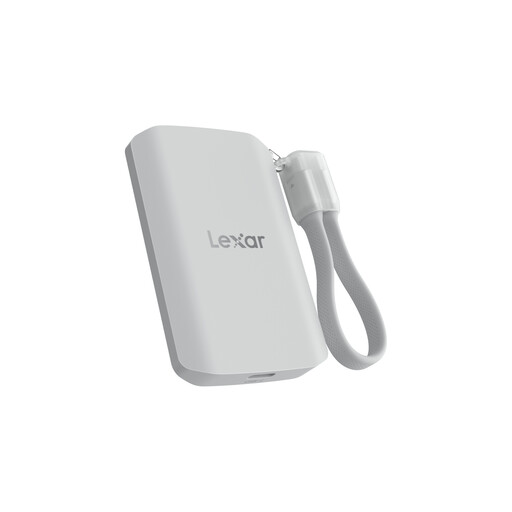
What makes it stand out: The Lexar ES5 is designed for high performance and durability. It uses the USB 3.2 Gen 2x2 standard and, according to the manufacturer, achieves read and write speeds of up to 2000 MB/s on compatible devices. Its rugged design is IP65 rated for protection against dust and water jets and is built to withstand drops from up to 3 metres. The large 2TB capacity offers ample space for extensive 4K and 8K video projects.
Advantages:
Who it's for: The ES5 is aimed at professional videographers and demanding users who need maximum speed for their workflow and often work in harsh conditions. It's ideal for users who work not only with their iPhone but also with other devices that support the USB 3.2 Gen 2x2 standard.
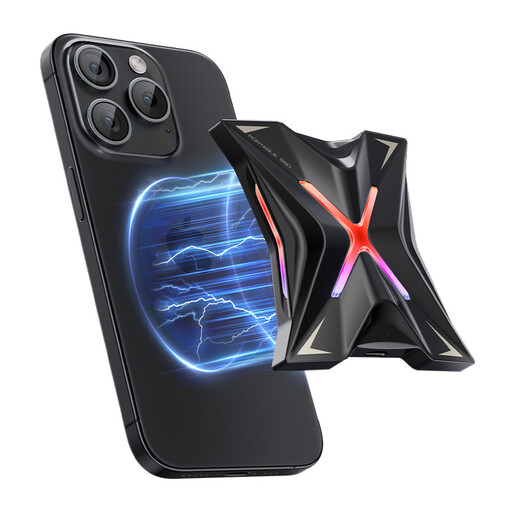
What makes it stand out: The MOVESPEED SSD also leverages the fast USB 3.2 Gen 2x2 standard, offering read speeds of up to 2060 MB/s and write speeds of up to 1800 MB/s, according to the manufacturer. Its zinc alloy casing ensures effective heat dissipation, which keeps performance stable during long recording or transfer sessions. The SSD is directly compatible with iPhone 12 through 15 series, allowing for seamless magnetic attachment.
Advantages:
Who it's for: This drive is an option for tech-savvy users and professionals who value maximum transfer performance and a durable enclosure with good thermal management. It's a versatile fast external drive for Mac, PC, and mobile devices.
If these recommendations don't include the perfect model for your specific needs, or if you're looking for different capacities, you can find a wider selection of storage solutions in our range.
Discover our full range of USB drives
Yes, thanks to their USB-C port, the iPhone 15 Pro and iPhone 15 Pro Max allow you to record video directly to a compatible external SSD, especially in the ProRes format. This is an official feature supported by Apple.
For recording 4K ProRes video at 60 frames per second, Apple requires a drive with a sustained write speed of at least 220 MB/s. All the SSDs featured here significantly exceed this value, offering plenty of performance headroom for stable and uninterrupted recording.
No, a secure magnetic connection requires either a MagSafe-compatible case or using the iPhone without a case. However, some SSD models, like the Lexar ES4, offer a solution in the form of included magnetic rings that can be attached to non-magnetic cases.