
Lieferung heute & morgen

Qualitätsgarantie

Willkommens-Angebote freischalten: KOSTENLOSE Lieferung | Bis zu 80 % RABATT | Kostenlose 30-Tage-JoyPlus-Testphase
App herunterladen
Dropped connections during an important video conference, constant buffering while streaming your favourite film, or entire rooms with no signal—many households are familiar with these WiFi problems. A single router quickly reaches its limits, especially in larger apartments or multi-story houses with thick walls. A mesh WiFi system is the modern solution to eliminate these dead zones and ensure a seamless, stable internet connection throughout your entire living space.
Unlike a simple WiFi repeater alternative, mesh systems create a single, intelligent network. Your devices automatically connect to the strongest signal point, so you never have to switch networks manually. This guide explains what to look for when choosing a system and introduces several models suited for different needs.
Before you decide on a model, you should consider a few technical aspects to find a solution that fits your home and your usage habits.
The WiFi standard determines the maximum speed and efficiency of your network.
Manufacturers specify the maximum coverage area in square metres (m?). A set with three nodes is typically designed for an average single-family home or a large apartment. For WiFi for a large house, especially one with tricky layouts or thick reinforced concrete walls, it's wise to choose a system that can be easily expanded with additional nodes if needed.
Pay attention to the number of Gigabit Ethernet ports on each node. These are useful for connecting devices like a desktop PC for your home office WiFi, a games console, or a smart TV via cable to ensure the most stable connection possible. Today, easy setup and management via a smartphone app is standard, making it much simpler to configure the network and manage features like parental controls or guest networks.
Here is a selection of mesh systems tailored to different needs and budgets.
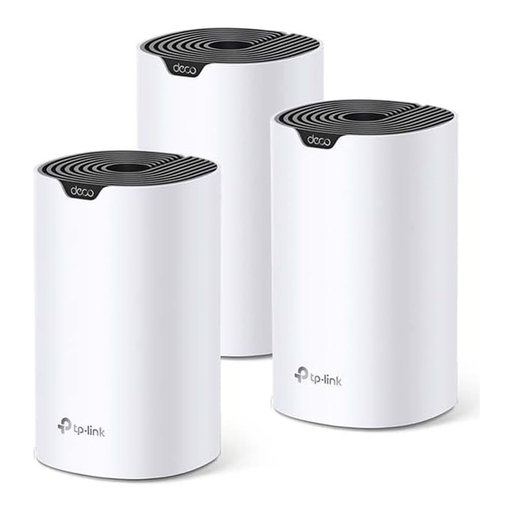
What sets this model apart
The TP-Link Deco S4 is an accessible WiFi extender kit based on mesh technology. It's designed to provide reliable, whole-home WiFi coverage for everyday use at an attractive price-performance ratio. It is a straightforward solution for anyone looking to eliminate dead zones without complex configuration.
Advantages
Who is it for? This system is ideal for families and users in medium to large apartments or houses who need a stable internet connection for everyday tasks like browsing, social media, HD streaming, and home office work.
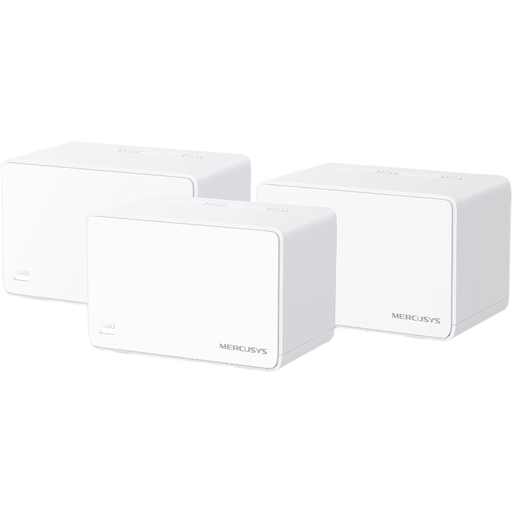
What sets this model apart
The MERCUSYS Halo H3000X brings the advantages of the Wi-Fi 6 standard into your home. It is designed to serve a high number of devices simultaneously at high speed and to boost network efficiency with technologies like OFDMA and MU-MIMO. With three Gigabit ports per unit, it also offers flexible connectivity options for wired devices.
Advantages
Who is it for? This mesh router system is aimed at tech-savvy households, gamers, and users with a large number of smart home devices. It's the right choice if you want to benefit from the speed and efficiency advantages of Wi-Fi 6 and build a future-proof, stable WiFi network.
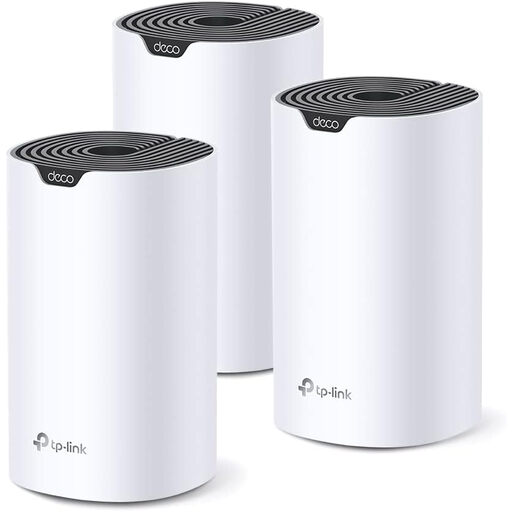
What sets this model apart
The TP-Link Deco S7 is positioned as a high-performance Wi-Fi 5 system. With AC1900 speed, it offers a noticeable performance boost over entry-level AC1200 models. It combines the proven reliability of the Deco series with higher data rates, making it an excellent choice for households with increased bandwidth demands that aren't ready to upgrade to Wi-Fi 6 yet.
Advantages
Who is it for? The Deco S7 is ideal for users who need more performance than a basic mesh system can offer—for example, for simultaneous 4K streaming and online gaming—but who don't want to invest in a Wi-Fi 6 system just yet. It's a strong all-rounder for demanding families and home office users.
The models presented here offer a suitable solution for many use cases. However, the market for networking technology is diverse and offers other systems with different specifications and designs. If you are looking for specific features or different configurations, it's worth taking a look at our wider selection.
Discover our entire range of computer wifi accessories and find the perfect solution for your home.
1. What is the difference between a mesh system and a WiFi extender (repeater)? A WiFi extender (repeater) receives your router's signal and rebroadcasts it. This often creates a new network with its own name (e.g., "MyWiFi_EXT"), and the bandwidth can be cut in half. A mesh WiFi system, on the other hand, consists of several intelligent nodes that create a single, seamless, whole-home network under one network name. Your devices are automatically and seamlessly handed off to the node with the best signal.
2. Can I use a mesh system with my existing router from my internet provider? Yes, this is usually possible without any issues. You can operate the mesh system in "Access Point" mode, where it replaces and extends your existing router's WiFi signal. Alternatively, you can disable the WiFi function on your old router completely and let the mesh system handle all network management.
3. How many nodes do I need for my house? For an apartment or a house up to approx. 150 m? on one or two floors, a two-node kit is often sufficient. For larger or multi-story houses with thick walls, a three-node kit is recommended. A key advantage of mesh systems is their scalability: you can add more nodes at any time to expand coverage as needed.