
Lieferung heute & morgen

Qualitätsgarantie

Willkommens-Angebote freischalten: KOSTENLOSE Lieferung | Bis zu 80 % RABATT | Kostenlose 30-Tage-JoyPlus-Testphase
App herunterladen
Whether you're starting a livestream, recording a podcast, or presenting in a crucial online meeting, the quality of your audio is paramount. Muffled sound can detract from the professional impact of your content or lead to communication misunderstandings. The market offers a vast array of microphones, which can make choosing the right one a challenge.
This guide is here to help. As your Joybuy Product Recommendation Officer, I have compiled the essential information to help you make an informed decision when buying a microphone. We will focus on technical facts and practical use cases so you can find the perfect device for your needs.
Before making a decision, there are a few fundamental criteria to consider. These will help you narrow down the options to models that truly fit your project.
The most important factor is what you will be using the microphone for.
Ensure the microphone is compatible with your existing devices. USB microphones are very user-friendly due to their plug-and-play capability and are compatible with most computers. Wireless microphones often come with various adapters (e.g., for cameras, USB-C, and Lightning ports), which increases their flexibility. Check the connection options and whether any additional adapters might be needed.
Pay attention to technical specifications that are relevant to audio quality.
Based on the criteria above, we have curated a selection of devices for various applications.
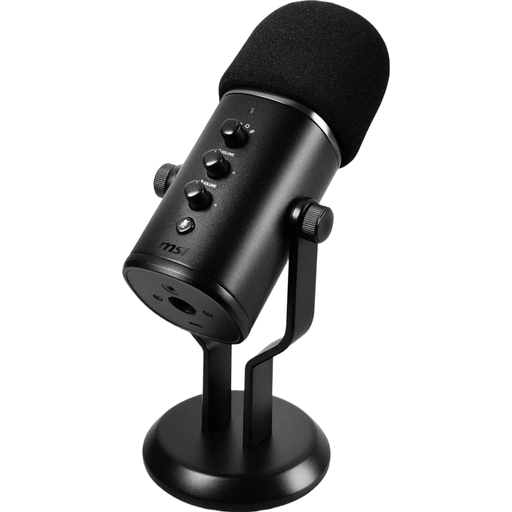
Why it stands out: The MSI Immerse GV60 is designed as an all-in-one desktop solution. It combines high-resolution audio recording with user-friendly controls. Its four selectable polar patterns make it extremely versatile for various recording scenarios, from solo streams to group interviews.
Advantages:
Who is it for? This microphone is an excellent choice for content creators, gamers, and professionals looking for a reliable, high-quality USB microphone for PC. It is ideal for streaming, podcasting, online meetings, and recording vocals or instruments at your desk.
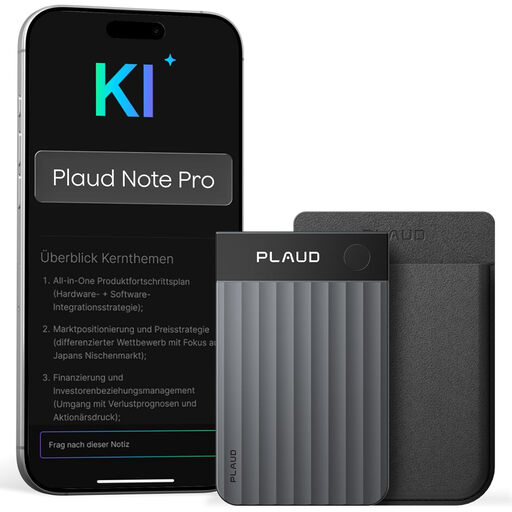
Why it stands out: The PLAUD Note Pro is more than just a dictation device. It is an AI voice recorder that not only records meetings, lectures, and interviews but also automatically transcribes and summarises them using AI features. Its extremely slim and lightweight design makes it a discreet companion for professional and academic life.
Advantages:
Who is it for? Ideal for professionals, students, and journalists seeking an efficient solution for documenting conversations. Anyone who regularly takes meeting minutes or conducts interviews will benefit from the time saved by this automatic voice recorder with transcription.
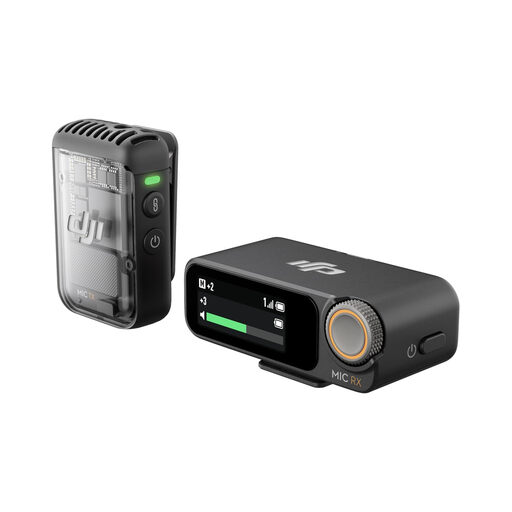
Why it stands out: The DJI Mic 2 is a professional and compact wireless microphone system designed for mobile content creators. Its intelligent noise cancelling ensures clear vocals even in loud environments. A special feature is the internal 32-bit float recording, which serves as a backup and prevents clipped audio peaks, ensuring a high degree of reliability.
Advantages:
Who is it for? This system is the right choice for vloggers, filmmakers, and journalists who need a reliable and flexible microphone for vlogging or interviews. The wireless freedom and high audio quality make it a powerful tool for professional video production on the go.
A good microphone is the foundation, but the right accessories can further enhance audio quality and improve usability. Whether you need a sturdy boom arm for your streaming setup, an effective pop filter to reduce plosives, or specific cables to connect to different devices—the right equipment makes all the difference.
From boom arms and pop filters to specialised cables, explore our full range of microphone accessories to further optimise your audio quality.
Condenser microphones are very sensitive and can capture fine sonic details. They require an external power source (phantom power) and are excellent for controlled environments like a studio (e.g., for podcasts or vocals). Dynamic microphones are more robust and less sensitive to ambient noise and high sound pressure levels (SPL). They are ideal for loud environments such as stage performances or miking loud instruments.
A pop filter is a small screen placed in front of the microphone to dampen harsh "P" and "B" sounds (known as plosives). These sounds can cause unpleasant popping noises in your recording. For voice and vocal recordings, a pop filter is highly recommended to ensure clean audio quality. Some microphones, like the MSI Immerse GV60 featured here, already come with a matching pop filter.
Connecting a USB microphone is typically very simple. Connect the microphone to a free USB port on your computer using the included USB cable. Modern operating systems (Windows and macOS) will automatically recognise the device and install it as a new audio device (plug-and-play). You can then select the USB microphone as your default input device in your computer's system settings. No additional drivers or software installations are usually required.