Joybuy Insights

MicroSD Express Cards for Gaming: How to Avoid Bad Buys

By: Joybuy Product Recommendation OfficerDate: July 29, 2026

Modern gaming handhelds like the Steam Deck, ASUS ROG Ally, or the upcoming Nintendo Switch 2 offer impressive performance, but their internal storage often fills up quickly. A storage upgrade is essential. However, when searching for a suitable card, users face a minefield of marketing promises and technical pitfalls. The wrong choice can lead to long load times, in-game stuttering, or, in the worst-case scenario, complete incompatibility. This guide will help you understand the crucial criteria and make an informed purchasing decision.

The 3 Most Common Pitfalls When Buying a Gaming Memory Card

Before you buy a microSD Express card for gaming, you should be aware of the typical mistakes that lead to frustration and wasted money.

  1. Focusing only on maximum read speed: Many manufacturers advertise high read speeds of hundreds of MB/s. However, this value usually refers to sequential read speed, which is relevant for copying large single files. For gaming, random read and write speeds (IOPS) are far more critical, as games constantly access a multitude of small files. A card without this optimization will disappoint during gameplay, despite high sequential speed ratings.
  2. Ignoring the interface standard: The new microSD Express standard uses PCIe/NVMe technology, the same found in high-speed PC SSDs. Many buyers, out of habit or lack of knowledge, opt for older UHS-I cards. While these will work in new devices, they act as a bottleneck and fail to unlock the full potential of consoles like the Nintendo Switch 2. This effectively negates the investment in a high-end handheld with a slow memory card.
  3. Prioritising capacity over performance: A 1 TB card for a low price might seem tempting. However, these are often slow models designed for video surveillance or simple data storage. Such a card is unsuitable for demanding AAA games, which can exceed 100 GB in size. The result is extremely long loading screens and noticeable in-game stutters as assets are loaded.

What Really Matters: The Decisive Specs

To avoid these pitfalls, focus on three verifiable technical specifications. These define the true performance of a fast microSD card for handhelds.

1. The Interface: microSD Express vs. UHS-I

The interface is the single most important factor for future-proof performance.

  • microSD UHS-I: The established standard. It reaches theoretical speeds of up to 104 MB/s (or up to ~170 MB/s in some proprietary modes). It's sufficient for many older devices and indie games, but it's a bottleneck for modern AAA titles.
  • microSD Express: The new standard. It uses a PCIe 4.0 x1 lane and the NVMe protocol. This enables a microSD with high read speeds of theoretically up to 985 MB/s. It's a quantum leap that drastically reduces load times and brings performance in line with internal SSDs. For an optimal storage upgrade for the Steam Deck or other modern handhelds, this standard is the top choice.

2. Speed Classes: More Than Just MB/s

Look for a combination of three ratings:

  • Read/Write Speed (in MB/s): Indicates how quickly data is read (game launch) and written (installation, saves). For microSD Express, look for figures over 800 MB/s (read) and 500 MB/s (write).
  • Video Speed Class (V30, V60, V90): Guarantees a minimum sustained write speed. V30 (30 MB/s) is the minimum for 4K video recording and a good indicator of solid baseline performance.
  • Application Performance Class (A1/A2): This is the most important rating for gamers. An A2 microSD card for gaming guarantees a significantly higher number of random read (4000 IOPS) and write operations (2000 IOPS) compared to the A1 class. This directly translates to faster loading of game assets and a smoother gameplay experience.

3. Capacity: The Right Balance

The choice of capacity depends on your game library.

  • 256 GB: A good starting point for users who mainly keep a few favourite games installed.
  • 512GB Gaming Memory Card: The sweet spot for most gamers. It offers space for several large AAA titles and an extensive library of smaller games.
  • 1 TB and above: Ideal for hardcore collectors and users who want their entire digital library available on the go, without compromise. A Lexar PLAY PRO 1TB is a prime example.

Graphics Cards for Every Gamer

Here are three recommendations tailored to different needs and use cases.
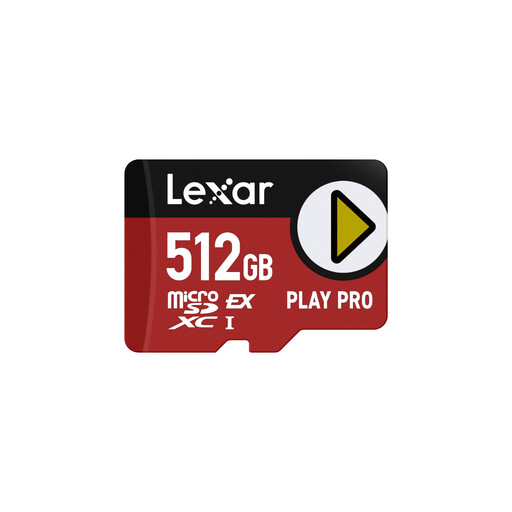
BEST FOR: THE PERFORMANCE ENTHUSIAST
Lexar PLAY PRO MicroSDXC Express Card 512GB

Lexar PLAY PRO MicroSDXC Express Card 512GB

Why it's a great fit: Ideal for gamers who want to extract maximum loading performance from their high-end handheld. The 512 GB capacity offers a solid balance between space for multiple AAA titles and a focus on speed.

How it avoids the pitfalls

This card leverages the microSD Express standard and A2 classification. It delivers not only high sequential rates (up to 900 MB/s read, per the manufacturer) but also the high IOPS performance that is crucial for gaming.

Key Advantages

Uses PCIe/NVMe technology for SSD-like speeds. A2 certification for optimised app and game performance.
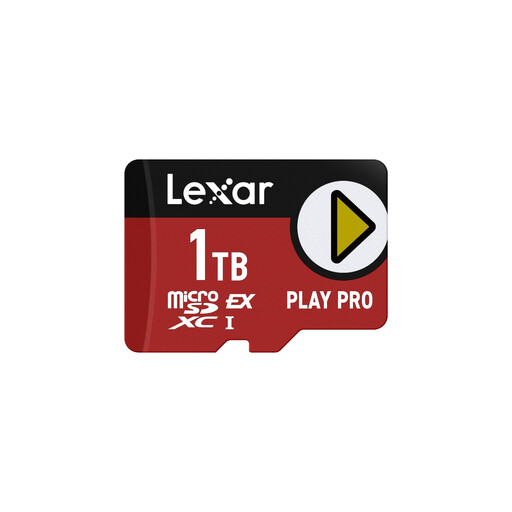
BEST FOR: THE HARDCORE COLLECTOR
Lexar PLAY PRO MicroSDXC Express Card 1TB

Lexar PLAY PRO MicroSDXC Express Card 1TB

Why it's a great fit: For gamers who want their entire library with them without having to manage storage. The 1 TB capacity provides enormous space without compromising on speed.

How it avoids the pitfalls

It debunks the myth that high capacity must mean slow performance. This card combines 1 TB of storage with the full power of the microSD Express standard, including an A2 rating.

Key Advantages

Maximum capacity with Express-level speed. Ideal for installing numerous large AAA games.
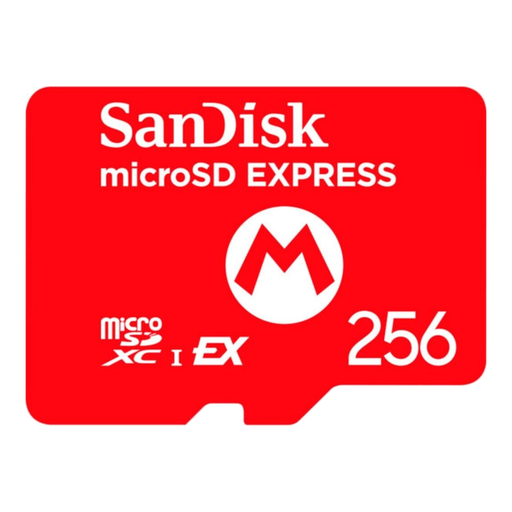
BEST FOR: THE FORWARD-THINKING NEWCOMER
SanDisk microSD Express Card for NSW2, 256GB

SanDisk microSD Express Card for NSW2, 256GB

Why it's a great fit: Perfect for owners of a Nintendo Switch 2 or another new handheld who want to leverage the benefits of Express speed but don't need massive capacity. 256 GB is a solid starting point.

How it avoids the pitfalls

This card is explicitly designed for the new console generation, avoiding the mistake of buying an outdated UHS-I card. It offers full Express performance in a more accessible capacity size.

Key Advantages

High speeds (up to 880 MB/s read, per the manufacturer) and U3/V30/Class 10 ratings. A cost-effective entry point into microSD Express technology.

Looking for more options?

We have compiled a complete, real-time updated list of products that fully meet these strict selection criteria.

Frequently Asked Questions (FAQ)

Will a microSD Express card work in my older device (e.g., the original Nintendo Switch)?

Yes, microSD Express cards are backwards compatible with devices that have a UHS-I slot. However, the card will only operate at the much slower UHS-I speed (max. approx. 104 MB/s). So while you can use the card, you'll be forfeiting all the speed potential you paid for.

Is the A2 classification really important for gaming?

Yes, absolutely. While high MB/s ratings affect the initial game launch time, the A2 classification determines how quickly countless small game files (textures, models, sound files) are loaded during gameplay. An A2-certified card reduces loading stutters and ensures a smoother overall experience, especially in open-world games.

How do I properly format a new memory card for my gaming handheld?

It is strongly recommended to format the memory card directly in the target device. Insert the card into your Steam Deck, console, or handheld and use the built-in formatting function in the storage settings. This ensures the card uses the correct file system (usually exFAT) and is configured for optimal performance and compatibility with the device.