
Lieferung heute & morgen

Qualitätsgarantie

Willkommens-Angebote freischalten: KOSTENLOSE Lieferung | Bis zu 80 % RABATT | Kostenlose 30-Tage-JoyPlus-Testphase
App herunterladen
The search for a high-end gaming monitor can quickly become overwhelming. Especially in the premium segment, where models with 4K resolution, Mini LED backlighting, and extremely high 320Hz refresh rates are tempting, the spec sheets are long and the marketing promises are lofty. However, not every claim delivers on its promise. This guide will help you identify the crucial features and avoid common buying pitfalls, ensuring your investment pays off with real performance on the digital battlefield.
As a Joybuy Product Recommendation Officer, I will filter the relevant information for you and show you what truly matters when making your choice.
Before we dive into the important parameters, let's look at three common pitfalls that often lead to post-purchase disappointment.
To avoid these pitfalls, focus on the following three core features. They are the foundation for an uncompromising gaming experience.
Mini LED technology is a crucial advancement over conventional LED backlights. Thousands of tiny LEDs are grouped into zones that can be independently dimmed or turned off.
The panel type is critical for combining high image quality with esports-grade speed.
To prevent visual artifacts like screen tearing and stuttering, a synchronization technology is essential.
Based on the criteria above, we have identified a few models that are suitable for different user profiles.
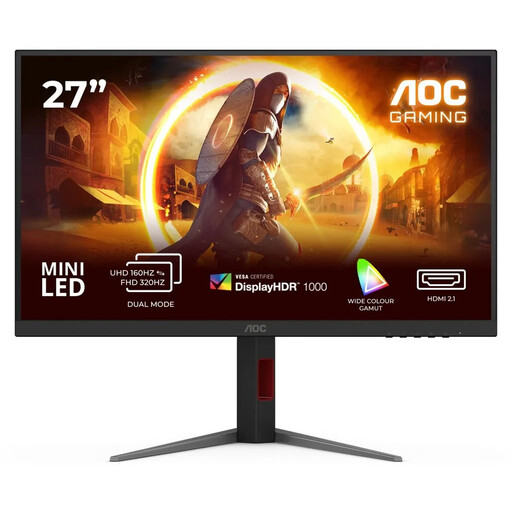
Why it fits: This model is aimed at gamers who refuse to compromise. It combines all the top-tier features: 4K resolution for maximum detail, 320Hz for extreme fluidity, and Mini LED for superior contrast. Ideal for professional gamers and enthusiasts with high-end hardware.
With VESA DisplayHDR 1000, a true 1ms GtG response time, and the necessary connections (DP 1.4), it meets the criteria for a genuine high-end experience and bypasses the typical marketing traps.
The combination of 1,152 local dimming zones, 320Hz, and 4K resolution on a Fast IPS panel is currently one of the most powerful configurations on the market.
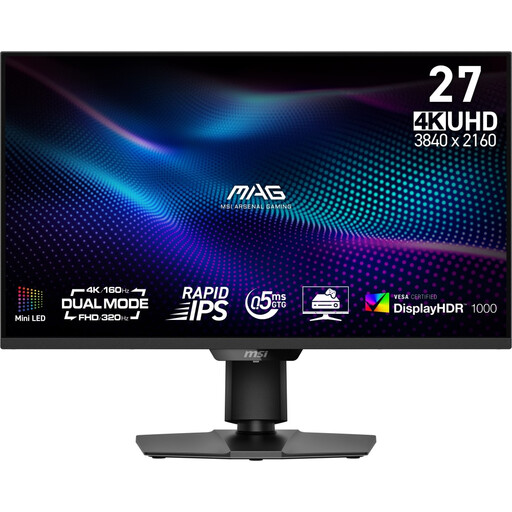
Why it fits: This model offers a unique dual mode. Users can choose depending on the game: 4K UHD at 160Hz for graphically rich titles or Full HD at 320Hz for maximum frame rates in competitive shooters. Perfect for gamers who value versatility.
It also offers VESA DisplayHDR 1000 and an extremely fast 0.5ms response time (GtG, Min.). The dual mode is clearly defined and not a misleading marketing gimmick, but a practical feature.
The flexibility of the dual mode makes it two monitors in one. The Quantum Dot technology also ensures wide colour gamut coverage (98% DCI-P3), which is also appealing for content creators.
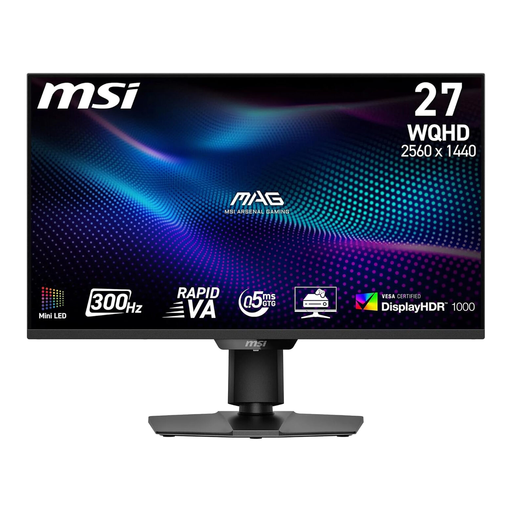
Why it fits: For gamers where every millisecond counts and frame rate is prioritized over resolution. The WQHD resolution (2560x1440) is less demanding on the GPU, making it easier to consistently achieve the high 300Hz refresh rate.
Although it's not a 4K monitor, it offers premium features like Mini LED, HDR1000, and a 0.5ms GtG response time, clearly setting it apart from cheaper WQHD models. It delivers performance where it matters for FPS players.
The Rapid VA panel provides a very high native contrast (4500:1), resulting in deeper black levels. The combination of 300Hz and a 0.5ms response time is designed for maximum competitiveness.
We have compiled a complete, up-to-date list of products that fully meet these strict selection criteria and UK safety regulations.
1. What graphics card do I need for a 4K 320Hz Mini LED gaming monitor? To achieve 4K resolution at frame rates near 320Hz in demanding games, an absolute top-tier graphics card is required. Think of models like the NVIDIA GeForce RTX 4090 or comparable future generations. For less demanding esports titles like CS:GO or Valorant, upper-tier models (e.g., RTX 4080) may also be sufficient to benefit from the high refresh rate. Be sure to check benchmarks for your favourite games before purchasing.
2. Is Mini LED better than OLED for gaming? Both technologies have their pros and cons. OLED monitors offer perfect black levels and extremely fast pixel response times. Their downside is lower peak brightness and the risk of burn-in from static image content (like in-game HUDs). Mini LED monitors achieve very high brightness (important for HDR) and are immune to burn-in. Their contrast is excellent, but not quite on par with OLED, as slight "blooming" (halos around bright objects) can occur in very high-contrast scenes. For many gamers who have long sessions with static elements, Mini LED represents an excellent compromise between image quality and longevity.
3. How do I correctly set up G-Sync on a G-Sync Compatible monitor? The setup is straightforward: