
Lieferung heute & morgen

Qualitätsgarantie

Willkommens-Angebote freischalten: KOSTENLOSE Lieferung | Bis zu 80 % RABATT | Kostenlose 30-Tage-JoyPlus-Testphase
App herunterladen
Choosing the right motherboard is the foundation of every PC build. It determines your system's compatibility, performance limits, and future upgrade paths. However, the market is filled with technical jargon and marketing promises that make it difficult to make an informed decision. Many users invest in overpriced features they never use or cut corners on critical components, which compromises system stability.
This guide will help you avoid the most common pitfalls and understand the crucial technical parameters. This way, you can buy a motherboard that is precisely tailored to your needs and budget.
Before we dive into the technical details, let's clear up two common misconceptions that often lead to poor purchasing decisions.
The "Gaming" Trap: Many boards marketed as Gaming Motherboards entice buyers with aggressive aesthetics and elaborate RGB lighting. However, these aesthetic features often have no impact on actual performance. A solid standard motherboard with high-quality components can often deliver the same or even better gaming performance than a visually striking but technically mediocre "gaming" model. The premium here often pays for looks, not function.
Underestimated Power Delivery (VRM): The Voltage Regulator Modules (VRM) are responsible for providing stable power to the processor (CPU). Marketing materials often highlight the chipset or the number of M.2 slots, while the quality of the VRMs remains hidden. A weak or inadequately cooled VRM section can cause a powerful CPU to reduce its clock speed under load (throttling), leaving the performance you paid for on the table.
To make a smart choice, focus on three fundamental technical aspects that define your system's function and compatibility.
The socket is the physical interface where your CPU is installed. It is the first and non-negotiable compatibility factor. The most common sockets for current systems are:
The chipset (e.g., AMD B650, X670E or Intel B760, Z790) is the brain of the motherboard and determines which features are available, such as CPU overclocking, the number of USB ports, and PCIe lanes. For most users, the mid-range chipsets (B-series) offer an ideal balance of features and price.
The form factor determines the physical size of the motherboard and, consequently, which PC case it will fit into. It also affects the number of available expansion slots.
Consider which ports you need. A motherboard with WiFi is convenient if an Ethernet cable is not available. Pay attention to the number and speed of USB ports (e.g., USB 3.2 Gen 2 for fast external drives) and the available M.2 slots for high-speed NVMe SSDs.
Here are some recommendations tailored to different user profiles that avoid the pitfalls mentioned above.
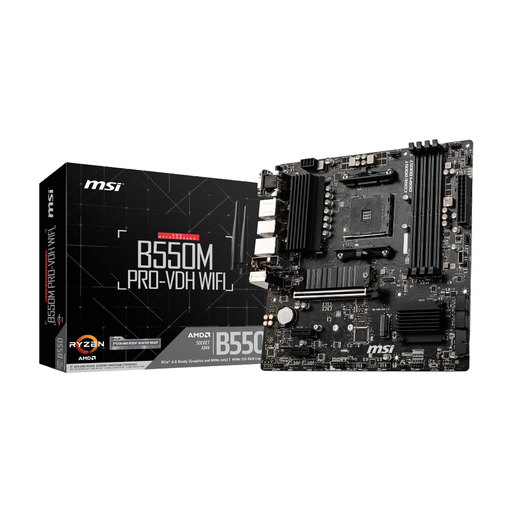
Why This Fits Their Persona: Ideal for users looking to build a reliable and cost-effective system on the proven AM4 platform. Perfect for office applications, multimedia, and entry-level gaming without stretching the budget on unnecessary extras.
This board avoids the "gaming" trap by focusing on essential features like solid power delivery (Core Boost) and integrated WiFi, rather than expensive RGB effects.
PCIe 4.0 support for modern graphics cards and SSDs. Integrated Wi-Fi and Bluetooth offer flexible connectivity at no extra cost.
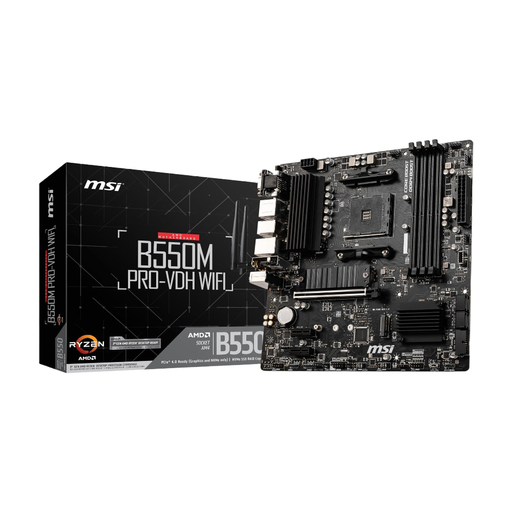
Why This Fits Their Persona: For enthusiasts, gamers, and content creators who want to extract maximum performance from the AMD AM5 platform. It provides a future-proof foundation for high-end CPUs, fast graphics cards, and memory.
This board directly addresses the weakness of VRM quality with an extremely robust 18+2+1 phase power delivery system, which provides stable power to even the most demanding CPUs and offers headroom for overclocking.
Full support for PCIe 5.0 for graphics cards and M.2 SSDs, as well as high-speed DDR5 memory. Comprehensive connectivity with Wi-Fi 6E and 2.5G LAN.
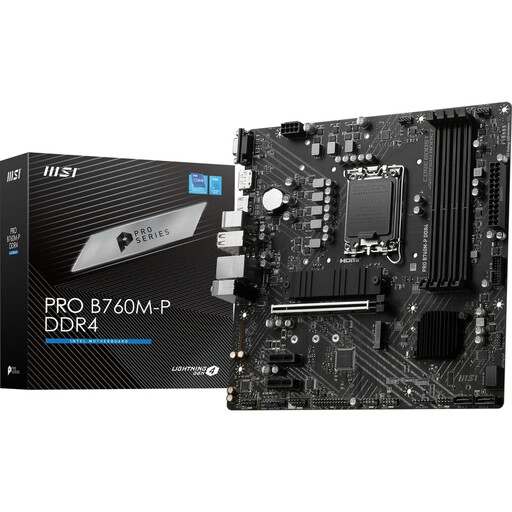
Why This Fits Their Persona: For users seeking a modern Intel system with a balanced price-to-performance ratio. The combination of the LGA 1700 socket and DDR4 memory allows the use of current CPUs without the higher cost of DDR5 RAM.
This is a pragmatic choice that avoids the fallacy of "future-proofing at all costs." It combines a modern CPU socket with proven and more affordable DDR4 memory, which is more than sufficient for most current applications and games.
Supports Intel's 12th, 13th, and 14th gen CPUs and provides a solid foundation for fast components with PCIe 4.0 and dual M.2 slots.
While our recommendations cover various platforms, the AM4 socket remains a popular choice due to its excellent price-to-performance ratio. If you are specifically looking for more options in this category, our curated list can be helpful.
We have compiled a complete, up-to-date list of products that fully meet these strict selection criteria and all relevant safety regulations.
A motherboard has no moving parts and can physically last for many years (often 5-10+), as long as it is not subjected to electrical defects or physical damage. However, its technological relevance is shorter. A motherboard will typically become technologically obsolete after 3-5 years as new CPU sockets, memory standards (like DDR5), and interfaces (like PCIe 5.0) enter the market, making it impossible to upgrade with the latest components.
Yes, this is often necessary, especially if you are installing a newer generation CPU on a motherboard with an older chipset (e.g., a Ryzen 5000 CPU on a B450 board or an Intel 14th-Gen CPU on a B660 board). Many modern motherboards feature a "BIOS Flashback" function that allows the BIOS to be updated even without a CPU installed, which greatly simplifies the process. Always check the CPU compatibility list on the manufacturer's website before purchasing.
That depends on your setup and needs. A motherboard with WiFi offers tremendous flexibility, allowing you to place your PC anywhere without needing to run an Ethernet cable. For most daily tasks, streaming, and many online games, modern Wi-Fi (Wi-Fi 6/6E/7) is perfectly adequate. However, for professional users or competitive gamers where every millisecond of latency counts, a wired Ethernet connection still offers the highest stability and speed.