
Lieferung heute & morgen

Qualitätsgarantie

Willkommens-Angebote freischalten: KOSTENLOSE Lieferung | Bis zu 80 % RABATT | Kostenlose 30-Tage-JoyPlus-Testphase
App herunterladen
The QIDI Max4 Combo 3D printer is designed for makers, product developers, model makers, educational institutions and small businesses looking to produce large components, functional prototypes or multicolour models. Before you buy, though, don’t focus solely on maximum speed and the number of colours. What matters is whether the build volume, material system, temperature control and ease of use suit your intended projects.
Figures such as 800 mm/s generally refer to a maximum under specific conditions. The actual speed depends on factors including the material, layer height, geometry, acceleration and cooling. For functional components, a lower speed may be more suitable if it helps you achieve better control over dimensional accuracy and surface quality.
According to the product specifications, the QIDI Max4 Combo supports up to 16 colours or materials when used with the QIDI Box. This requires you to consider filament feeding, software profiles, purge volumes and material combinations. Colour changes also produce purge waste. If you mainly print single-colour technical parts, you may not need this feature regularly.
An actively heated chamber reaching up to 65 °C can be useful with certain technical filaments. However, it doesn’t automatically make every material printable. The filament type, nozzle temperature, print bed, drying and manufacturer profile all need to be compatible. With abrasive filaments such as carbon-fibre-reinforced nylon, a wear-resistant nozzle assembly is also important.
The QIDI Max4 Combo has a build volume of 390 × 390 × 340 mm. This may allow you to print larger enclosures, moulds and prototypes in fewer separate parts, reducing post-processing and assembly.
However, a large build volume also means you’ll need enough room for the printer, filament feed and safe operation. Before ordering, check the following:
As an FDM 3D printer, the Max4 Combo uses thermoplastic filaments. According to the product description, it supports materials ranging from PLA to abrasive and high-temperature materials such as carbon-fibre nylon and PPS-CF. The combination of a heated chamber, heated print bed and high-temperature print head is particularly appealing if you want to work with engineering materials.
Even so, always check suitability for the specific filament you plan to use. Key specifications include:
Automatic bed levelling can make setup easier, but it’s no substitute for a clean build plate and regular maintenance. According to the product specifications, the Max4 Combo features automatic levelling, a camera for fault detection and a function that can pause prints if it detects a problem.
Think of these systems as an extra layer of monitoring. They won’t necessarily detect every dimensional inaccuracy, adhesion issue or material incompatibility. Before starting any demanding project, make sure the build plate is clean and correctly fitted.
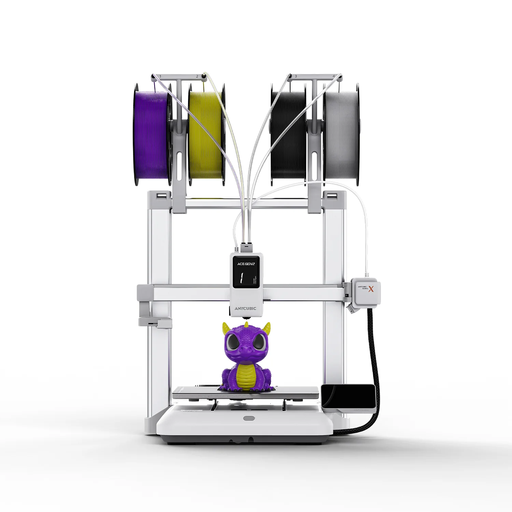
Why it suits this type of user: An option for anyone looking for multicolour printing and automatic setup in a more compact format.
The specifications clearly state that it has 4 integrated colours, can be expanded to support up to 19 colours, and features LeviQ 3.0 automatic levelling. The actual number of colours depends on the system used.
260 × 260 × 260 mm build volume, maximum speed of up to 600 mm/s, and support for PLA, PETG, TPU, PVA, PLA-CF, PETG-CF and ASA.
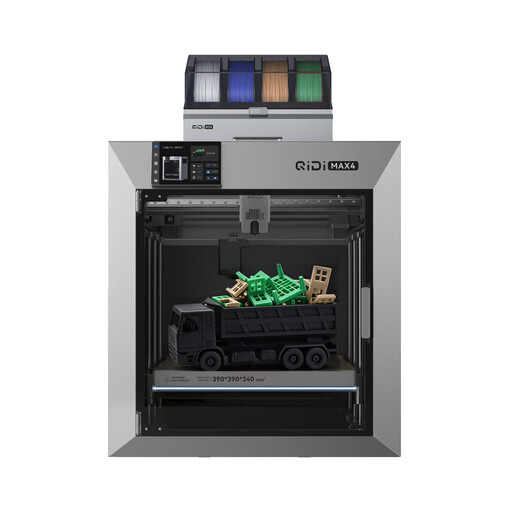
Why it suits this type of user: Ideal if you want to combine a large build volume, heated chamber, multi-material feed and high-temperature printing in one system.
The product specifications list the build volume, chamber temperature, speed and material support separately. This makes it easier to compare the advertised figures with your own requirements.
390 × 390 × 340 mm build volume, actively heated chamber up to 65 °C, speeds of up to 800 mm/s according to the product specifications, and QIDI Box support for up to 16 colours or materials.
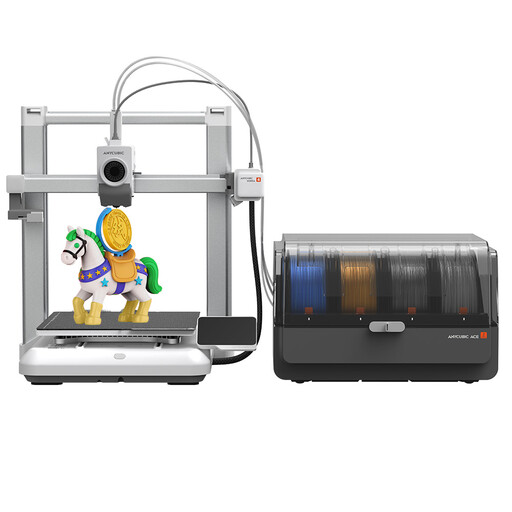
Why it suits this type of user: An alternative for frequent users who need colour changes, automatic features and network control for models and prototypes.
The specifications distinguish between the recommended speed of 300 mm/s and the maximum of 600 mm/s. The number of colours, nozzle temperature and build volume are also listed separately.
4-colour printing, expandable to up to 8 colours, 260 × 260 × 260 mm build volume, maximum nozzle temperature of 300 °C and active drying at 65 °C according to the product specifications.
We’ve put together a complete, regularly updated list of products that meet these strict selection criteria and fully comply with the safety regulations in force in the EU.
The 390 × 390 × 340 mm build volume is designed for larger models, enclosures, moulds and prototypes. Before printing, check that your part will fit within the build volume and that its design is suitable for the material you’ve chosen.
A heated chamber can help maintain stable temperature conditions during printing. This is particularly useful with certain technical filaments. However, it doesn’t replace choosing the right material or following the filament manufacturer’s recommended print settings.
Running costs depend on more than just the number of colours. Filament use, purge waste during colour changes, print time, energy consumption and maintenance all matter. Frequent colour changes can use more material than single-colour printing. For a realistic estimate, factor these costs in for each model.