
Lieferung heute & morgen

Qualitätsgarantie

Willkommens-Angebote freischalten: KOSTENLOSE Lieferung | Bis zu 80 % RABATT | Kostenlose 30-Tage-JoyPlus-Testphase
App herunterladen
A single laptop screen can limit productivity, whether you're in a home office, on a business trip, or working remotely. A portable monitor expands your digital workspace, offering the flexibility to work more efficiently or enjoy higher-quality entertainment anywhere. However, choosing the right model can be a challenge given the variety of sizes, resolutions, and connectivity options.
This guide is designed to give you clear direction. We'll explore different use cases and present a selection of models tailored to specific needs, making your decision easier.
To find the right external monitor for your laptop, you should consider a few key technical specifications that make a difference in daily use.
The choice of size and resolution depends directly on your intended purpose.
Connectivity is crucial for a hassle-free setup. A mobile screen with USB-C is particularly convenient in this regard. As long as your laptop supports DisplayPort Alternate Mode over USB-C, a single cable can transmit both the video signal and power. This reduces cable clutter and simplifies setup. Alternatively, models with Mini-HDMI ports are common and offer compatibility with a wide range of devices, from cameras to gaming consoles. Be sure to check your devices' ports before purchasing.
The demands on a monitor vary greatly depending on its use.
Based on the criteria above, we've compiled a selection of monitors suitable for different needs and budgets.
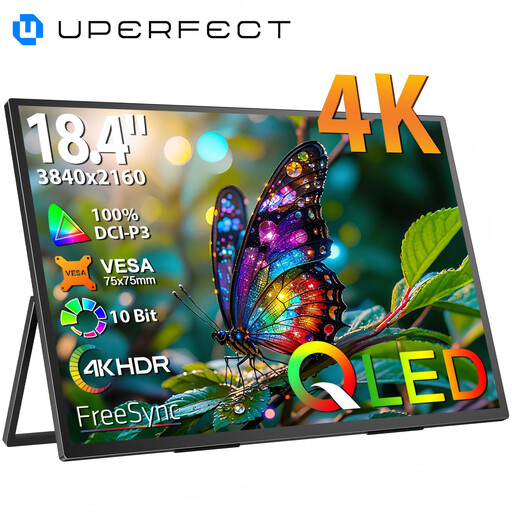
Why It Stands Out With its large 18.4-inch display and razor-sharp 4K UHD resolution, this UPERFECT monitor offers an impressive viewing area. The QLED technology ensures vibrant colours and high contrast, while the wide 178° viewing angle provides a consistent image from various perspectives. Its durable metal casing and VESA mounting capability make it a versatile choice.
Pros
Who It's For? This monitor is aimed at creative professionals, developers, and anyone who needs maximum screen real estate for detailed work without sacrificing mobility. It's also a great option as a second screen for a laptop in a demanding home office setup.
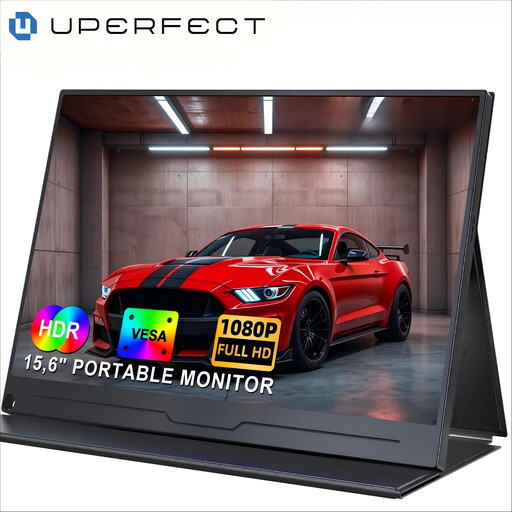
Why It Stands Out This model is a classic all-rounder. At 15.6 inches with a 1080p Full HD resolution, it offers a balanced combination of portability and functionality. The IPS panel ensures stable viewing angles and good colour reproduction. Thanks to its USB-C and HDTV port (via adapter), it's compatible with laptops, PCs, smartphones, and gaming consoles. Integrated speakers and VESA compatibility round out the package.
Pros
Who It's For? Ideal for students, business travellers, and home office users looking for a straightforward and reliable second screen for their laptop. Its versatility also makes it a good choice for casual gaming on the go.
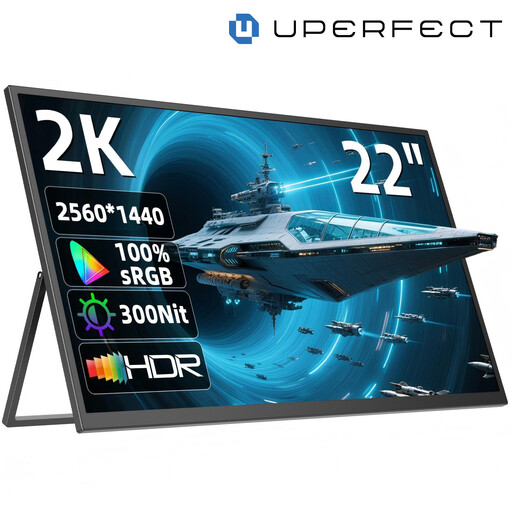
Why It Stands Out With a 22-inch diagonal and 2K QHD resolution (2560 x 1440), this monitor bridges the gap between portable screens and stationary desktop monitors. The integrated, 180° adjustable stand allows for flexible positioning without extra accessories. The IPS panel delivers sharp images and consistent colours, making it suitable for both work and entertainment.
Pros
Who It's For? This monitor is an excellent choice for users who need a large screen for their home office or dorm room but want the option to easily transport or store it. It works well as a primary display for a laptop or as a dedicated portable gaming monitor for consoles.
A portable monitor boosts productivity, but the right setup is just as important for ergonomics. Many of the featured models are VESA-compatible, meaning they can be attached to a monitor arm or wall mount. This creates a tidy workspace and allows for optimal screen alignment at eye level.
If you want to further optimize your workspace, you can find a selection of suitable monitor mounts here.
1. How do I connect a portable monitor to my laptop? The easiest method is to connect via a single USB-C cable, provided your laptop supports video output over this port (DisplayPort Alternate Mode). In this case, video, audio, and often power are transmitted through the same cable. Alternatively, you can connect the monitor using an HDMI or Mini-HDMI cable and ensure power is supplied via a separate USB cable and power adapter.
2. Does a portable monitor need an external power source? It depends on the model and connection type. Many monitors can be powered directly from a laptop's USB-C port. If you're connecting via HDMI or if the laptop's USB port doesn't supply enough power, an external power source will be necessary. This could be the included power adapter or a power bank.
3. Can I use a portable monitor for gaming with a PS5 or Switch? Yes, most portable monitors with an HDMI or USB-C video input are compatible with game consoles like the PlayStation 5, Xbox Series X/S, and Nintendo Switch. For the best gaming experience, you should look for a model with a low response time and, if desired, a high refresh rate.