
Lieferung heute & morgen

Qualitätsgarantie
App herunterladen
Kategorien
A smart plug with power monitoring is a cornerstone for home automation and efficiency. It not only allows for remote control and scheduling of connected devices but also provides detailed data on energy consumption. This information is key to identifying power-hungry appliances and optimising your energy usage. However, selecting the right model depends heavily on your existing technical infrastructure and individual requirements for control and data privacy.
The choice of a smart plug with consumption monitoring is primarily determined by the communication protocol it uses. Each technology offers specific advantages and disadvantages tailored to different user profiles.
A Wi-Fi smart plug connects directly to your home Wi-Fi router.
A Zigbee smart plug communicates using the Zigbee protocol, a wireless standard for home automation.
A Tasmota smart plug is a special type of Wi-Fi plug where the manufacturer's proprietary firmware has been replaced with the open-source Tasmota software.
Another important criterion is the 16A switchable socket rating. This means the plug is rated for a maximum current of 16 amps and a maximum load of 3680 watts. This specification is essential for the safe operation of high-power devices such as washing machines or space heaters.
Based on technical specifications and use cases, we present three models that cover different user needs.
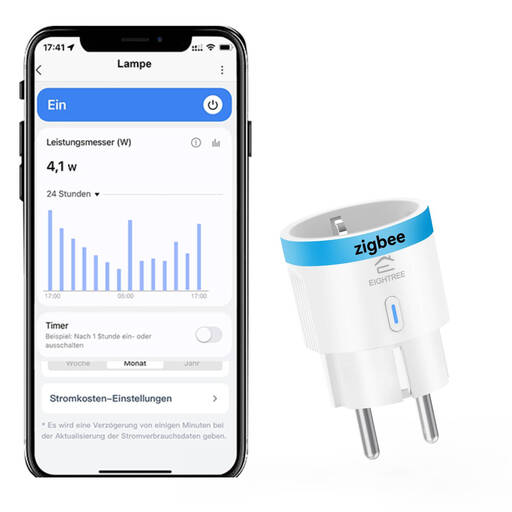
Why we recommend this product: This model uses the Zigbee 3.0 protocol, ensuring fast response times and very low standby power consumption. A key advantage is its capacity for local automation: schedules and scenes, once configured via the hub, continue to operate even if the internet connection is lost. For advanced users, its compatibility with systems like Home Assistant (via Zigbee2MQTT or ZHA), Hubitat, and SmartThings is a central feature. The integrated sensor delivers precise data on voltage, current, and power directly to Home Assistant's energy dashboard.
Pros:
Who it's for: Users with an existing Zigbee system or those looking to build a stable, locally controlled smart home. Especially relevant for users of Home Assistant smart plug scenarios who value reliability and low latency.
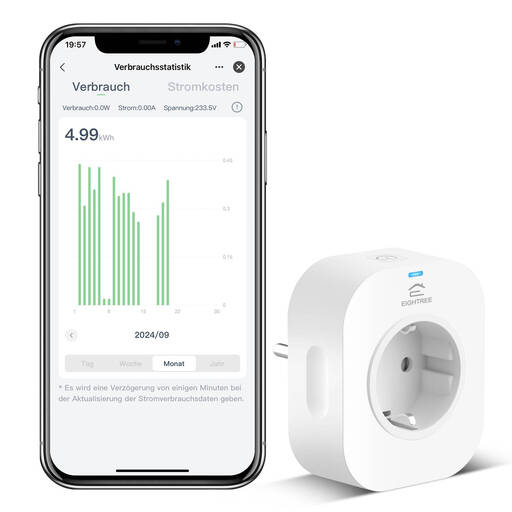
Why we recommend this product: This app-controlled smart plug is designed for maximum ease of use. Setup is significantly simplified by Bluetooth-assisted pairing within the Smart Life app. The plug is automatically detected as soon as it enters setup mode. It offers comprehensive features like remote control on the go, schedules, countdown timers, and an away mode. Seamless integration with Alexa smart plug and Google Assistant environments allows for convenient voice control. The app visualises energy consumption in daily, monthly, and annual statistics.
Pros:
Who it's for: Smart home beginners looking for a straightforward plug-and-play solution to control devices and monitor their power consumption via a smartphone app or voice command.
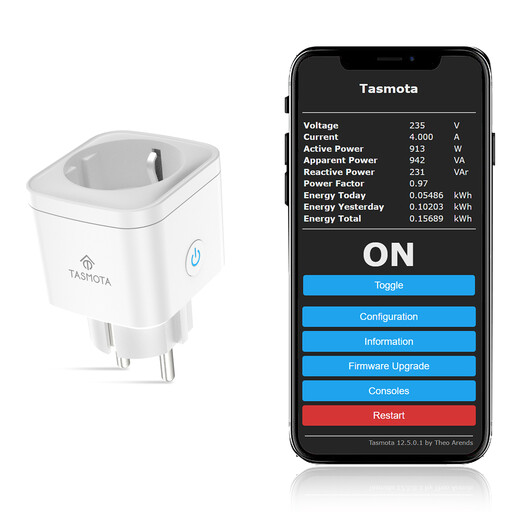
Why we recommend this product: This Tasmota smart plug comes pre-flashed with the open-source firmware, saving you the manual flashing process. It is designed for 100% local control and requires no connection to external cloud servers. All data and commands remain on your own network, ensuring maximum privacy and functionality even without an internet connection. The ESP8685 chip provides stable performance and fast responses. Integration into systems like Home Assistant via MQTT or the Tasmota integration is seamless and allows for complex, local automations.
Pros:
Who it's for: Tech-savvy power users, developers, and privacy enthusiasts who want full control over their smart home devices and prefer a cloud-free environment.
If the models presented here don't exactly meet your requirements, or if you're looking for other smart solutions and accessories, you can find a wider selection in our Plugs & Sockets category.
1. What is the functional difference between a Wi-Fi and a Zigbee smart plug? A Wi-Fi smart plug connects directly to your router and is often controlled via a cloud-based app. A Zigbee smart plug requires a separate Zigbee hub but communicates over its own, more stable mesh network, typically enabling more reliable local control that is independent of the internet.
2. How accurate is the power monitoring on smart plugs? The integrated sensors are designed for monitoring energy consumption and identifying high-usage devices. They provide good approximate values for voltage (V), current (A), and power (W). However, they are not intended for certified, billing-grade measurements.
3. Do I always need an app for control? Not necessarily. While Wi-Fi plugs primarily rely on an app, Zigbee plugs can be controlled through their hub's interface (e.g., Home Assistant), and Tasmota plugs can be controlled via their own local web interface or through MQTT. All models also feature a physical button for manual control directly on the device.