
Lieferung heute & morgen

Qualitätsgarantie

Willkommens-Angebote freischalten: KOSTENLOSE Lieferung | Bis zu 80 % RABATT | Kostenlose 30-Tage-JoyPlus-Testphase
App herunterladen
The transition to smart lighting often begins with one simple yet powerful component: the smart light bulb. The smart Wi-Fi E27 light bulb, in particular, is a popular starting point, as the E27 socket is a common standard in most households. It allows you to control your lighting via an app or voice commands, transform the atmosphere with customisable colours and brightness, and optimise energy consumption.
This article serves as your guide. It explains the key features to look for when making your selection and presents a curated list of models with various functionalities to help you make an informed decision.
Your Joybuy Product Recommendation Officer
The right model depends on your individual needs. The following three criteria will help you understand and evaluate the technical specifications.
Seamless integration into your existing ecosystem is crucial for a convenient user experience. Check if the bulb is compatible with the voice assistants you use. Most products support major platforms like Amazon Alexa and Google Assistant, enabling voice control. If you already use these systems, look specifically for an Alexa E27 bulb or a Google Home light bulb. Another key aspect is connectivity: many modern models are hub-free bulbs, meaning they connect directly to your Wi-Fi router without needing an additional bridge or base station.
Smart bulbs offer a range of lighting options that define their ideal use case:
Primary control is handled via an app-controlled light bulb. The manufacturer's companion app not only lets you turn the light on and off but also configure schedules, group multiple bulbs, and access them remotely. Ensure the Wi-Fi bulb is compatible with your home network. Nearly all models operate exclusively on the 2.4 GHz frequency band, as it offers a longer range than the 5 GHz band. A stable connection on this frequency is therefore essential for reliable performance.
Based on the criteria above, we have compiled a selection of models that excel in different areas.
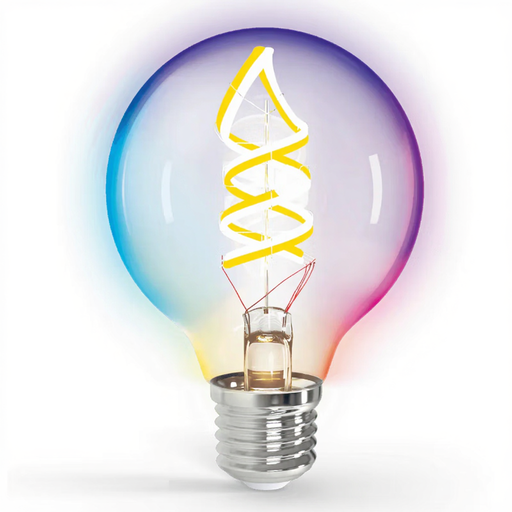
Why it stands out: This model combines a decorative, large G80 globe design with a full RGBW colour spectrum, making it both a light source and a design element.
Features:
Who it's for: For users seeking a visually appealing smart E27 LED to create a dynamic and atmospheric ambiance in living rooms, cafes, or for events with a wide range of colours and effects.
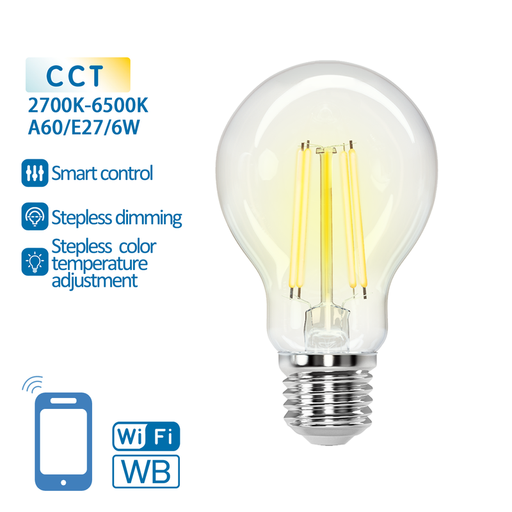
Why it stands out: This model, in a classic Edison style, blends vintage aesthetics with modern functionality, particularly its flexible adjustment of white tones.
Features:
Who it's for: For users who prefer a functional yet stylish retro-look lighting solution and want to flexibly adapt the light's mood to various activities—from relaxing in the evening to focused work during the day.
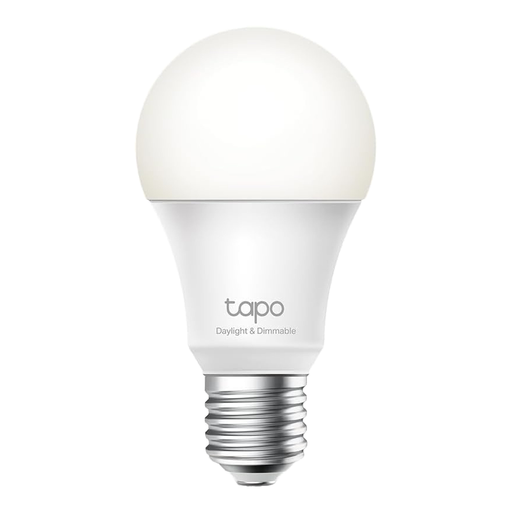
Why it stands out: The Tapo L520E focuses on reliable core features like dimmability and smart control, enhanced with a practical security aspect.
Features:
Who it's for: For users looking for a straightforward and reliable smart Wi-Fi E27 light bulb for functional areas like hallways, kitchens, or home offices, who also value the security feature of Away Mode.
The world of smart lighting is vast, offering solutions for nearly every need. If the models presented here don't perfectly match your requirements, or if you're looking for different fittings, brightness levels, or specific designs, it's worth exploring a wider assortment.
In our Lighting and Light Bulbs category, you'll find a more comprehensive selection to compare different products directly.
No, many modern models, including those featured here, are designed as hub-free bulbs. They connect directly to your 2.4 GHz Wi-Fi router, which simplifies installation. However, it's always wise to check the product description, as some systems, especially older or professional-grade ones, may require a central control unit (a hub or bridge).
This is strongly discouraged. Smart bulbs are designed for a constant power supply. The dimming function is controlled electronically within the bulb via the app or voice commands. Using an external, physical dimmer can lead to flickering, buzzing, or even damage to the bulb's electronics.
Yes. A conventional light switch can turn a smart bulb on and off like a regular bulb. When you flip the switch, the power supply is cut or restored. However, to use the smart features (app control, schedules, voice commands), the physical light switch must remain in the "on" position to keep the bulb powered and connected to your Wi-Fi network.