
Lieferung heute & morgen

Qualitätsgarantie

Willkommens-Angebote freischalten: KOSTENLOSE Lieferung | Bis zu 80 % RABATT | Kostenlose 30-Tage-JoyPlus-Testphase
App herunterladen
Choosing a new tablet can be overwhelming given the vast array of models, technical specifications, and operating systems. Many users are looking for a device that is perfectly tailored to their needs—whether for studying, creative work, entertainment, or professional tasks. This guide is designed to offer you clear and objective guidance. We will analyse the key purchasing criteria and present a selection of models for various use cases to help simplify your decision.
Before making a decision, it's helpful to evaluate a few fundamental features. These three aspects are of central importance for most users.
The choice of operating system is fundamental, as it determines the user interface, app availability, and integration with other devices.
The display size affects both portability and the user experience. An 11-inch tablet represents a good compromise between a sufficiently large workspace and easy handling. For tasks like drawing or editing documents, larger displays of 12 inches or more are advantageous. In addition to size, pay attention to the resolution (Full HD or higher for sharp images), brightness (important for outdoor use), and colour accuracy (critical for creative work).
A Wi-Fi-only model is sufficient if you primarily use your tablet at home, in the office, or in places with available Wi-Fi networks. In contrast, a tablet with a SIM card (cellular model) offers independence. It allows you to get online anytime, anywhere via a mobile network (4G or 5G), which is ideal for commuters, travellers, and field professionals.
Here is a selection of devices that cater to different needs and budgets. The descriptions are based on the manufacturers' technical specifications.

Why it stands out: The Teclast ArtPad Pro is positioned as a comprehensive solution for creatives and productive users. With its large 12.7-inch 2K display and support for 4096 levels of pressure sensitivity, it is particularly well-suited for digital drawing and note-taking. The included accessories, consisting of a stylus, protective case, and keyboard, make it a versatile tablet with a stylus and keyboard right out of the box.
Pros:
Who is it for? This model is aimed at price-conscious students, artists, and users looking for a large-format Android tablet for entertainment and productivity who appreciate the value of an all-in-one package.
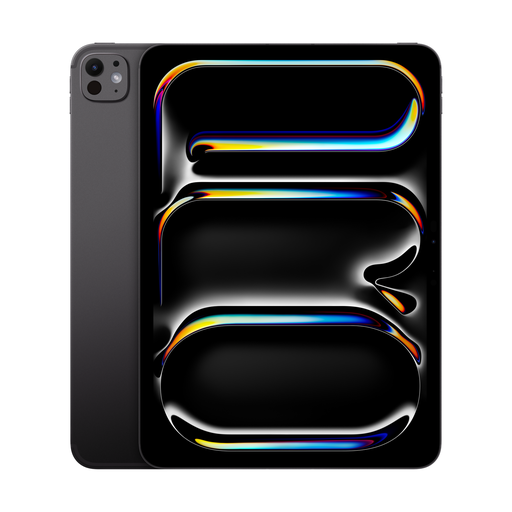
Why it stands out: The iPad Pro is engineered for maximum performance. Equipped with the Apple M5 chip and an Ultra Retina XDR display, it delivers performance and display quality that meet professional standards. The combination of Wi-Fi 7 and 5G connectivity ensures extremely fast data transfers, while the Thunderbolt port allows for the connection of high-performance accessories.
Pros:
Who is it for? Ideal for creative professionals such as designers, videographers, and musicians, as well as for business professionals who need an uncompromisingly powerful and portable device for the most demanding applications. It is the obvious choice for anyone looking to buy a high-end iPad.
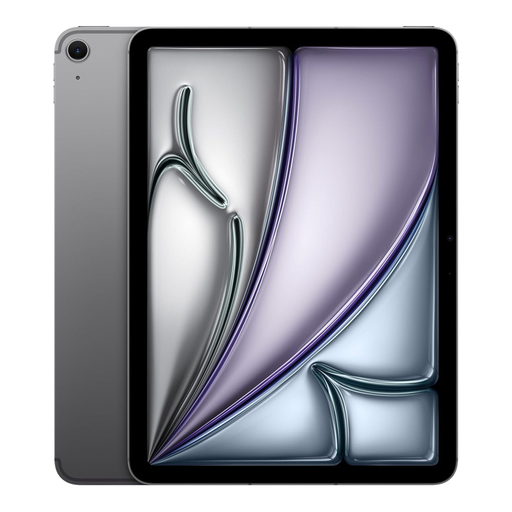
Why it stands out: The iPad Air with the M3 chip bridges the gap between the standard iPad and the Pro model. It offers a significant performance boost over previous generations and supports professional accessories like the Apple Pencil Pro. The Liquid Retina display and the combination of Wi-Fi 6E and 5G make it an extremely versatile 11-inch tablet for a wide audience.
Pros:
Who is it for? An excellent choice for students who need a powerful tablet for university, as well as for creatives and demanding home users looking for strong performance in a slim and lightweight design.
The featured models with cellular functionality already offer a high degree of flexibility. However, if you are specifically looking for devices with the latest mobile technology to be future-proof, other alternatives are available.
For a wider selection of devices with a mobile data connection, explore our category for 5G tablets.
For university use, portability, long battery life, and handwriting input capabilities are crucial. A tablet for university should be light enough to carry all day. Compatibility with a stylus makes it easier to take notes in lectures and annotate PDF documents. An optional keyboard can also transform it into a compact notebook.
A tablet with a stylus and keyboard significantly boosts productivity. The stylus allows for precise drawing, sketching, and handwritten notes, which is beneficial for creative and academic users. The keyboard transforms the tablet into an efficient tool for writing emails, reports, and longer texts, allowing it to replace a laptop in many situations.
Whether you need a tablet with a SIM card depends on your usage habits. If you are frequently on the go and require a reliable internet connection without having to rely on public Wi-Fi networks or tethering from your smartphone, a model with cellular support is the right choice. For primary use at home or in the office, a Wi-Fi-only device is generally sufficient.