
Lieferung heute & morgen

Qualitätsgarantie

Willkommens-Angebote freischalten: KOSTENLOSE Lieferung | Bis zu 80 % RABATT | Kostenlose 30-Tage-JoyPlus-Testphase
App herunterladen
A USB fan is a compact device that generates a localised airflow and draws its power from a Universal Serial Bus (USB) port. These devices are designed for use in the user's immediate vicinity, such as at a desk, in a home office, or while travelling. They offer flexible power options, including laptops, power banks, USB power adapters, or integrated batteries, making them a mobile and energy-efficient cooling solution for personal use.
Selecting the right model depends on specific technical parameters and the intended application. The following criteria provide an objective basis for your decision.
The fan's design largely dictates its potential applications. There are three primary types:
The power source is a key feature for versatility.
A fan's effectiveness and comfort are defined by its airflow characteristics and noise generation.
Some models offer advanced features for added value.
Based on an analysis of technical specifications and functional features, we present three models that cater to different user profiles.
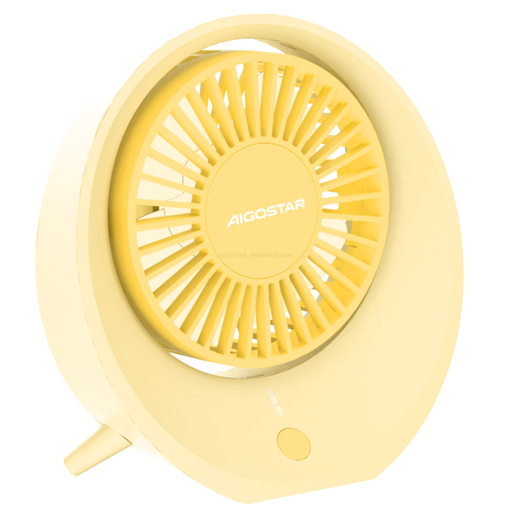
Why We Recommend It: This model is engineered for quiet operation and a soft, natural airflow. Its four-blade design and 3500 RPM speed create a gentle breeze, providing effective cooling over an area of approximately 2 m?. The low power consumption of 3 watts and the integrated battery allow for hours of operation. Its understated beige design blends seamlessly into office and living spaces.
Pros:
Who It's For:
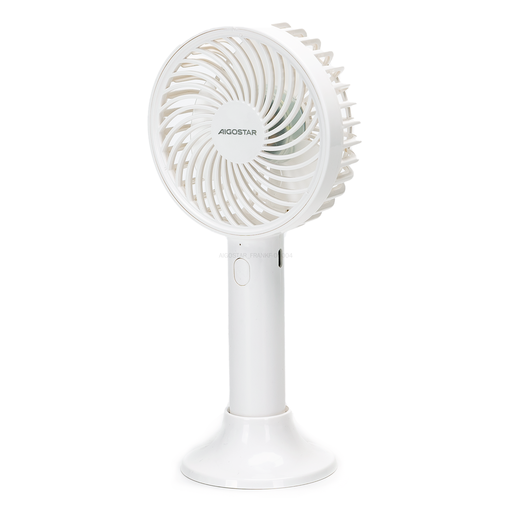
Why We Recommend It: This model combines the functionality of a handheld and a desk fan thanks to its detachable base. The 3-blade system reaches speeds of up to 3800 RPM, generating a powerful, focused airflow. Its compact design and integrated battery make it a practical companion for commuters and travellers.
Pros:
Who It's For:
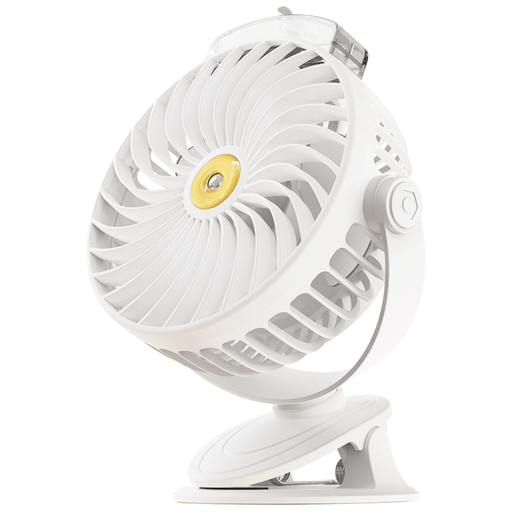
Why We Recommend It: This clip-on fan offers maximum flexibility with its dual mounting option (clamp and base) and integrated misting function. With five speed settings and two mist modes, the cooling performance can be precisely adjusted. The high speed of 4000 RPM ensures a strong airflow, while the misting function provides additional evaporative cooling on hot, dry days.
Pros:
Who It's For:
The models presented cover common user profiles. However, the USB fan market includes an even greater variety of designs and specialised functions. For a broader overview and more models, you can browse our Portable Appliances category.
1. How long does the battery of a USB fan last? The battery life of a battery-powered fan varies depending on the model, battery capacity (mAh), and selected speed setting. Typically, the operating time ranges from 3 to 10 hours. Models with low power consumption and high battery capacity achieve longer runtimes, especially on the lowest setting.
2. Can I run a USB fan directly from my laptop? Yes, the primary power source for a USB fan is a standard USB port (Type-A). It can be operated without issue from a laptop, desktop PC, power bank, or USB wall adapter. The power consumption is generally low enough that it only minimally impacts a laptop's battery life.
3. What does the number of blades mean on a small fan? The number of blades affects the airflow's characteristics. A higher number of blades (e.g., four or five) can divide the airflow into smaller, less turbulent streams, which is often perceived as quieter and softer. A lower number of blades (e.g., three) can produce a stronger, more directional jet of air at the same speed, but it may be potentially louder.