
Lieferung heute & morgen

Qualitätsgarantie

Willkommens-Angebote freischalten: KOSTENLOSE Lieferung | Bis zu 80 % RABATT | Kostenlose 30-Tage-JoyPlus-Testphase
App herunterladen
A powerful desktop PC offers immense processing power, but without a fast and stable network connection, its potential often goes untapped. A missing or outdated Wi-Fi module can lead to slow downloads, high latency in gaming, or stuttering video streams. A WiFi 6 PCIe card is an effective solution to upgrade a desktop computer to the latest wireless technology while also expanding connectivity for peripherals via Bluetooth.
This article serves as your guide. It explains the key criteria for selecting the right card and presents a curated selection of models with different features to help you make an informed decision.
Upgrading a PC with a new Wi-Fi card is a straightforward process, but selecting the right model requires attention to a few technical details.
The choice between WiFi 6 (802.11ax) and WiFi 6E is a key consideration. Both standards offer higher speeds and greater efficiency in congested networks compared to older generations.
Many modern PCIe Wi-Fi adapters also include Bluetooth functionality. A PCIe Wi-Fi adapter with Bluetooth is a convenient 2-in-1 solution that lets you connect wireless headphones, mice, keyboards, or controllers without needing an extra USB dongle. Pay attention to the Bluetooth version: standards like Bluetooth 5.2 or 5.4 offer faster speeds, greater range, and improved stability compared to older versions.
Before purchasing an internal Wi-Fi card for your desktop PC, you should verify its compatibility with your system.
Here is a selection of cards that cover different requirements and use cases.
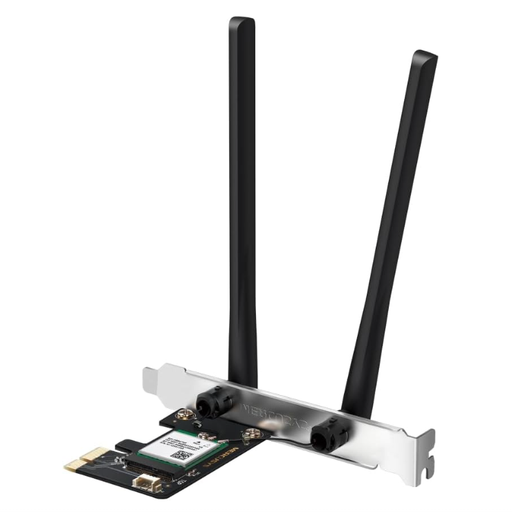
Why It Stands Out: The MERCUSYS MA70XE is an AX1800 PCIe adapter that combines solid Wi-Fi 6 performance with the very latest Bluetooth 5.4 standard. It represents a cost-effective option for comprehensively modernising a desktop PC.
Pros:
Who Is It For?: Users looking for an affordable way to upgrade their PC with reliable Wi-Fi 6 and the latest version of Bluetooth. This model is intended for standard-sized PC cases.
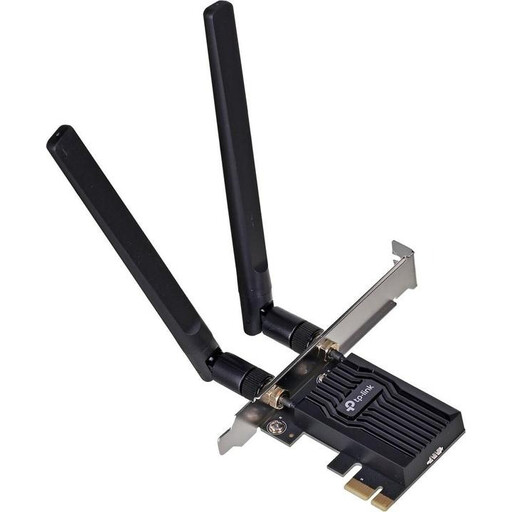
Why It Stands Out: This TP-Link Wi-Fi card delivers proven AX1800 performance and stands out for its high compatibility. Thanks to the included low-profile bracket, it also fits into compact PC cases.
Pros:
Who Is It For?: PC owners who are looking for a reliable all-around solution from an established brand and may have a slim PC case.
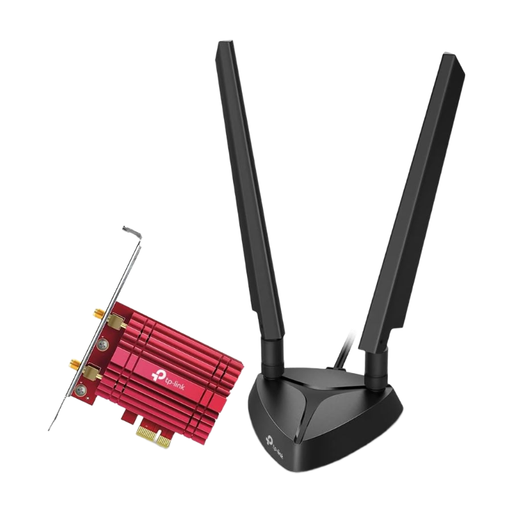
Why It Stands Out: The Archer TXE75E is a high-end solution for enthusiasts. As a WiFi 6E card, it offers access to the 6 GHz band and delivers top-tier performance with AXE5400 tri-band speeds for the most demanding network environments.
Pros:
Who Is It For?: Power users, gamers, and tech enthusiasts who demand the highest possible wireless performance and want to equip their system for the future of networking technology.
The selection presented here covers common use cases. However, the market offers a wide variety of other models with specific features. If you are looking for different speed classes, brands, or special functions, you will find a broader selection in our comprehensive category.
Discover more Network Adapters.
No, upgrading a PC with a Wi-Fi card is generally straightforward for anyone comfortable with opening their computer's case. The process typically involves these steps: shut down the PC and disconnect it from power, open the case, insert the card into a free PCIe x1 slot, screw the bracket into place, close the case, and install the drivers after booting up.
A WiFi 6 PCIe card is backwards compatible and will work with older routers (e.g., Wi-Fi 5/ac). However, to take full advantage of WiFi 6 features like higher speeds and OFDMA, a WiFi 6-compatible router is required.
The key advantage is access to the exclusive 6 GHz frequency band. Since this band is new and only available to WiFi 6E devices, there is significantly less interference from other networks or household appliances. The result is more stable connections and lower latency, which is especially noticeable in online gaming and high-resolution streaming.