
Lieferung heute & morgen

Qualitätsgarantie

Willkommens-Angebote freischalten: KOSTENLOSE Lieferung | Bis zu 80 % RABATT | Kostenlose 30-Tage-JoyPlus-Testphase
App herunterladen
A wired mouse might seem like a simple purchase. You plug it in, and it works. But the market is flooded with models whose marketing promises often create more confusion than clarity. If you're not careful, you could invest in a device that quickly leads to frustration—whether from imprecise control, a lack of comfort, or an early defect.
As your Joybuy Product Recommendation Officer, I'm here to help you separate the wheat from the chaff. We'll shine a light on the most common pitfalls and show you which technical features truly matter, so you can make an informed decision.
Many buyers focus on heavily advertised features that, in practice, have little relevance or may even be detrimental.
To avoid buyer's remorse, you should focus on the following practical criteria.
The sensor is the heart of every mouse. Modern optical mouse models offer reliable tracking on most surfaces. Pay less attention to the maximum DPI value and more to whether the sensitivity is adjustable.
The shape of the mouse should suit your hand and grip style.
Depending on your use case, other features can make all the difference:
Here are some recommendations tailored to specific user needs that avoid the common pitfalls mentioned.
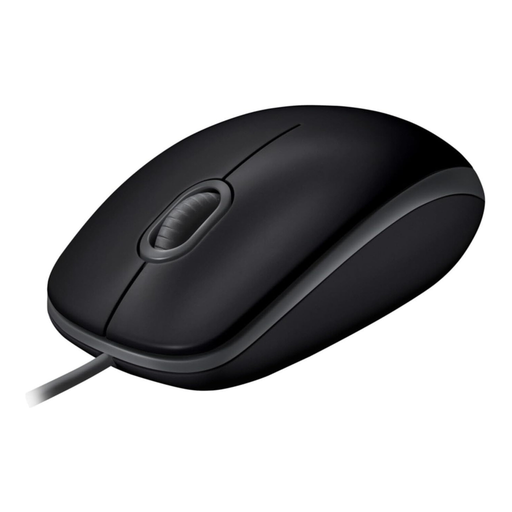
Why This Fits Their Persona: Ideal for users in offices or quiet work environments. Its plug-and-play functionality for PC and Mac and symmetrical design make it a straightforward and universal work tool.
This mouse focuses on one practical feature: silent clicks. It forgoes superfluous DPI values, instead offering a solid, durable build for daily use.
According to Logitech, the click noise is reduced by over 90%. The ambidextrous design is equally comfortable for both left- and right-handed users.
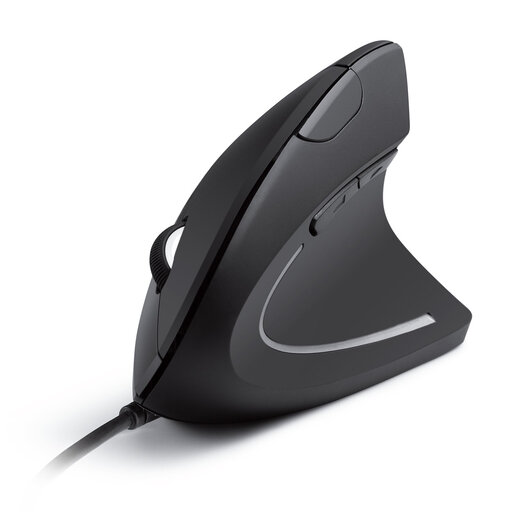
Why This Fits Their Persona: Perfect for people who spend long hours at the computer and prioritise healthy posture. It is a true ergonomic mouse that actively helps to relieve wrist strain.
This mouse avoids the false-ergonomics trap by offering a scientifically-backed vertical design, rather than just a generic curve.
The vertical "handshake" position reduces muscle strain. The DPI is switchable between 1000 and 1600 to adjust sensitivity to personal preference.
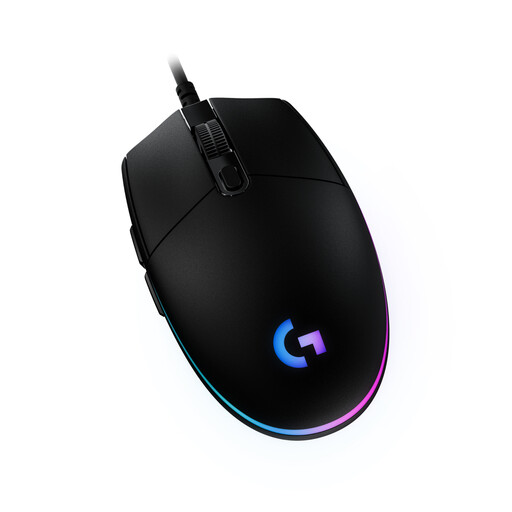
Why This Fits Their Persona: An excellent entry point for gamers looking for a responsive and customisable gaming mouse without breaking the bank. It offers a balanced mix of performance and features.
Instead of just boasting a high DPI number, it features a high-quality sensor with up to 8,000 DPI and uses Logitech G HUB software for precise control. The mechanical button tensioning indicates durable components.
Gaming-grade sensor, 6 programmable buttons, and customisable LIGHTSYNC RGB lighting. A tried-and-true design that offers comfort and control.
We have compiled a complete, up-to-date list of products that fully meet these strict selection criteria and rigorous safety standards.
Is a high DPI number always better in a mouse? No, not necessarily. A very high DPI setting makes the cursor extremely fast and often difficult to control. For most office and everyday applications, 800 to 1600 DPI is optimal. Gamers benefit from adjustable DPI to adapt sensitivity to different situations, but the quality of the sensor and its tracking consistency are more important than the maximum DPI value.
Will any wired USB mouse work on a PC and a Mac? Most modern USB mouse models are plug-and-play compatible and work immediately after being connected to both Windows PCs and macOS systems. For advanced features like button programming or RGB lighting control, you may need to install the manufacturer's proprietary software. In this case, you should check for compatibility with your specific operating system.
What is the advantage of a silent mouse? A silent mouse uses special switches that reduce the clicking sound by up to 90% or more. This is particularly beneficial in environments where quiet is valued, such as in open-plan offices, libraries, or when working from home late at night. It minimises distractions for you and those around you.