
Lieferung heute & morgen

Qualitätsgarantie

Willkommens-Angebote freischalten: KOSTENLOSE Lieferung | Bis zu 80 % RABATT | Kostenlose 30-Tage-JoyPlus-Testphase
App herunterladen
The search for a new gaming keyboard can quickly become overwhelming. Especially in the premium segment, where models like the CHERRY MX 8.2 TKL Wireless Gaming Keyboard compete, manufacturers advertise a host of technical terms. However, not every advertised feature is equally relevant for every user. Before you make a purchasing decision, it's important to know the most common pitfalls that can lead to an unsuitable choice.
To avoid these pitfalls, you should focus on the objective, measurable core parameters that define a high-quality mechanical keyboard with a QWERTY layout.
When evaluating a gaming keyboard, three technical aspects are particularly important. These determine the device's performance, flexibility, and longevity.
A modern tri-mode keyboard offers maximum flexibility for various scenarios. Instead of being limited to a single connection type, it combines the strengths of three technologies:
TKL stands for "Tenkeyless" and refers to keyboards without the number pad on the right side. This compact form factor offers decisive advantages, especially for gamers:
The switches are the heart of any mechanical keyboard. A gaming keyboard with MX Red switches is characterized by the following properties:
Durability is largely determined by the case material. An aluminum gaming keyboard offers high torsional rigidity and a solid weight. This prevents it from sliding on the desk and ensures a consistently stable typing experience.
Based on these criteria, we have identified several models that are suitable for different user profiles and requirements.
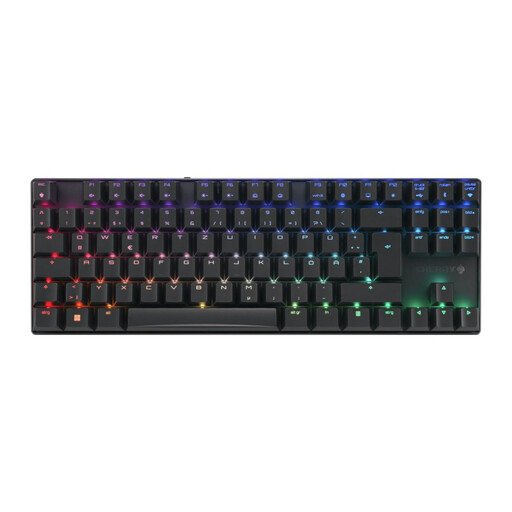
Why This Fits Their Persona: For gamers where every millisecond counts. The combination of extremely low latency in 2.4 GHz mode, fast linear MX2A Red switches, and the robust aluminum frame is designed for maximum competitive performance.
The model delivers verifiable performance with sub-1ms latency in gaming mode, bypassing vague marketing promises. The priority is on the sturdy aluminum case and high-quality switches, not just aesthetics.
Tri-Mode Connectivity: Maximum flexibility with 2.4 GHz, Bluetooth, and USB-C. CHERRY MX2A Red Switches: Rated for over 100 million actuations, according to the manufacturer.
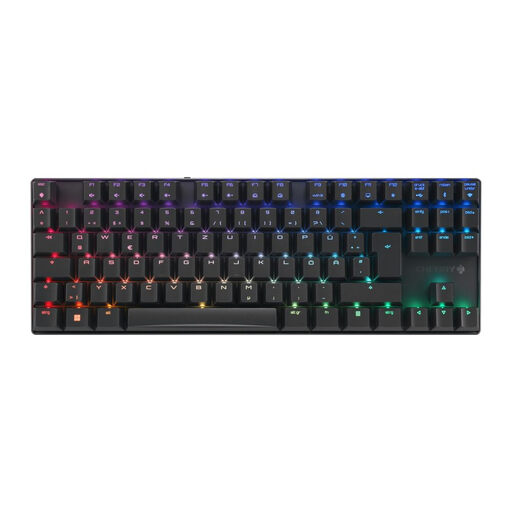
Why This Fits Their Persona: Perfect for users who use their keyboard for both gaming and productive work. The tactile MX2A Brown switches provide noticeable feedback for typing but are quieter than Blue switches. The tri-mode connectivity allows for seamless switching between a gaming PC and a work laptop.
This model avoids the "one-switch-fits-all" trap by offering a targeted alternative for mixed-use. The Brown switches are a deliberate compromise between gaming performance and typing comfort, without sacrificing build quality.
Tactile MX2A Brown Switches: Provide tangible feedback for precise typing. Die-cast aluminum frame: Ensures exceptional stability and durability.
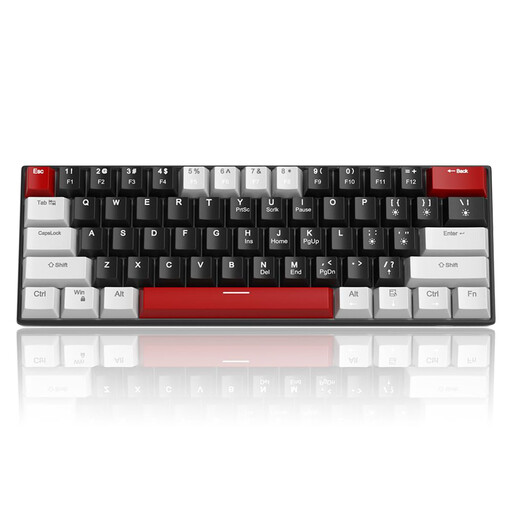
Why This Fits Their Persona: For users who want to enter the world of mechanical keyboards without a large budget. It offers a mechanical typing experience with linear red switches and a very compact 60% form factor at an accessible price.
By being exclusively wired, it completely eliminates the risk of an unreliable wireless connection. The focus is on the core function—the mechanical typing feel—rather than on expensive extra features like an aluminum frame.
Compact 60% Form Factor: Maximizes desk space. Linear Red Switches: Provide a smooth and responsive feel for gaming and typing.
We've compiled a complete, real-time updated list of products that fully meet these strict selection criteria and German safety regulations.
1. How long does the battery of a wireless gaming keyboard like the CHERRY MX 8.2 TKL last? The battery life heavily depends on usage, especially the intensity and effects of the RGB lighting. The CHERRY MX 8.2 TKL is equipped with a 2800 mAh battery designed for extended wireless use. With the lighting turned off or dimmed, the battery can last for several weeks. At full brightness and with dynamic effects, it shortens accordingly. The keyboard can be used and charged simultaneously via the USB-C cable at any time.
2. Is a TKL keyboard suitable for programmers or only for gamers? A TKL keyboard is also very well-suited for programmers and heavy typists. It retains all standard keys, including the function keys (F1-F12), arrow keys, and the entire alphanumeric block. Only the number pad is omitted. Many users find the more compact, ergonomic posture of the arms more comfortable. Those who frequently enter numerical data might consider a separate number pad.
3. What is the difference between CHERRY MX Red and MX2A Red switches? The MX2A Red switches are an evolution of the classic MX Red. According to the manufacturer, Cherry SE, the MX2A generation features improved factory lubrication and a barrel-shaped spring design. This is intended to provide an even smoother, more consistent key feel and reduced spring noise. Additionally, the lifespan of the MX2A switches is rated at over 100 million actuations.