
Lieferung heute & morgen

Qualitätsgarantie

Willkommens-Angebote freischalten: KOSTENLOSE Lieferung | Bis zu 80 % RABATT | Kostenlose 30-Tage-JoyPlus-Testphase
App herunterladen
A tidy, cable-free desk promotes focus and creates a pleasant working environment. A wireless keyboard and mouse set is a key component for achieving this, whether in the office, at home, or at a personal workstation. However, the selection is vast, and the technical differences are crucial for daily use.
This guide is here to help. We'll highlight the most important criteria to consider when choosing a wireless keyboard and mouse combo and present a selection of models with different specialities. This will enable you to make an informed decision that perfectly matches your requirements.
Before you decide on a model, there are several technical aspects to consider. These factors significantly determine the usability and reliability in everyday use.
The type of wireless connection is a fundamental distinguishing feature.
The question of power supply is a matter of personal preference and usage patterns.
For many users in an office or a shared home office, a quiet wireless keyboard and mouse is crucial. Constant clicking and clattering can be distracting. Look for manufacturer specifications like "quiet keys," "silent switches," or special technologies like the scissor-switch mechanism, which is known for a quiet and precise typing feel. There are also mouse models with noise-reduced clicks.
Based on the criteria mentioned, we have compiled a selection of sets that cover different needs—from sustainable rechargeability to maximum battery life and connectivity.
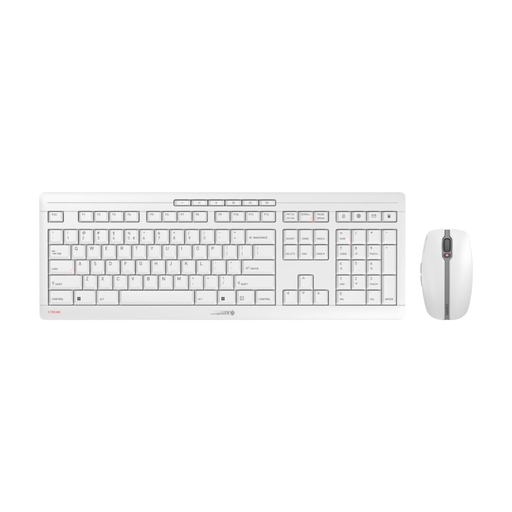
Why it stands out: The CHERRY Stream Desktop Recharge is a well-designed solution for users who value sustainability, stability, and a quiet work environment. The combination of rechargeable batteries via USB-C and the proven CHERRY SX scissor-switch mechanism makes it a reliable tool for daily use.
Advantages:
Who it's for: This set is ideal for professionals in the office and home office who are looking for a high-quality, durable, and quiet solution and appreciate the convenience of rechargeable devices.
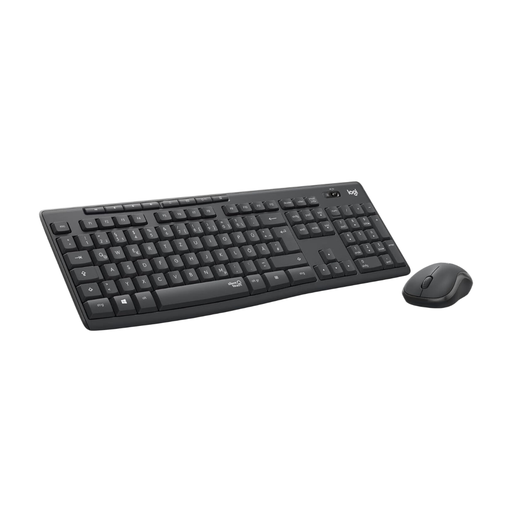
Why it stands out: The Logitech MK295 set consistently focuses on noise reduction. According to the manufacturer, its SilentTouch technology reduces clicking and typing noises by over 90%. Combined with an extremely long battery life, it's a hassle-free solution for noise-sensitive environments.
Advantages:
Who it's for: Perfect for users in open-plan offices, libraries, or a family home office where minimal noise is a top priority and who don't want to worry about regularly charging batteries.
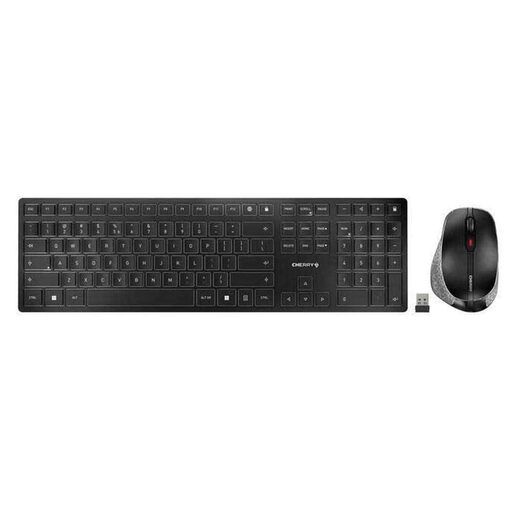
Why it stands out: The CHERRY DW 9500 SLIM is a wireless desktop set that combines flexibility and design. It offers the choice between a Bluetooth and a 2.4 GHz wireless connection, making it easy to switch between different devices. Its slim design and high-quality materials are aimed at discerning users.
Advantages:
Who it's for: This set is aimed at power users and aesthetes who frequently switch between multiple devices (e.g., laptop and desktop PC) and are looking for a flexible, rechargeable, and stylish solution with excellent typing comfort.
Haven't found the right model for your needs yet? A wireless keyboard and mouse for the office or for studying must meet many individual requirements. Discover more models and find the perfect combination for your desk in our comprehensive category.
Discover More Keyboards and Mice
1. How do I connect a wireless keyboard and mouse set to my computer? For a set with a 2.4 GHz connection, plug the included USB receiver into a free USB port. The keyboard and mouse usually connect automatically. For a Bluetooth set, activate pairing mode on the devices and find them in your computer's Bluetooth settings to connect.
2. What is the difference between 2.4 GHz wireless and Bluetooth? A 2.4 GHz wireless connection uses a dedicated USB receiver and offers a very stable, plug-and-play connection, but it occupies a USB port. Bluetooth connects directly to the end device without an additional receiver, which facilitates use with devices like tablets and keeps USB ports free. However, its stability can be more dependent on the end device.
3. Can you use a wireless keyboard and a different wireless mouse together? Yes, in most cases, this is possible. If both devices have their own 2.4 GHz receiver, they will occupy two USB ports. If both devices use Bluetooth, they can be paired with the computer independently. Some manufacturers (e.g., Logitech with its Unifying receiver) offer the ability to connect multiple compatible devices with just one USB receiver.