
Lieferung heute & morgen

Qualitätsgarantie

Willkommens-Angebote freischalten: KOSTENLOSE Lieferung | Bis zu 80 % RABATT | Kostenlose 30-Tage-JoyPlus-Testphase
App herunterladen
A tidy, cable-free desk is the first step towards greater productivity and focus. A wireless keyboard and mouse combo is the ideal solution. But the market is flooded with options, and not every wireless set delivers on its promises. Before you make a decision, it's crucial to understand the typical pitfalls that often lead to disappointment and unnecessary expense.
As your Joybuy Product Recommendation Officer, I'm here to help you distinguish marketing hype from genuine performance features. In this guide, I'll show you what to look for to make an informed choice that perfectly suits your needs for the office, home office, or university.
Many buyers focus on superficial features and overlook critical technical details that heavily impact daily use.
To avoid these traps, you should focus on the following three core aspects. These are the key determinants of your new set's functionality and longevity.
The choice of connection technology is fundamental and depends on your devices and workflow.
The typing feel and noise level are crucial for comfort, especially in office environments or for a home office keyboard and mouse set.
Also, look for a standard QWERTY keyboard and mouse set to ensure all keys are in their familiar layout.
There's no one-size-fits-all answer here—it depends on your preferences.
Based on the criteria mentioned, we have selected a few models from our range that represent a well-thought-out solution for specific user profiles.
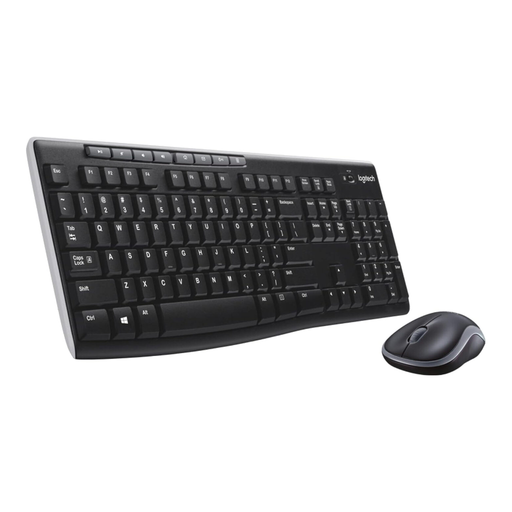
Why This Fits Their Persona: Ideal for students and home users looking for a straightforward, reliable, and affordable solution for everyday tasks. The simple plug-and-play setup and long battery life make it a worry-free companion.
Bypasses the battery trap by using standard AAA/AA batteries with a very long lifespan. The stable 2.4 GHz RF connection avoids the complexity of Bluetooth pairing.
Long battery life (up to 36 months for the keyboard). Reliable connection via a single USB nano-receiver. Standard QWERTY layout.
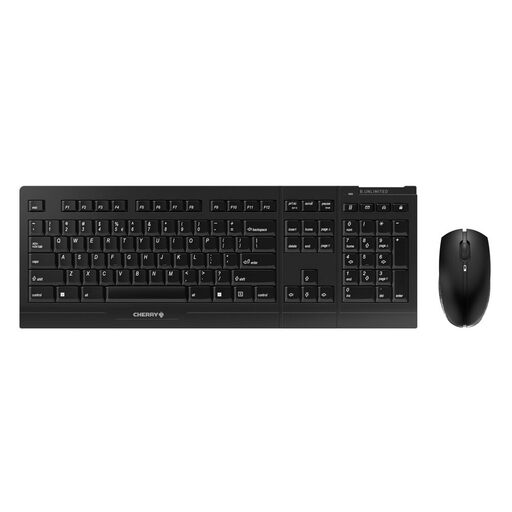
Why This Fits Their Persona: Designed for continuous professional use. Professionals who type for many hours daily will benefit from the quiet, precise keys and robust construction. A true workhorse for a productive home office keyboard and mouse set.
Elegantly solves the battery trap: The NiMH batteries can be charged via USB cable during operation, so there is no downtime. The high-quality CHERRY SX scissor technology avoids the ergonomics trap by providing a quiet and comfortable typing experience.
Quiet and durable keys with abrasion-resistant laser etching. Symmetrical mouse with switchable resolution (1000/2000 DPI). AES-128 encryption for secure data transmission.
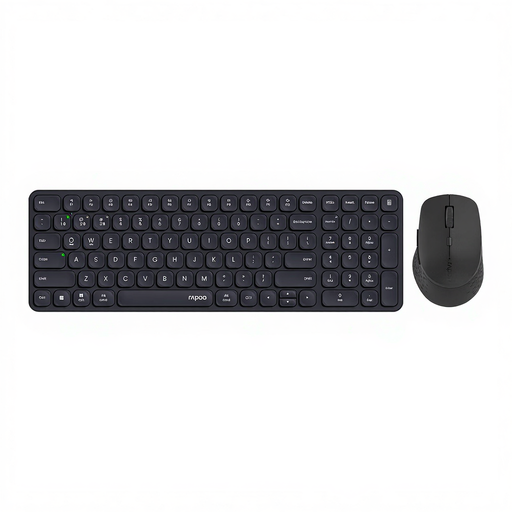
Why This Fits Their Persona: Perfect for users who switch seamlessly between a PC, tablet, and smartphone. The ability to connect to and easily switch between up to four devices maximises efficiency in a modern, multi-device workflow.
This is the direct answer to the connectivity trap. By combining 2.4 GHz RF and two Bluetooth channels (4.0/5.0), the set offers maximum compatibility and flexibility for almost any device.
Intelligent switching between up to 4 devices. Compact design with a number pad. Mouse with a 5-level adjustable DPI sensor for precise control on different screens.
We have compiled a complete, up-to-date list of products that fully meet these strict selection criteria.
1. How long does the battery last in a wireless keyboard and mouse set? Battery life varies greatly depending on the model and usage. Energy-efficient sets with replaceable batteries, like the Logitech MK270, can last up to 36 months (keyboard) and 12 months (mouse), respectively, according to the manufacturer. Rechargeable sets often provide several weeks or months of use per charge. Look for models with a power-saving mode and an on/off switch to maximise battery life.
2. Do I need special software for a wireless keyboard and mouse combo? In most cases, no. Most 2.4 GHz RF and Bluetooth sets are plug-and-play. You plug in the USB receiver or pair the devices via Bluetooth, and they work immediately. However, optional software offered by manufacturers like Logitech or Cherry can be useful for remapping special keys or fine-tuning the mouse's DPI settings.
3. What is the difference between 2.4 GHz RF and Bluetooth in a keyboard-mouse combo? The main difference lies in the connection method. 2.4 GHz RF uses a dedicated USB dongle that establishes a direct and very stable connection to the computer. This is simple and reliable. Bluetooth connects directly to the device's built-in Bluetooth module, which doesn't occupy a USB port and allows for use with tablets or smartphones. Multi-device sets often use both technologies to offer maximum flexibility.