
Lieferung heute & morgen

Qualitätsgarantie

Willkommens-Angebote freischalten: KOSTENLOSE Lieferung | Bis zu 80 % RABATT | Kostenlose 30-Tage-JoyPlus-Testphase
App herunterladen
An uncluttered desk, free from cable chaos, boosts concentration and creates more space for what matters. A wireless mouse is a cornerstone of a modern, flexible workspace, whether in the office, at home, or on the go. However, the selection is vast, and the technical differences are often not apparent at first glance.
This article serves as your guide. It explains the most important criteria to consider when choosing a wireless mouse and presents a selection of models for various use cases. Our goal is to provide you with a solid basis for making an informed decision.
To find the right model for your needs, several technical and ergonomic aspects should be considered.
The type of connection is a crucial criterion. There are two common technologies:
A good office mouse should still feel comfortable in your hand even after several hours of use. Pay attention to a shape and size that fits your hand. For those working in quiet environments like libraries or co-working spaces, a quiet mouse with dampened click sounds is an option worth considering. Anyone who frequently switches between different computers or a laptop and a tablet will benefit from a multi-device mouse that can switch connections at the touch of a button.
No one wants to be caught with a dead battery in the middle of an important task. A mouse with long battery life is therefore a key factor for uninterrupted work. Runtimes vary greatly depending on the model and usage. Some mice run on replaceable AA or AAA batteries and can last up to 24 months. Other models feature an integrated rechargeable battery that is charged via a USB-C cable.
Based on the criteria mentioned, we have compiled a selection of models that cover a range of needs.
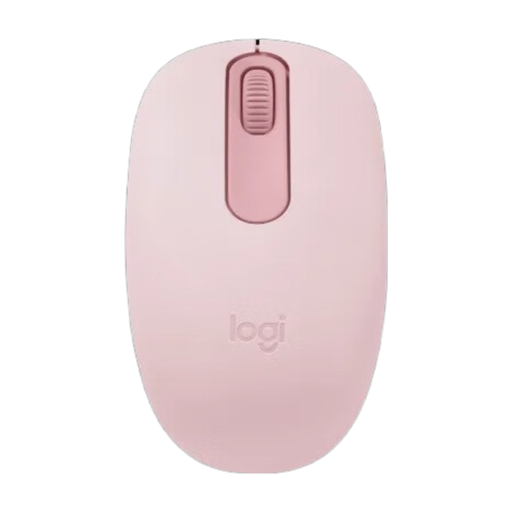
Why it stands out: The Logitech M196 is designed for simplicity and mobility. With pure Bluetooth connectivity, no USB receiver is needed, making it an ideal companion for laptops and tablets. Its compact and contoured shape ensures comfort on the go.
Advantages:
Who is it for? Users looking for a straightforward, reliable, and portable mouse for everyday tasks on a laptop or tablet. Ideal for students and mobile professionals.
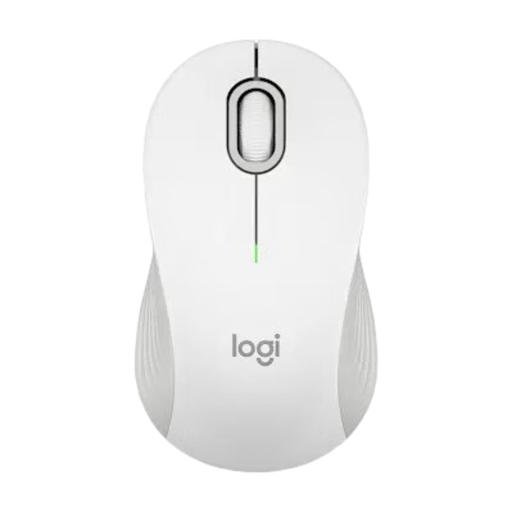
Why it stands out: The Logitech M550 is distinguished by its dual connectivity and innovative SmartWheel scroll wheel. This wheel automatically switches between precise, line-by-line scrolling and high-speed scrolling, significantly accelerating navigation through long documents or web pages.
Advantages:
Who is it for? Professionals and home users who need a versatile and productivity-enhancing mouse for daily use in the office or at home. The flexibility of its dual connection modes makes it a solid all-round solution.
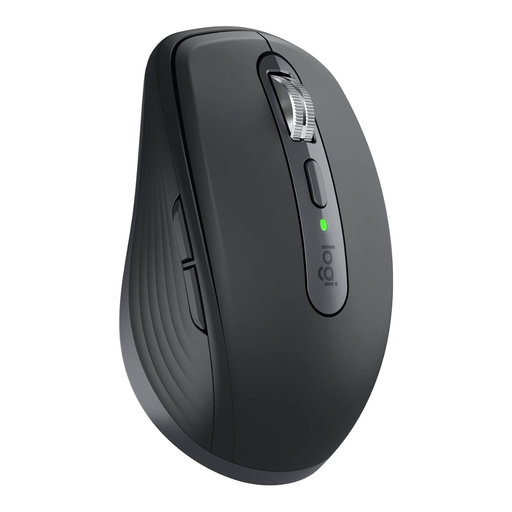
Why it stands out: The MX Anywhere 3S is a compact powerhouse for professional users. Its 8000 DPI Darkfield sensor tracks on virtually any surface, even glass. Features like quiet clicks, the MagSpeed scroll wheel, and the ability to pair with up to three devices underscore its premium credentials.
Advantages:
Who is it for? Power users, consultants, and creative professionals who demand the highest precision, flexibility, and mobility. Its ability to switch seamlessly between multiple devices makes it ideal for complex workflows.
The selection presented here covers common user profiles. If you haven't found the right model yet, or if you're specifically looking for special ergonomic shapes, it's worth taking a look at our wider selection.
? Discover our wide selection of office mice.
1. What is the difference between a Bluetooth mouse and an RF mouse? A Bluetooth mouse connects directly to the computer and doesn't require an additional receiver, which keeps a USB port free. An RF mouse uses a dedicated USB receiver, which can offer a more stable connection in environments with a lot of wireless interference.
2. How long does the battery of a wireless mouse last? Battery life varies depending on the model and usage. Basic models often offer 12 months, while more efficient mice like the Logitech mouse M550 can last up to 24 months on a single AA battery. Models with a built-in rechargeable battery, like the MX Anywhere 3S, offer up to 70 days per charge.
3. Can I use a wireless mouse with multiple devices? Yes, many modern mice support multi-device connectivity. Models like the Logitech MX Anywhere 3S can be paired with up to three devices simultaneously. A button on the mouse is all it takes to switch seamlessly between a laptop, a tablet, and a desktop PC, for example.