
Lieferung heute & morgen

Qualitätsgarantie

Willkommens-Angebote freischalten: KOSTENLOSE Lieferung | Bis zu 80 % RABATT | Kostenlose 30-Tage-JoyPlus-Testphase
App herunterladen
A wireless mouse promises a clutter-free desk and maximum flexibility. However, the search for the right model can quickly become overwhelming. Marketing jargon, technical specifications, and a vast selection make the decision difficult. Many users only discover after purchase that their new mouse is uncomfortable, the connection constantly drops, or the advertised "silent clicks" aren't so quiet after all.
As a Joybuy Product Recommendation Officer, my job is to provide clarity. We'll analyse which features truly matter and how you can avoid common purchasing pitfalls to find a model that is precisely tailored to your needs for the office or home office.
Before you make a decision, you should be aware of the most common marketing traps that often lead to purchase regret.
Focus on the following three parameters to find a model that will provide long-term satisfaction.
The type of connection is a fundamental choice. Both technologies have clear pros and cons.
The sensor is the heart of any mouse. For work on typical surfaces like desks or mouse pads, a modern optical sensor is sufficient.
DPI (Dots Per Inch) indicates how sensitive the mouse is to movement.
Look for models with a DPI switch button to quickly adjust sensitivity depending on the task.
A good fit prevents fatigue and discomfort. Pay attention to the following aspects:
Here are some recommendations tailored to different user profiles and their specific requirements.
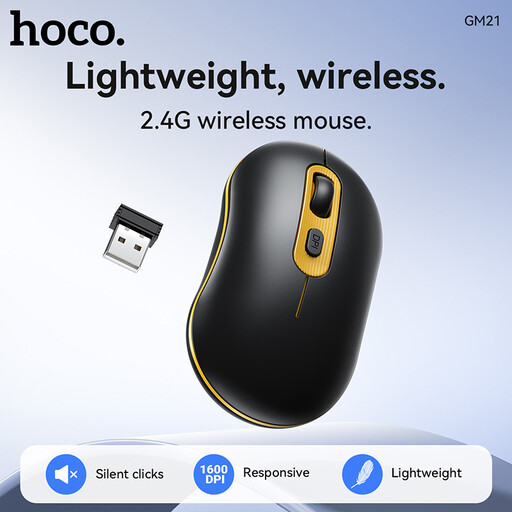
Why this model is a good fit: Ideal for users seeking a reliable and straightforward mouse for daily office and home use. It focuses on the essentials: a stable connection and a comfortable shape for long workdays.
This model forgoes exaggerated DPI values and instead focuses on a stable 2.4 GHz connection, which in practice is more reliable for most office applications than unstable Bluetooth connections in the budget category.
Simple plug-and-play setup with no drivers required. The design is focused on durability and low energy consumption, which reduces running costs.
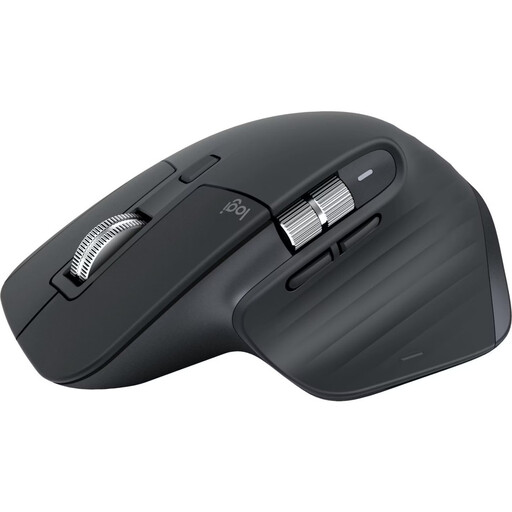
Why this model is a good fit: Perfect for professionals, developers, and creatives who need to switch seamlessly between multiple devices (e.g., laptop, tablet, and desktop PC) and require maximum precision.
Here, the high 8K DPI sensor is not just a marketing gimmick; it enables precise tracking on virtually any surface, including glass. The ergonomics are not just a buzzword but the result of a thoughtful design for right-handed users.
The electromagnetic MagSpeed scroll wheel, quiet clicks, and seamless multi-device Bluetooth connectivity noticeably boost productivity.
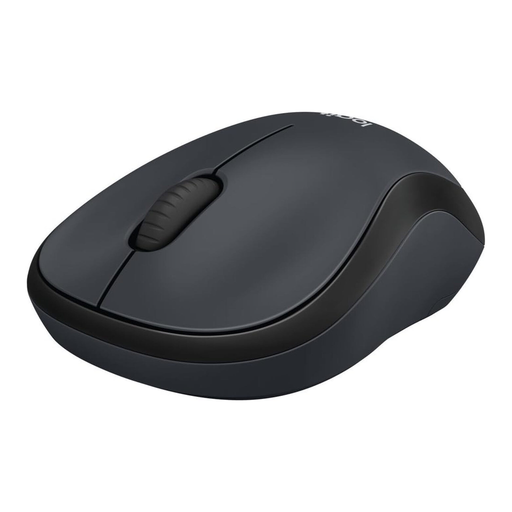
Why this model is a good fit: The ideal choice for open-plan offices, libraries, or the home office when you don't want to disturb family members. Its primary purpose is the maximum reduction of click noise.
This model delivers on the promise of a silent mouse. According to Logitech, its SilentTouch Technology reduces click sounds by over 90% while maintaining the same tactile click feel. It's a clear, measurable feature, not vague marketing.
Extremely quiet operation, a long battery life, and a compact, ambidextrous design make it an unobtrusive and reliable companion.
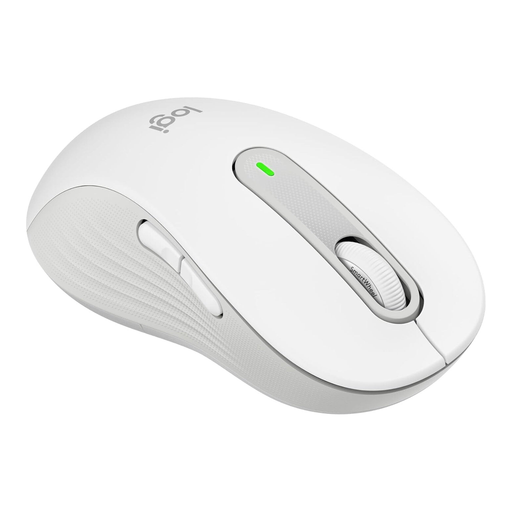
Why this model is a good fit: Specifically designed for left-handed users with larger hands who often struggle to find a comfortable and functional mouse. It offers all-day comfort without compromise.
This model refutes the "one-size-fits-all" ergonomics trap by offering a targeted solution for an often-overlooked user group. The shape, thumb rest, and side buttons are specifically optimised for the left hand.
A true left-handed mouse with a contoured shape, quiet clicks, and customisable side buttons. The SmartWheel scroll wheel also allows for quick switching between precise and rapid scrolling.
We have compiled a complete, up-to-date list of products that meet these strict selection criteria and applicable standards. If you are looking for a silent mouse, you can find more models here.
Battery life varies greatly depending on the model, usage, and battery type. Basic models with AA or AAA batteries can last between 12 and 24 months. High-performance models with a built-in rechargeable battery often offer up to 70 days of use per charge and can be quickly recharged via USB-C. Many mice feature an automatic sleep mode to conserve energy.
Yes, many modern Bluetooth mice are designed for use with multiple devices. Models like the Logitech MX series or some Rapoo mice feature an "Easy-Switch" button that allows you to seamlessly switch between up to three paired devices (e.g., laptop, tablet, and PC). This is a key feature for a flexible workspace.
Most wireless mice today are compatible with both Windows and macOS. A special mouse for Mac is generally not necessary. However, some manufacturers like Logitech offer optional software, such as "Logi Options+," which allows you to customise buttons and gestures specifically for macOS to optimise your workflow. Always check the manufacturer's compatibility specifications before purchasing.