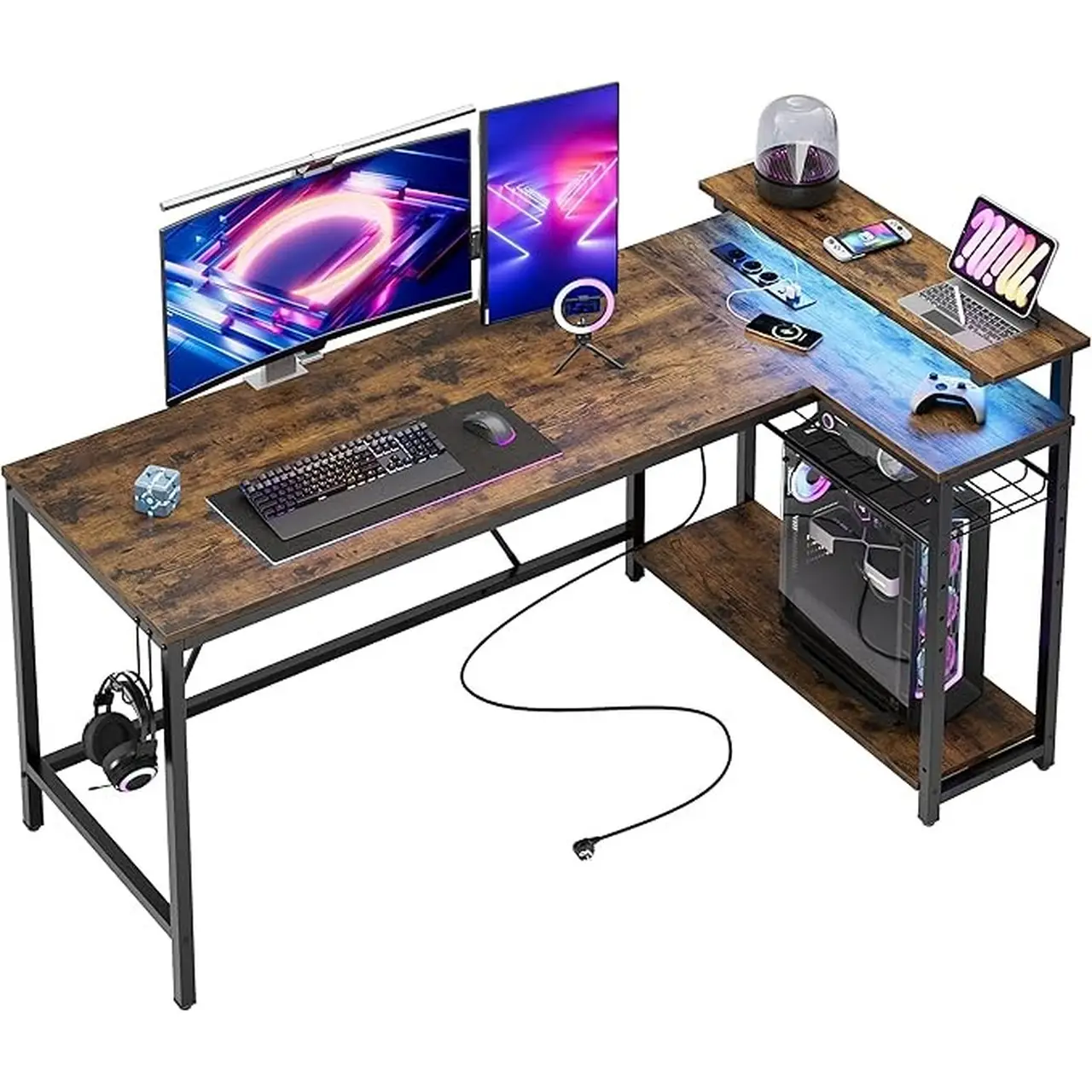
Make better use of your corner with the Bestier L-shaped desk, combining a spacious rustic-brown worktop with flexible storage. Fit its two shelves on either side to suit your room, keep devices close with three power outlets and two USB ports, and add colour with the monitor shelf’s seven RGB colours and 22 display modes. A removable computer stand and headphone hook help keep your setup organised, making it a practical choice for home working, studying or gaming.
How to Choose the Right L-shaped computer desk
Choosing an L-shaped computer desk starts with checking how it will fit your room and working routine. Compare its dimensions, layout and construction so it provides useful workspace without making the room feel crowded.
Key Features to Consider
Use these practical criteria to compare desks and find one that suits your space and everyday needs.
- Dimensions and corner orientation: Measure the available floor space, including doorways and walkways, and compare it with the desk’s full width and depth in centimetres. Check whether the return can be fitted on the left or right, or whether its orientation is fixed.
- Stability and materials: Look for a sturdy frame and a worktop material that is suitable for your expected use, such as supporting a monitor, computer and other equipment. Check the stated load capacity and how the desk is braced, particularly if it will sit on uneven flooring.
- Work surface and practical details: Consider whether the two sides provide enough room for your monitor, keyboard and any paperwork, while leaving space to work comfortably. Check for useful features such as cable-management openings, shelves or drawers, and make sure they suit your setup rather than reducing the usable legroom.
Make Room for Big Ideas: A Desk That Adapts to You
A Flexible L-Shaped Workspace
Bring work, study and gaming together with the spacious L-shaped work surface of this Bestier desk. Its rustic-brown finish adds a warm, distinctive touch to your room, while the two shelves provide handy space for accessories, books and everyday essentials. Install the shelves on either side to suit your room layout and create a setup that feels right for you. With a versatile surface and flexible storage in one design, it’s easy to shape a workspace around the way you like to get things done.
Power Within Reach and RGB Ambience
Keep your devices close at hand with three built-in power outlets and two USB ports, conveniently integrated into the desk for a connected workspace. The monitor shelf adds another useful layer to your setup, while its RGB lighting offers seven colours and 22 display modes to personalise the atmosphere. Choose a look to match your mood, whether you’re settling in for focused study, working through your to-do list or getting ready for a gaming session. Practical power and customisable lighting make this desk a lively centrepiece for your room.
Thoughtful Details for a Tidy Setup
Make your workspace your own with a removable computer stand and a handy headphone hook, keeping useful gear close as you work, study or play. The two shelves offer flexible storage for items you want within reach, helping you arrange your essentials around your routine. When it’s time to put the desk together, labelled parts and illustrated instructions guide you through assembly. From the monitor shelf and built-in connectivity to the adaptable storage, each feature helps create an organised setup that’s ready for everyday use.
Bestier L-Shaped Desk: Who It Suits
Home workers with several devices
When your home workday involves a computer and other devices,
use the L-shaped work surface to spread out your tasks and the
three power outlets and two USB ports to keep devices
connected nearby, so your work area stays organised and ready
for the day.
PC gamers building a dedicated setup
When gaming is your main use for the desk, use the removable
computer stand to position your PC and the headphone hook to
keep your headset close; choose from seven RGB colours and 22
display modes on the monitor shelf to give your setup a
personal look and keep gaming essentials organised.
Students organising a study space
When you need a dedicated place for coursework, use the
spacious work surface to lay out your study tasks and the
shelves to keep essentials within reach, so it’s easier to
keep your study area organised.
Shoppers planning around a room layout
When your room layout determines where desk storage can go,
install the two shelves on whichever side suits your space, so
you can arrange the desk and its storage around your room.
Frequently Asked Questions
How big is the Bestier L-shaped desk?
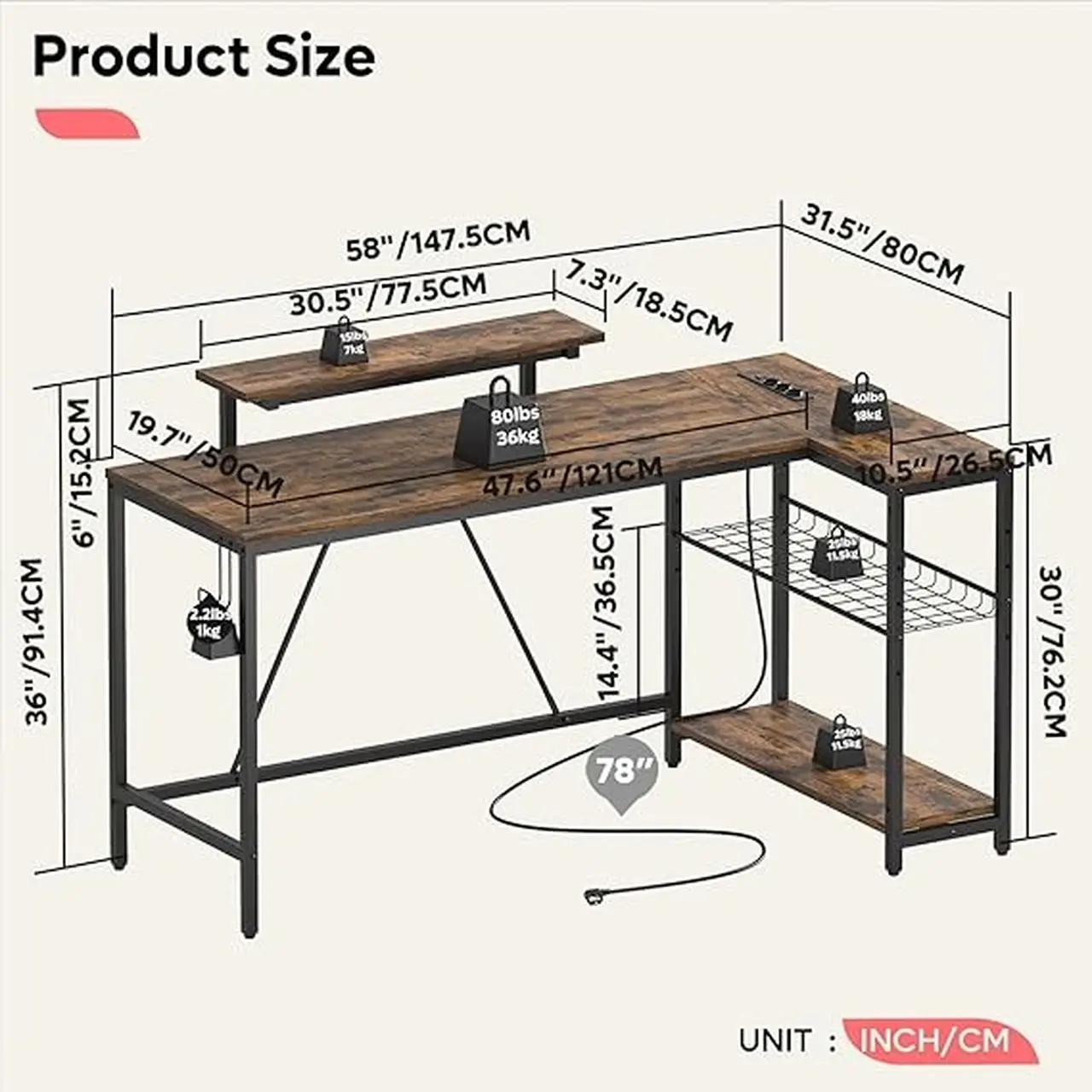
The Bestier desk measures 147.5 × 82 × 91.5 cm overall, giving you an L-shaped work area for a home office, study space or gaming setup. It has two side shelves for storage and a monitor shelf with RGB lighting, helping you organise equipment across the desk.
Can I fit the shelves on either side of the Bestier desk?
Yes, the Bestier desk has a reversible design, so you can position its double shelves on the left or right to suit your room layout. It also has a removable computer stand and a headphone hook, while labelled parts and illustrated instructions help you assemble the setup.
How do I use the desk’s built-in sockets and USB ports safely?
Keep the Bestier desk’s three built-in power outlets and two USB ports dry, and avoid overloading them when connecting your devices. Place the desk on a stable, level surface, and keep children from climbing on or hanging from it. These simple steps help you use the integrated connections as part of an organised workspace.
Don't just buy, Joybuy
Discover more of your favourite brands on Joybuy with great deals