Console players
If you play historical adventures on PS5, Xbox or a Switch connected to your TV, first check that the controller is compatible with your console and the specific game.


First, choose a controller that works with your console or PC and the specific game you want to play: having a big screen doesn’t make a gamepad compatible. When you’re playing from the sofa, check which connection your device supports, how the controller is powered and whether its controls feel right for you. Extra features should only influence your choice if your device and game support them.
If you play historical adventures on PS5, Xbox or a Switch connected to your TV, first check that the controller is compatible with your console and the specific game.
If your PC is connected to a big screen, check that the game supports controller input and that the connection used by the exact controller variant works with your PC.
If you play for longer periods, look for a button layout that feels right for you, and check how the controller is powered and charged, or whether you’ll need to replace its batteries.
Start by checking the platform and game, then the connection from where you’ll be sitting, and finally the controls and power source.
| What matters | What to look for | Who should pay particular attention? |
|---|---|---|
| Platform and game | Check the exact console or operating system, as well as whether the game supports gamepads. Any extra features must also be supported by the game. | If I want to play a particular historical adventure, I need to know whether the gamepad works with my device and the game. Around 33 % of consumers say compatibility is their main concern. |
| Connection from your seat | Check which wireless connection your device supports. If the controller uses a USB receiver, you’ll need a suitable port; if it’s wired, the cable must reach your seat. | If my console or PC is further away, I want to play from the sofa without the cable being too short. Around 27 % of consumers say the distance from their seat is their main concern. |
| Comfort and controls | Look for a button layout and grip that feel right for you. Extra buttons or haptic feedback only matter if your platform and game support them. | For longer gaming sessions, I want a controller that’s comfortable to hold, and I only want to pay for features I can actually use. Around 20 % of consumers prioritise comfort and controls. |
| Power | Compare how the exact variant is charged and what’s included in the box. Rechargeable AA batteries cannot be charged inside the Xbox Wireless Controller. | If I play regularly, I want to know whether it takes batteries, a rechargeable battery pack or has a built-in battery, and what should be included. For around 20 % of consumers, power and potential ongoing costs are their main concern. |
The connection depends on the exact variant. For Windows, 8BitDo lists the Ultimate 2C Wireless as connecting via a 2.4 GHz receiver or cable; Bluetooth is listed for Android.
Check the connection table for the full model name and your device.
To use the specified wireless connection with a Windows PC, you’ll need a suitable USB port for the receiver.
According to Sony, haptic feedback on the DualSense for PC requires a compatible game and a USB connection.
Check game support and the connection type before choosing this extra feature as a reason to buy.
The Nintendo Switch Lite does not support TV mode. Using a different controller won’t change that.
First check whether your console can output a picture to your TV at all.
Microsoft says that rechargeable AA batteries cannot be charged inside the Xbox Wireless Controller.
Check what’s included with the exact variant and consider which charging method works for you.
The DualSense is designed for PS5; Sony also describes how to connect it to compatible PCs.
Microsoft lists the Xbox Wireless Controller as compatible with Xbox consoles and Windows PCs.
The Switch Pro Controller is designed for the Switch family; Nintendo also confirms it can be used wirelessly with Switch 2.
The Ultimate 2C models differ in their connection and target platform, so the full model name matters.
The G7 SE is a wired option for Xbox and Windows.
The models below are aimed at players using PS4 and PS5 systems, as well as Xbox consoles and Windows PCs. Before buying, check that the specific game is compatible and confirm the connection supported by the variant you choose.
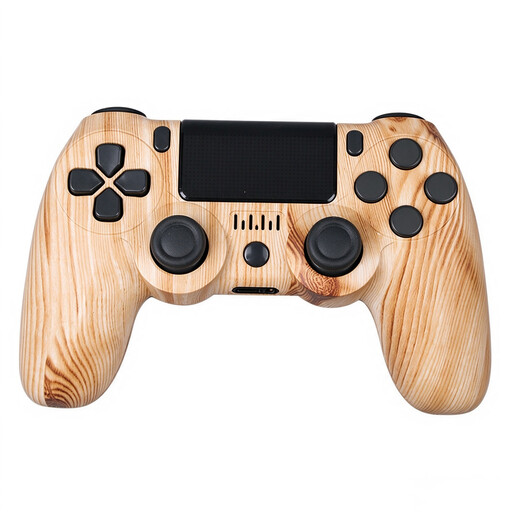 No image available
For PS4 players looking for a wireless controller with Bluetooth.
Bluetooth; 600-mAh battery; dual vibration; micro-USB charging cable.
 No image available
For Xbox and Windows PC players who want a wireless controller using Bluetooth or Xbox Wireless.
Listed for Xbox One, Xbox Series X/S and PC; according to the product description, two AA batteries are included.
According to Microsoft, rechargeable AA batteries cannot be charged inside the controller.
 No image available
For PS5 players and compatible PC games that support the controller’s relevant features.
Haptic feedback and adaptive triggers; a USB cable is listed in the product title.
According to Sony, haptic feedback on PC requires a compatible game and a USB connection.
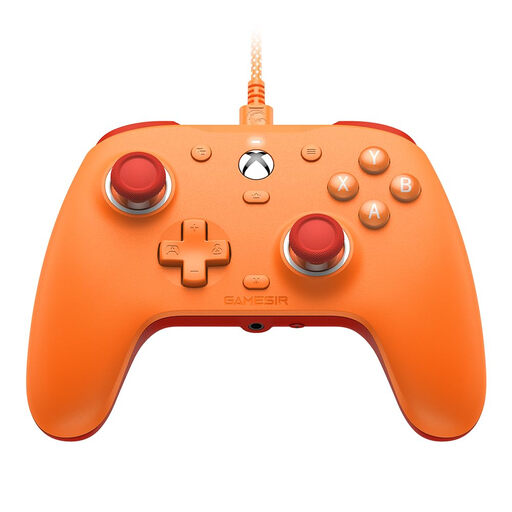 No image available
For Xbox and Windows players who prefer a wired connection and have a USB port within reach.
Listed for Xbox Series X/S, Xbox One and Windows 10/11; Hall Effect sticks; 3.5-mm audio jack.
GameSir describes the G7 SE as a wired model.
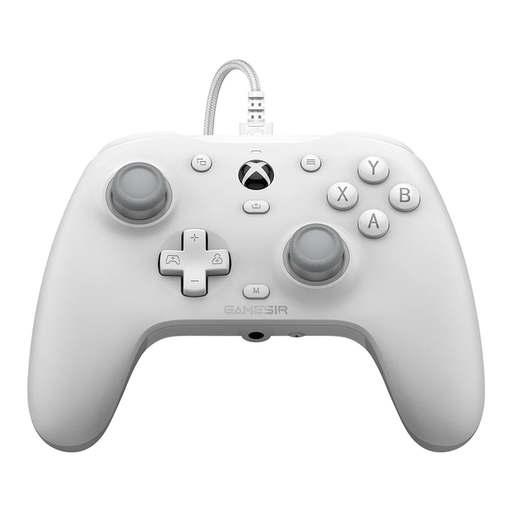 No image available
For Xbox and Windows players looking for extra controls and a wired connection.
Listed for Xbox Series X/S, Xbox One and Windows 10/11; Hall Effect sticks; according to the product description, supplied with a 3 m USB-C cable.
The cable must reach your seat.
No. The specific game must support gamepad input, and the connection must work with your PC and the exact controller variant. Steam Support notes that using gamepad-only input requires a game that supports it.
Sony describes connecting to compatible PCs via USB or Bluetooth. To connect via Bluetooth, activate pairing mode by pressing the Create and PS buttons, then select the controller in your Bluetooth settings. According to Sony, haptic feedback on PC requires a compatible game and a USB connection.
No. Microsoft lists AA batteries and a compatible rechargeable battery pack as options. Rechargeable AA batteries can also be used, but cannot be charged inside the controller. Check what’s included with the variant you choose.
No. Nintendo confirms that the Switch Lite does not support TV mode. Adding another controller won’t change that.