Continuous text in daylight
If you mainly read biographies outdoors as adjustable text, the right font size and an easy-to-handle e-reader are what matter most.


If you mainly read biographies as continuous text in bright daylight, an E-Ink e-reader is a sensible place to start. For large PDFs, colour images or additional apps, a tablet may be a better fit. Your book formats and sources are key: the Onleihe help pages explain that protected Onleihe e-books cannot be opened on Kindle e-readers. Claims about brightness and anti-reflective coatings alone also don’t guarantee good readability in every sunny situation.
If you mainly read biographies outdoors as adjustable text, the right font size and an easy-to-handle e-reader are what matter most.
If you use books from a library or different shops, check that your titles and files are compatible before choosing a device.
If you read fixed-layout book pages, historical photos or captions, screen size and ease of navigation are especially important.
A good choice if: You mainly read continuous text and want a compact e-reader.
The trade-off: Fixed PDF pages on small screens may require frequent zooming and panning.
A good choice if: Your biographies include images and you prefer an e-paper device.
The trade-off: Check how the specific model displays black-and-white text and colour images.
A good choice if: You want to read large or illustrated book pages and use other apps on the same device.
The trade-off: Compare the screen type and its anti-reflective coating. Manufacturer figures alone don’t tell you how readable the screen will be in your particular lighting conditions.
| What matters when buying | What to check | Who it matters most to |
|---|---|---|
| Readability in daylight | Compare the screen type, anti-reflective coating and conditions attached to brightness claims for the exact model variant. | If I mainly read continuous text outdoors, clear, easy-to-read type matters more to me than extra features. Around 36% of consumers put daylight readability first. |
| Book access and file compatibility | Check a title you actually need, including its format and copy protection, against the device and service you plan to use. | If I want to read borrowed or previously purchased biographies, my device needs to support the sources I use. Around 29% of consumers prioritise access to their books. |
| PDF pages and images | View a typical page from one of your books in the app you use, at the screen size you’re considering. | If I read biographies with fixed layouts or illustrations, I want to view the pages without awkward panning. Around 21% of consumers prioritise PDFs and images. |
| Additional features | Check that the reading, library and research apps you need are available for the specific operating system. | If I also want to research or use other apps while reading, having the right choice of device and apps is important to me. Around 14% of consumers prioritise additional features. |
The Onleihe help pages explain that protected Onleihe e-books cannot be opened on Kindle e-readers. This is important if you want to read library books.
Before buying, check your library, the Onleihe version you use and whether the specific device is compatible.
If your device can’t open the titles you need, you may have to use another compatible e-reader or find an additional way to read them.
Unlike adjustable EPUB text, a PDF keeps its fixed page layout. On a small screen, this may mean frequent zooming and panning.
Look at a typical page and, for Onleihe PDFs, check the applicable DRM requirements too.
On a Joybuy product page for the Galaxy Tab S10 FE, the model name in the title did not match the model number in the specifications.
Before placing an order, check the full model identifier and the key features against the details for that exact variant.
E-readers for adjustable book text, including models with information about Onleihe compatibility.
E-readers with broad format support; the Verse Pro Azure combines a 6-inch E-Ink display with an Onleihe app.
The 11-inch iPad Air is a tablet option for larger book pages, reading apps and other applications.
The Galaxy Tab S10 FE is an Android tablet option for reading, research and other apps.
The Go Color 7 (Gen II) is a colour e-paper device with support for Android apps.
This selection includes E-Ink e-readers for continuous text and larger tablets for reading book pages on a bigger screen.
 No image available
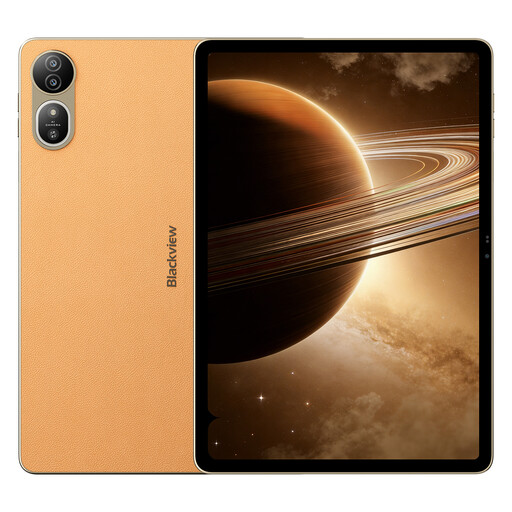
The larger screen is an option if you want to read book pages on a tablet.
The product is listed with a 2.4K IPS display with 120 Hz.
 No image available
The large screen could be a good fit if you want to read book pages on a bigger display.
Specifications include a 1920 × 1200 IPS display, 20 GB RAM (8 GB + 12 GB virtual), a keyboard, mouse and stylus.
 No image available
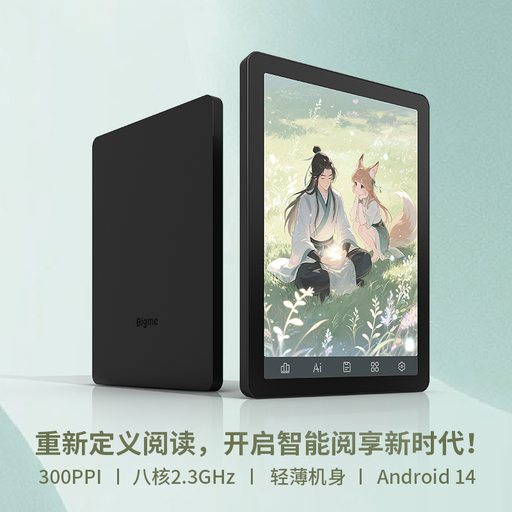
This compact E-Ink device is an option if you want to read biographies on an e-paper screen.
The product specifications list a colour display, Android 14 and 8 GB + 256 GB. The screen is listed as 300 ppi in black and white and 150 ppi in colour.
 No image available
This 6-inch E-Ink e-reader is a compact option for biographies in continuous text.
Specifications include Android 14 with Google Play and 36-level front lighting. The screen is listed as 300 ppi for black and white and 150 ppi for colour content.
 No image available
The larger tablet screen is an option if you want more room to read book pages.
The product description lists a 90 Hz FullView display and Android 14.
A brightness figure alone isn’t enough. Samsung lists up to 800 nits for the Galaxy Tab S10 FE in ‘High Brightness Mode’, while Apple lists 500 nits and an anti-reflective coating for the 11-inch iPad Air. Also check for reflections and see how readable the screen is in your own lighting conditions.
The Onleihe help pages explain that on supported tolino and PocketBook devices, you can get started in the device browser by selecting your library and signing in with your library card and password. Beforehand, check that your exact model works with the Onleihe version you use.
Onleihe 3 PDFs on e-readers may have additional Adobe or ByteBooks DRM requirements; check the requirements for your device and the specific title. According to the Onleihe help pages, ByteBooks ID has replaced Adobe ID in the sign-in process described since 23 June 2026. The fixed PDF layout may also mean frequent zooming on smaller screens.
For online distance sales covered by the rules, you generally have a 14-day right to cancel, starting from delivery of the goods. If you buy from a trader and the goods are faulty, you have a statutory guarantee of at least two years; this is different from a voluntary warranty. The European Union’s Your Europe website explains these rules. Exceptions and the specific terms of your contract should also be taken into account.