What should you look for?
Start by checking how your spreadsheets and charts will look side by side, then consider desk space and the stand. Finally, make sure the connections are compatible with your laptop.
| What matters |
What to check before buying |
Who is this most important to? |
| Spreadsheets and charts side by side |
Test your usual count sheets at your preferred text size to see whether your planned window layout remains easy to read. |
If I want to compare a count sheet and a chart side by side, I need a layout that works and is easy to read; around 40% of consumers prioritise analysing data in multiple windows. |
| Desk space and positioning |
Measure the available desk width and depth, including the stand; check the height adjustment on the specific model. |
If desk space is limited, the entire monitor needs to fit on the available surface and adjust to my sitting position; around 30% of consumers prioritise desk space and positioning. |
| Laptop connection and power |
Check your laptop’s USB-C video output and charging requirements against the specifications for the exact monitor model. |
If I want to use a single connection for both the laptop’s picture and power, the two devices need to be compatible; around 20% of consumers prioritise a single-cable setup. |
| Details in bird photos |
Decide whether you’ll simply view photos or edit them regularly; check the monitor and computer’s capabilities separately. |
If I want to look closely at bird photos alongside survey data, image detail matters more than having extra spreadsheet space; around 10% of consumers prioritise checking photo detail. |
Joybuy monitors for analysing data
This selection includes QHD monitors for spreadsheets and charts, as well as 27-inch 4K models for when image detail matters alongside your data.
 No image available
Lenovo ThinkVision T27Q-40, 27-inch, QHD, IPS, Black
For analysing spreadsheets and charts on a 27-inch screen.
27-inch, QHD, IPS.
View at Joybuy
 No image available
Gigabyte GS27QCA, 27-inch, Curved, QHD
A 27-inch QHD option for analysing spreadsheets and charts.
27-inch, Curved, QHD.
View at Joybuy
 No image available
INNOCN CB27U1, 27-inch, 4K UHD, IPS
For viewing image details alongside your data; check that your preferred display settings still make spreadsheets easy to read.
27-inch, 4K UHD with 3840 × 2160 pixels, IPS, USB-C with 90 W Power Delivery, height-adjustable stand.
View at Joybuy
 No image available
KTC H27D9, 27-inch, QHD, IPS
A 27-inch QHD option for spreadsheets and charts; VESA compatibility may be useful if you’re planning to mount it.
27-inch, QHD, IPS, VESA-compatible.
View at Joybuy
 No image available
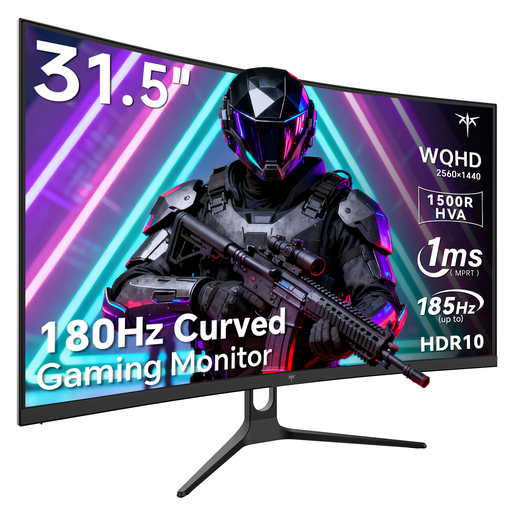
KTC H32S5, 32-inch, Curved, QHD
For analysing data on a larger screen; measure the available space, including the planned mounting position, before you choose.
32-inch, QHD with 2560 × 1440 pixels, Curved, tilt-adjustable and VESA-compatible.
View at Joybuy
Frequently asked questions
How should I set up a monitor in a student room?
First, measure the available desk width and depth, including the stand. Adjust the height and tilt to suit your sitting position and keep text easy to read; adjustment ranges vary by model. The BAuA describes ASR A6 for screen-based work. Its scope covers workplaces and teleworking, not ordinary private use in a student room.
Can any laptop output video and charge over USB-C?
No. The connector shape alone doesn’t tell you that. Check the specific laptop’s video output and charging requirements, as well as the monitor’s video mode and Power Delivery: EIZO specifies DisplayPort Alt Mode and up to 70 W for the EV2490, while Dell lists up to 90 W for the P2425DE.
How can I compare monitor power consumption?
Compare the EU energy label and product specifications for the models you’re considering. To work out your own running costs, you’ll also need to use the same period of use and your electricity tariff. The European Commission lists monitors as products covered by energy labelling.
What are my rights if my new monitor is faulty?
For purchases from a business, you’re entitled to a legal guarantee of at least two years from the date you receive the goods. This is separate from any voluntary manufacturer’s warranty. According to Your Europe, the European Union’s information portal, you may first be entitled to a free repair or replacement, subject to the applicable conditions.
Can I cancel an online purchase in Germany?
For a typical online purchase by a consumer, you generally have 14 days from receiving the goods to withdraw from the contract; exceptions and the terms of the specific contract may apply. Verbraucherzentrale describes the right of withdrawal as a separate right from your guarantee rights if goods are faulty.


