For spreadsheets and maps, start by looking for enough usable screen space, a suitable resolution and comfortable scaling. If you regularly switch between laptops, compatible USB-C video output and sufficient charging power also matter. A compact docking monitor saves desk space but leaves less room for multiple views, while 4K and a wide colour gamut are most useful for detailed maps or photo work.
Which monitor is right for you?
Data and map analysts
If you view observation lists, analyses and maps side by side, look for a suitable screen size and clear, easy-to-read views. The Cornell Lab of Ornithology describes eBird datasets as including observation and location details; this does not point to a specific monitor size.
People who switch between laptops
If you share a permanent desk with others, a connection that makes it easier to switch devices may be useful. Whether a USB-C monitor can transfer video, connect peripherals and charge your laptop over one cable depends on the monitor and laptop.
Survey team members checking photos
If you also review photos or detailed maps, resolution and colour modes may matter more than they would for spreadsheet work alone. Manufacturer claims about colour gamut are not an independent assessment of image quality.
What should you look for when buying?
Compact office monitor with docking
A good fit if: desk space is limited and laptops are frequently switched at your shared workstation.
Consider: A 23.8-inch Full HD screen offers less room for spreadsheets and maps side by side than larger QHD or 4K models. EIZO specifies up to 70 W of USB-C power delivery for the EV2490.
27-inch QHD office monitor
A good fit if: you regularly want to view spreadsheets and maps side by side, without making 4K a priority. Philips lists QHD, USB-C and an adjustable stand for the 276B9/00.
Consider: Check the exact model, laptop compatibility and the charging power you need.
27-inch 4K monitor
A good fit if: you assess fine map details or photos and can set up the views with comfortable scaling.
Consider: Higher resolution is no substitute for suitable scaling or a comfortable seating position. A wide colour gamut is not automatically necessary for lists of counts alone.
eBird datasets can include location information as well as observation details. When choosing a monitor, consider both the layout of your typical work and the connections and adjustment options available at your specific workstation.
| Buying priority |
What to check |
Who is it most relevant to? |
| Switching laptops and connections |
Check your laptop’s USB-C video output, charging requirements and the USB devices and network connections you need. |
If I often switch laptops at a shared desk, I want to connect the display and necessary peripherals as easily as possible. Around 33% of consumers put quick device switching first. |
| Space for spreadsheets and maps |
Open a typical spreadsheet and map at the same time, then assess the font size and scaling. |
If I analyse observation data and maps side by side, I need both views to be easy to read on screen. Around 27% of consumers give this usable screen space top priority. |
| Adjusting the monitor for different people |
Check the height, tilt and swivel adjustments, as well as the space available for input devices and paperwork. |
If several people use the same workstation, I want to be able to adjust the screen position to suit each person’s seating position. Around 20% of consumers put this adjustability first. |
| Photos and fine details |
Decide whether you only need to review photos or edit them with accurate colour, then choose the colour mode and scaling accordingly. |
If I also check photos or fine image details as part of the survey, how they look and the available colour modes matter more than they would for list work alone. Around 20% of consumers prioritise image review. |
Which buying mistakes should you avoid?
-
Assuming USB-C charging means you’re guaranteed a one-cable solution
According to Xiaomi, the Xiaomi 4K Monitor A27Ui delivers its maximum USB-C power when the screen is switched off. A power rating without this condition does not tell you how much charging power is available while the monitor is in use.
Check the charging power available in the operating mode you need and make sure the video output is compatible with your specific laptop.
Depending on your laptop, you may also need a separate power supply or a compatible adapter.
-
Assuming more pixels automatically make data easier to read
With 4K, the readability of small spreadsheet labels also depends on scaling, viewing distance and the software you use.
Before you decide, open a typical spreadsheet and map in your planned window layout and check the font size.
-
Assuming one top-ranked monitor is right for every workflow
A general office monitor ranking does not tell you whether docking, a compact design or additional photo work should take priority at a shared desk.
First decide which part of your workflow matters most, then compare the features you need for it.
Monitor brands at a glance
EIZO
The FlexScan range includes the EV2490, a compact docking option for a shared workstation.
- EIZO specifies USB-C power delivery of up to 70 W, USB ports and RJ-45 for this model.
- At 23.8 inches and 1920 × 1080 pixels, it offers less room for data views side by side than larger QHD or 4K models.
Philips
According to Philips, the 276B9/00 office monitor combines QHD with USB-C and an adjustable stand.
- This combination may suit people who need side-by-side views and share their workstation with others.
- Check the exact model, laptop compatibility and charging requirements.
ASUS
The ProArt PA279CRV is a 27-inch 4K model for data analysis with additional requirements for image detail or colour modes.
- ASUS specifies 3840 × 2160 pixels, 96 W USB-C Power Delivery and height adjustment; its colour gamut figures are also manufacturer claims.
- High resolution and a wide colour gamut are not automatically essential for spreadsheet work alone.
Dell
The S2725DSM is a 27-inch QHD option to consider if screen space matters more than docking features.
- Dell specifies QHD and 144 Hz for this model.
- Don’t assume it has USB-C docking just because it’s a Dell; check the connections on the exact model you need.
Xiaomi
The 4K Monitor A27Ui is a 27-inch option with high resolution and USB-C.
- Xiaomi specifies 3840 × 2160 pixels for this model.
- According to Xiaomi, the advertised maximum of 90 W from the USB-C port is available when the screen is switched off. Check the charging power available in the operating mode you need.
Joybuy monitors for spreadsheets and maps
The Joybuy models below include 27-inch QHD and 4K options. For a shared workstation, also check that the connections meet your laptop’s needs and that you can position the screen comfortably.
 No image available
Z-Edge AGEX 27-inch QHD monitor
The stated QHD resolution and height-adjustable stand are useful for spreadsheet views and changing seating positions.
27 inches; QHD; DisplayPort and HDMI; height-adjustable stand.
View at Joybuy
 No image available
MSI PRO MP273UPDE E6 27-inch 4K UHD IPS monitor
The 4K UHD resolution stated in the product name may be useful for detailed map views; check the scaling works well for your spreadsheets.
27 inches; 4K UHD; IPS; 60 Hz; HDR Ready.
View at Joybuy
 No image available
Samsung ViewFinity S7 S70H 27-inch 4K UHD IPS monitor
The 4K UHD specification in the product name makes this model worth considering for detailed views; make sure text and spreadsheets are displayed at a comfortable scale.
27 inches; 4K UHD; IPS.
View at Joybuy
 No image available
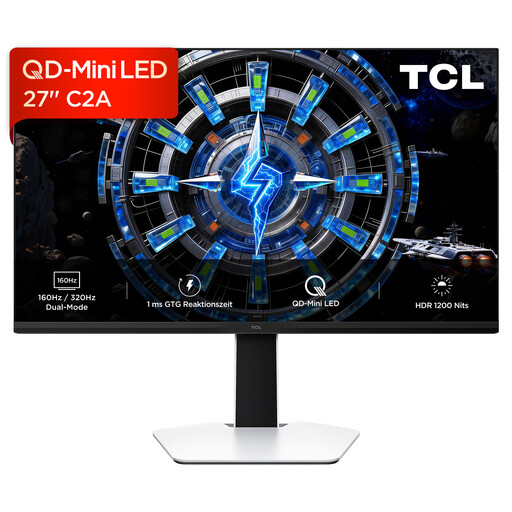
TCL 27C2A QD-Mini-LED monitor
The product name specifies 27 inches and QD-Mini-LED; check the exact resolution against your preferred display for spreadsheets and maps.
27 inches; QD-Mini-LED; described as 4K UHD in the product name.
View at Joybuy
 No image available
Gigabyte GS27QCA 27-inch curved QHD monitor
The QHD resolution is useful for viewing spreadsheets and maps side by side. Check whether the curved screen suits your window layout.
27 inches; QHD; curved screen.
View at Joybuy
Frequently asked questions
Is one USB-C cable enough to connect and charge any laptop?
No, it depends on the monitor and laptop. Check whether your specific laptop’s USB-C port supports video output and how much charging power it needs. EIZO specifies DisplayPort Alt Mode and up to 70 W of power delivery through the relevant port on the EV2490.
How should I set up a monitor at a shared workstation?
Adjust the screen position, text size and lighting to suit each person’s needs, and leave room for input devices and paperwork. For workplace display screen equipment, the Workplace Ordinance and ASR A6 set out design requirements; this does not automatically mean you have to buy a particular monitor for personal use.
Are there specific rules in Germany for workplace monitors and disposal?
For a display screen workstation covered by the Workplace Ordinance, the employer must comply with the relevant requirements. ASR A6 provides more detail and allows other solutions that offer equivalent protection. A monitor that has reached the end of its life must not go in household waste; the German Environment Agency lists options including recycling centres and returning it to a retailer.


