
Lieferung heute & morgen

Qualitätsgarantie

Willkommens-Angebote freischalten: KOSTENLOSE Lieferung | Bis zu 80 % RABATT | Kostenlose 30-Tage-JoyPlus-Testphase
App herunterladen
For many people, Bluetooth headphones are part of their everyday essentials: for the commute, working from home, exercise or travel. There’s plenty of choice, from compact true wireless earbuds to large over-ear headphones with active noise cancellation. But a high price or a long list of features doesn’t guarantee that a model will suit your daily routine.
Manufacturers often quote battery life under different conditions. Some figures apply only with noise cancelling switched off, while others include the charging case. When comparing in-ear headphones, it’s important to distinguish between earbud battery life and total battery life, including the charging case.
For example, according to the product details, the Samsung Galaxy Buds4 Pro offer up to 6 hours with noise cancelling switched on and up to 7 hours without ANC. With the charging case, the figures are up to 26 and 30 hours respectively. These figures aren’t directly comparable with the battery life of large over-ear headphones.
Bluetooth 5.3 or Bluetooth 6.0 might sound impressive at first. But real-world performance also depends on supported profiles, codec compatibility, multipoint functionality and the stability of your smartphone. A newer Bluetooth version doesn’t automatically mean better sound.
For calls, you should also check whether headphones with a microphone deliver clear speech. Multiple microphones, beamforming or ambient noise reduction can help, depending on the design, but they’re no substitute for checking the product details carefully.
Noise-cancelling headphones reduce certain constant sounds, such as the noise of trains or aeroplanes. Voices, sudden noises and wind may still be audible. When near traffic, cycling or running outdoors, use ambient mode or switch off noise cancelling if you need to stay aware of your surroundings.
Look for three separate figures: playback time per charge, charging time and quick-charge capability. A moderate battery life is often enough for commuters, while travellers and frequent listeners may benefit from headphones with longer battery life.
A USB-C port is handy for everyday use, as many smartphones, tablets and laptops use the same charging cable. Some models also support wireless charging. An optional audio cable can be useful if the battery runs out or your device doesn’t support a Bluetooth connection.
An IP rating describes protection against dust and water under specified conditions. IP55 or IP57 doesn’t mean you can submerge a product wherever you like. Check that the rating suits your intended use and read the manufacturer’s guidance.
For sports headphones, a secure fit, low weight and easy-to-use controls also matter. If you’re using them in sweat or rain, keep the charging case protected unless it has its own suitable protection rating.
Low latency can be important for gaming and watching videos. Some models offer a dedicated low-latency mode, but synchronisation also depends on your device and the app you’re using.
Multipoint lets you connect to two devices, such as a smartphone and a laptop. Before buying, check that the feature is supported and compatible with your devices.
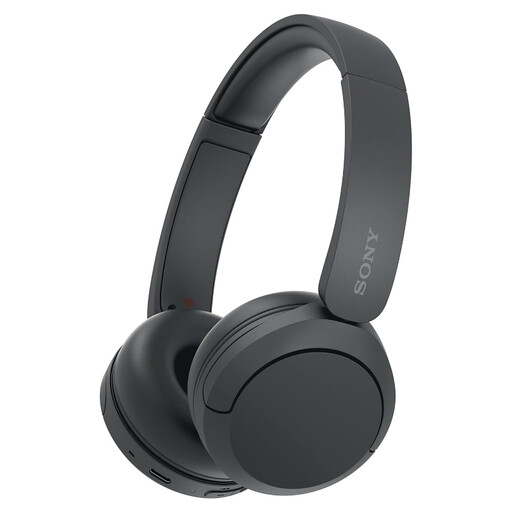
Why this product suits this profile: According to the product details, these on-ear headphones weigh 147 g and offer up to 50 hours of battery life. They’re a good choice for music, calls and commutes, without taking up much space in your bag.
Battery life and weight are listed separately. The model also supports multipoint connections, so you can use two devices.
Up to 50 hours of battery life, 147 g weight, app-based EQ and quick charging, according to the manufacturer.
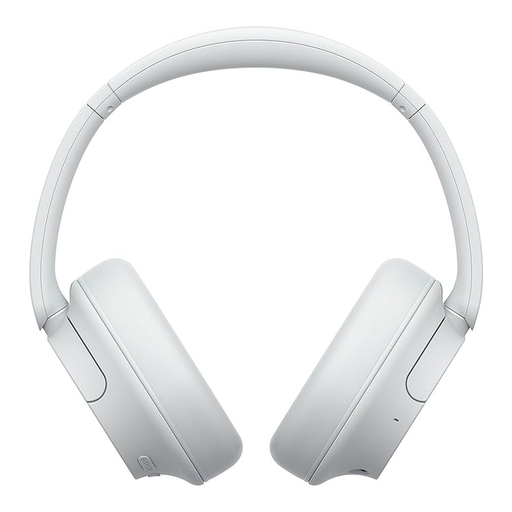
Why this product suits this profile: These over-ear headphones combine active noise cancelling, Ambient Sound Mode, multipoint and built-in microphones. That makes them a practical option for the office, train journeys and longer working sessions.
The product details distinguish between up to 35 hours with ANC and up to 50 hours without it, making the battery life easier to assess.
192 g weight, quick charging, 5-band EQ and connection to two devices, according to the product description.
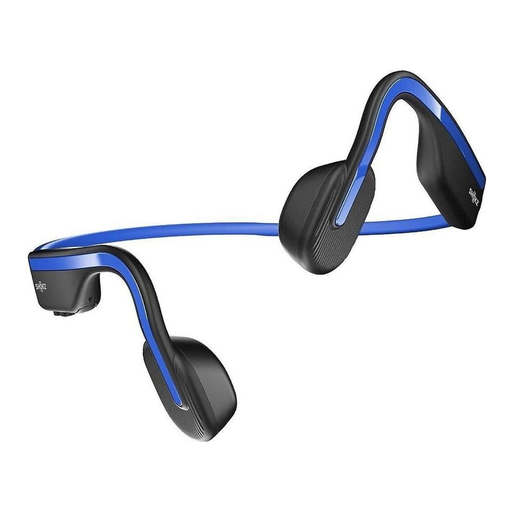
Why this product suits this profile: The open-ear design with bone conduction is made for runners and active users who don’t want to be completely cut off from their surroundings while listening.
It isn’t marketed as offering complete noise isolation. Instead, its open design suits situations where staying aware of your surroundings is important.
IP55 rating, Bluetooth connectivity, microphone and up to 6 hours of playback, according to the product description.
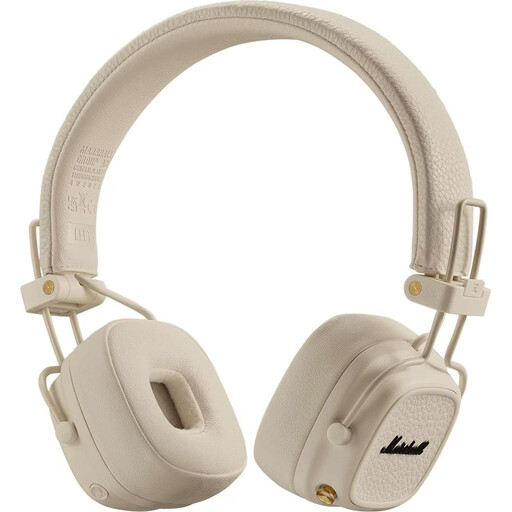
Why this product suits this profile: According to the product details, this model offers over 100 hours of wireless playback. Its foldable design and wired option make it a good fit for travel and long days of use.
The stated battery life is complemented by a 3.5 mm cable connection, so you can still listen with a wired connection if the battery runs out.
Over 100 hours of playback, quick charging, a foldable design and wireless charging, according to the product description.
We’ve put together a complete, regularly updated list of products that meet these strict selection criteria and the safety requirements in force across the EU.
Switch on Bluetooth on your smartphone, turn on your headphones and put them into pairing mode. Then select the product name from the list of devices. If you run into problems, try removing old pairings, restarting both devices and charging the battery.
Their lifespan depends on the battery, charging cycles, build quality and how well you look after them. Battery life per charge doesn’t tell you how many years the battery will last. Keep your headphones and charging case away from heat, moisture and heavy knocks. A model with replaceable ear pads or an additional cable connection may be more practical in the long run.
They use relatively little power compared with many other devices. You’ll still need to recharge them regularly, especially if you use ANC, listen at high volume or use them frequently. Quick charging, USB-C and a charging case make everyday use easier. Before buying, check whether a suitable cable is included.