
Lieferung heute & morgen

Qualitätsgarantie

Willkommens-Angebote freischalten: KOSTENLOSE Lieferung | Bis zu 80 % RABATT | Kostenlose 30-Tage-JoyPlus-Testphase
App herunterladen
A lit check engine light can be unsettling and spark fears of expensive repair bills. For tech-savvy car owners and ambitious DIY mechanics, a Bluetooth OBD2 diagnostic tool is a practical solution for taking matters into their own hands. It allows you to read the fault memory directly from your phone, understand error codes, and even fix minor issues yourself, like clearing the check engine light.
But the market is confusing and full of pitfalls. Before you make a decision, it's crucial to see through the common marketing promises that often lead to a bad purchase.
Many devices promise more than they deliver. Pay close attention to these three points to avoid hidden costs and disappointment.
To find the right car diagnostic tool with an app, you should focus on objective technical features rather than marketing slogans.
A modern vehicle consists of dozens of electronic control units (ECUs). While the legally mandated OBD2/EOBD standard only requires access to emission-related engine data, higher-quality devices offer manufacturer-specific diagnostics for nearly all installed systems. Look for support for common protocols like CAN, KWP2000, ISO9141, J1850 VPW, and J1850 PWM. This is the only way to ensure you can analyse not just the engine electronics, but also ABS, airbag, transmission, air conditioning, and other comfort systems.
This is what separates basic tools from advanced ones. A good diagnostic tool for the DIYer should do more than just read and clear the fault memory. Check exactly which service functions are included in the purchase price. The most important ones include:
The car diagnostic tool for your phone is only as good as its accompanying software. Clarify the cost structure before buying:
Based on these objective criteria, we have identified a few products that represent a smart choice for specific user profiles.
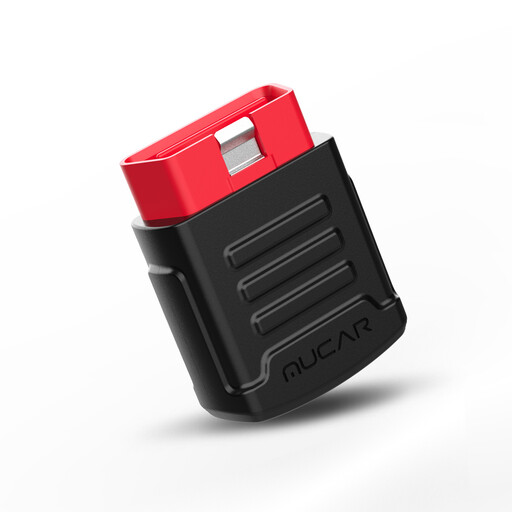
Why This Fits Their Persona: Ideal for users looking for a cost-effective yet powerful solution. The device offers a full system diagnosis for all ECUs, not just the engine, for free, for life.
Its core promise—a complete system diagnosis—is free for life, bypassing the subscription trap for the most critical scanning function.
Lifetime free all-system diagnostics. The standard version also includes two service resets (e.g., Oil and SAS) free for one year.
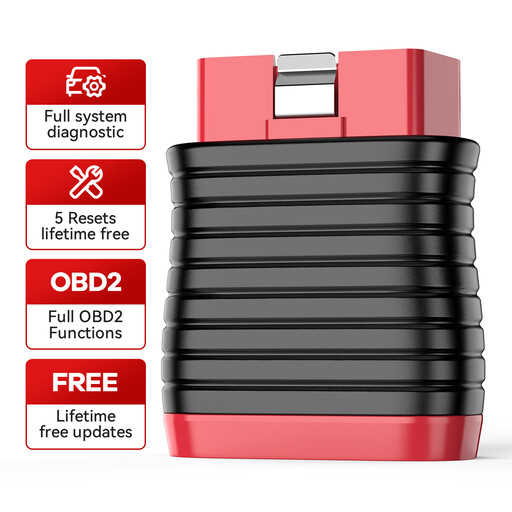
Why This Fits Their Persona: Perfect for users who regularly perform their own maintenance. This device focuses on the most important service functions and offers them without any time limits.
It offers a clear value proposition: Five essential reset functions are free for life. No hidden fees for core features.
5 lifetime free reset functions: IMMO, Oil, Brake, ABS, and Throttle (ETS). Covers the most common maintenance tasks.
We've compiled a complete, up-to-date list of products that meet these strict selection criteria.
Not necessarily. While the OBD2 standard is mandatory in the EU (as EOBD) for petrol cars since 2001 and diesel cars since 2004, this primarily applies to emission-related systems. Access to all control units (ABS, airbag, etc.) is manufacturer-specific. Therefore, always check the manufacturer's compatibility list for your specific vehicle model and year before purchasing.
Each manufacturer provides its own dedicated app (e.g., "ThinkDiag+" for THINKCAR or the MUCAR app). You'll need to download it from the Google Play Store or Apple App Store. The connection between the dongle, which plugs into the vehicle's OBD2 port, and your smartphone is then established via Bluetooth directly through the app.
Yes, but only if the device explicitly supports this function. Inexpensive, basic scanners can often only read and clear engine fault codes. Tools like the THINKCAR BD6 or MUCAR BT200 are specifically designed to also perform service functions, such as resetting the oil change interval or brake maintenance alerts. Pay close attention to the product description to see if these functions are included in the purchase price or tied to a subscription.