What should you consider when choosing?
For the recording scenario described, the breakdown below is a rough guide based on each shopper’s main priority. Each percentage refers to one primary buying priority.
USB document camera
A good fit if: You mostly record or explain things live on a computer and want to focus on showing game materials. IPEVO describes the V4K PRO as being designed for presenting physical materials and video streaming.
Things to weigh up: With your own board, check the framing, camera height, freedom of movement for your hands and how it displays in your chosen software.
Mirrorless camera with interchangeable lens
A good fit if: You want to make standalone explainer videos and frame the shot with a suitable lens. Sony, Canon and Nikon offer different mirrorless cameras designed with video in mind; Sony and Nikon also list specific lens kits.
Things to weigh up: The lens and mount need to suit the size of your table and your working distance. Also check the recording conditions and audio connection on the specific model.
Compact gimbal camera
A good fit if: You also want to capture moving close-ups or shots from different angles. DJI lists mechanical three-axis stabilisation for the Osmo Pocket 3.
Things to weigh up: Stabilisation won’t tell you whether the whole board fits in shot from your planned position. Check the mounting options and framing.
| Priority |
What to check before buying |
Who is it important to? |
| Board and small text |
Set up the game and check the framing and focus from the intended mounting height. With a mirrorless camera, the specific lens matters; Sony lists an E PZ 16–50 mm F3.5–5.6 OSS II for one ZV-E10 II kit. |
If I want to show the board, cards and hands all at once, a clear overhead view of the table is my main priority. Shoppers who prioritise framing account for around 29% in this scenario. |
| Window light and colour |
Test the exposure and white balance in a recording made at the actual window position. Canon Academy describes manual white balance as a way to reproduce colours more accurately in different lighting conditions. |
If the daylight changes, I want the cards and game pieces to remain clear. Shoppers who prioritise control of the lighting account for around 23% in this scenario. |
| Clear speech |
Test the audio at the distance you’ll actually be speaking from. Nikon lists an internal or external microphone for the Z 30; IPEVO describes the V4K PRO as having a built-in microphone. |
When explaining the rules, I want my voice to remain clear even while I’m looking at the game. Shoppers who prioritise audio first account for around 18% in this scenario. |
| Long recording sessions |
Compare the recording conditions, power supply and storage media for the specific model. Nikon lists up to 125 minutes of uninterrupted footage for the Z 30. This is a manufacturer-stated maximum, not a guarantee for every setup. |
If I want to record longer rules explanations without stopping, recording time is my main priority. Shoppers who prioritise long takes account for around 18% in this scenario. |
| Showing materials directly on a computer |
Decide whether you want to show game materials directly in a computer application or record a video file. IPEVO describes the V4K PRO as suitable for video streaming; check that its connections and software suit your workflow. |
If I want to show game materials live on my computer rather than record a separate file, a direct workflow matters to me. Shoppers who prioritise presenting via a computer account for around 12% in this scenario. |
Cameras for video recording at Joybuy
The following Joybuy products are cameras for video recording. For filming a board game on a table, pay particular attention to mounting, framing and how clearly details show in your own setup.
 No image available
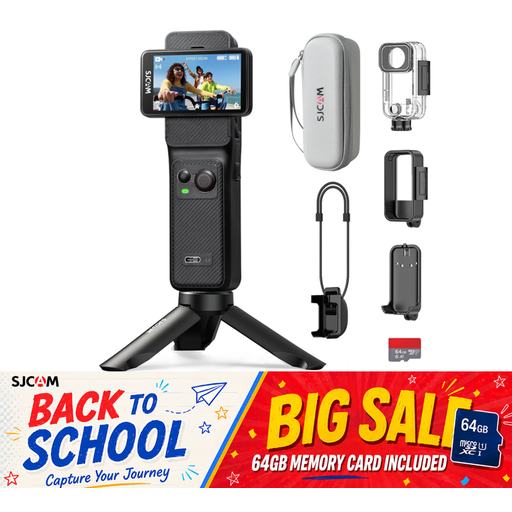
SJCAM C400 Action Camera
It could be suitable for video recording if you can set it up in a fixed position with a suitable view of the game. Check that small cards are clear in your own setup.
Joybuy’s product information lists 4K video at up to 30 fps, a 154° wide-angle lens and six-axis stabilisation. According to the product description, recording time of up to 437 minutes is possible with the additional battery and grip.
View at Joybuy
 No image available
Komery W6 digital camera
If you want to adjust the framing, check whether the stated zoom suits your working distance and the size of your board.
Joybuy’s product information lists 12× optical zoom, 4K video and Wi-Fi. Before recording, check that your chosen frame shows the whole game and the details you need.
View at Joybuy
 No image available
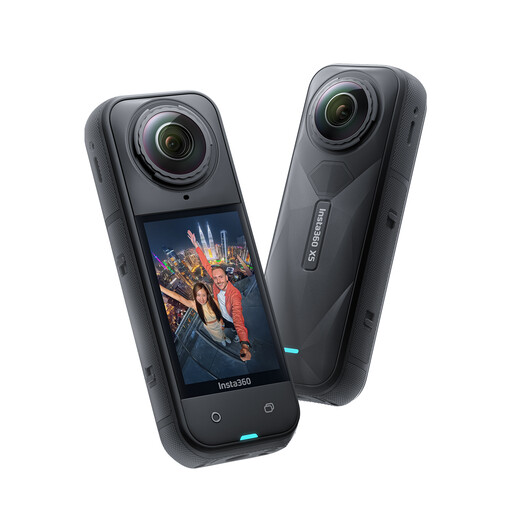
Insta360 X5 360° Action Camera
It may be worth considering for additional angles if you want to adjust the framing after recording. Check whether InstaFrame mode suits your planned workflow.
Joybuy’s product information lists 8K recording at 30 fps, 360° recording and InstaFrame mode. Whether small text remains clear in your finished video depends on the framing you choose.
View at Joybuy
 No image available
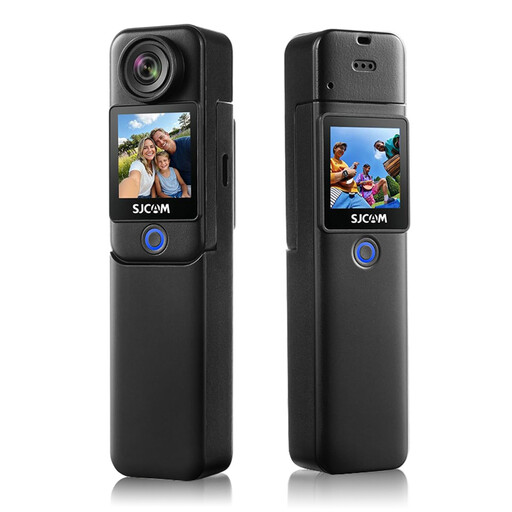
SJCAM C300 Action Camera
It could be suitable for video recording if you can mount the camera for a fixed view of the table. Check the framing and clarity with your actual game.
Joybuy’s product information lists 4K video at up to 30 fps, a 154° wide-angle lens and six-axis stabilisation. According to the product description, recording time of up to 460 minutes is possible with the grip and additional battery.
View at Joybuy
Frequently asked questions
How do I set up a tabletop recording by a window?
Make a test recording from the actual position by the window, then check the overall image, small text and hand movements. Canon Academy describes manual white balance as a way to reproduce colours more accurately in different lighting conditions. Also check the exposure before making a longer recording.
Is a high megapixel count enough to make card text readable?
No. A high sensor resolution alone doesn’t guarantee that text will be readable in the finished video. IPEVO lists up to 3264 × 2448 at 30 fps for the V4K PRO, but you should still check the text in a recording made with your actual setup and software.
What should I prepare for longer rules explanations?
Check the power supply, storage media and recording conditions for the specific model. Nikon lists up to 125 minutes of uninterrupted footage for the Z 30; DJI specifies that a microSD card must be inserted when recording with the Osmo Pocket 3.
Who should I contact if a camera bought in the EU is faulty?
The statutory two-year legal guarantee applies to your contract with the seller, not the manufacturer. Your Europe, the European Union’s information portal, also explains that an additional commercial guarantee doesn’t replace this right.
Can I show other players who are recognisable in an explainer video in Germany without further permission?
Not in every case. Under § 22 KunstUrhG, consent is generally required to distribute or publicly display images of people; § 23 sets out exceptions. The provisions are published on Gesetze im Internet. Whether an exception applies to a particular recording can’t be determined from the buying scenario alone. If other players are recognisable, get their consent before publishing the video.


